Gli schermi dell'iPhone sono tra i componenti più importanti del dispositivo, e quando il display inizia a comportarsi in modo strano, even a perfectly functioning phone can suddenly feel unusable. A cracked screen is easy to recognize, but many iPhone LCD screen problems are less obvious: touch may stop responding in one corner, the display may flicker, vertical lines may appear, brightness may become uneven, or the screen may remain completely black while the phone continues to receive calls and notifications. These problems can come from physical impact, liquid exposure, danno al connettore, component failure, software issues, or a low-quality replacement display. Apple itself recommends troubleshooting issues such as intermittent touch by restarting the iPhone, keeping the screen clean and dry, disconnecting accessories, and removing cases or screen protectors before arranging service if the problem continues.
Per officine riparazioni, grossisti, technicians, and ordinary iPhone users, the key is learning to distinguish a simple problem from a genuine display failure. Not every screen problem means that the entire display assembly needs to be replaced. Sometimes the issue is caused by an accessory, contaminazione, a loose connection, or software behavior, while other cases require professional diagnosis and a new display. Apple currently provides official screen-repair services through Apple Stores and Apple Authorized Service Providers, while eligible Independent Repair Providers and Self Service Repair users can also access genuine Apple parts under the applicable programs.
Why iPhone Display Problems Are So Common
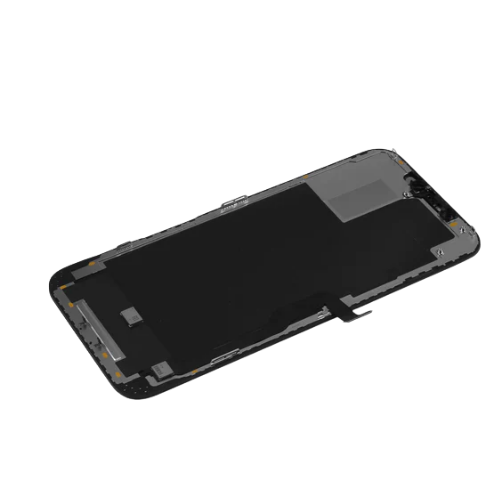
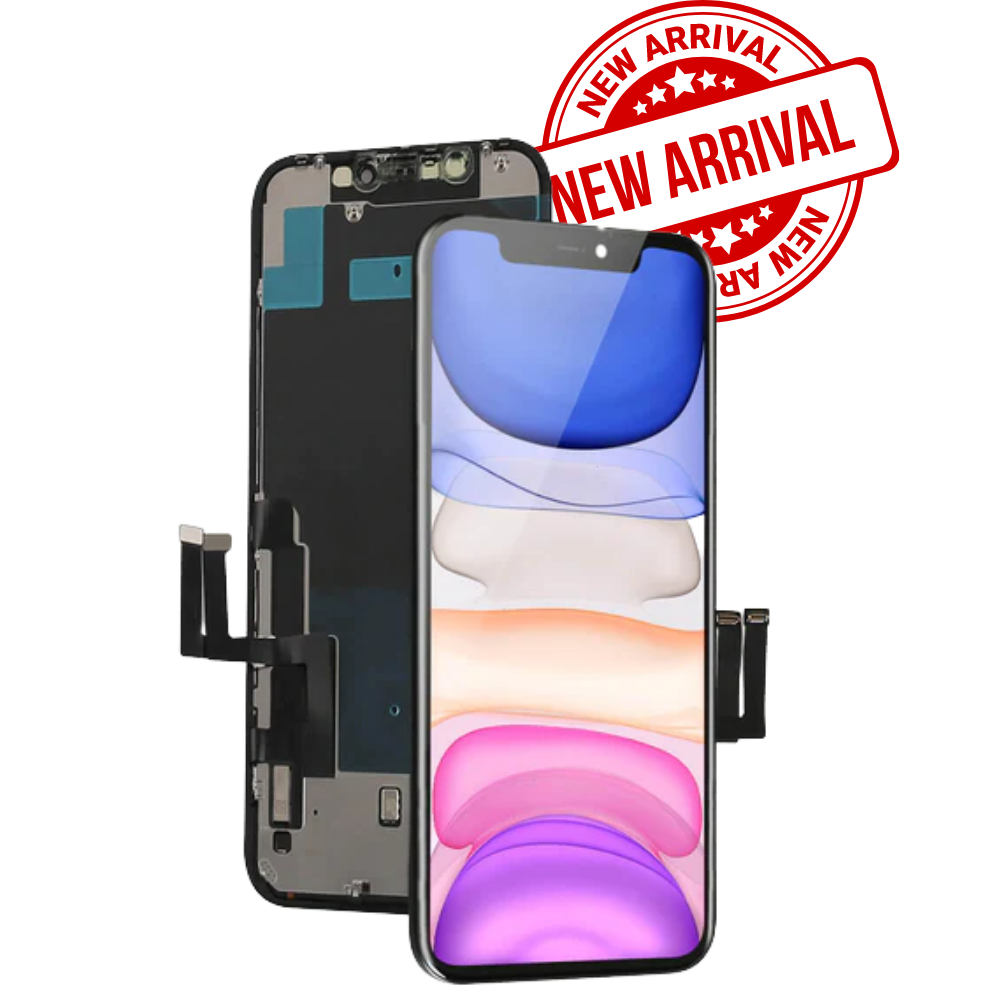
Modern iPhone displays are sophisticated assemblies rather than simple pieces of glass. The screen normally combines the visible display panel, touch-sensing technology, vetro protettivo, cavi flessibili, connettori, and supporting electronics, with the exact construction varying by model and generation. That means one accident can create several different symptoms at once: a fall may crack the glass, damage the touch layer, deform the frame, and put stress on the display flex cable even when the phone initially appears to work normally. This is why diagnosing an iPhone screen should be more like detective work than simply looking for a crack.
Another reason display problems can be confusing is that screen symptoms do not always identify the failed component. A black display, Per esempio, may indicate a damaged panel, a connector problem, a power issue, or a deeper logic-board fault. Allo stesso modo, ghost touch may come from a damaged touch layer, poor-quality replacement hardware, umidità, or another electrical problem. Apple notes that non-genuine displays can create compatibility and performance problems, including Multi-Touch issues, and that previously used parts may have inconsistent performance depending on their previous use or modification.
The Difference Between LCD and OLED iPhone Displays
It is also useful to clarify the term iPhone LCD screen, because not every modern iPhone uses an LCD panel. Earlier iPhone generations relied heavily on LCD technology, while many newer iPhone models use OLED-based displays. OLED panels generate light at the pixel level, while traditional LCD assemblies depend on a backlight system. Di conseguenza, their failure patterns can differ: an LCD may develop backlight-related problems, while an OLED can show issues such as pixel damage, burn-in-like image retention, or localized dark areas.
For buyers and repair businesses, identifying the exact iPhone model before ordering a replacement is therefore essential. Two screens can look similar but use completely different connectors, dimensioni, tecnologie di visualizzazione, touch systems, and programming or configuration requirements. A technician who orders only according to screen size or appearance can easily end up with an incompatible component. Always confirm the exact model, screen specification, connector arrangement, and replacement type before beginning a repair.
The Most Common iPhone Screen Problems
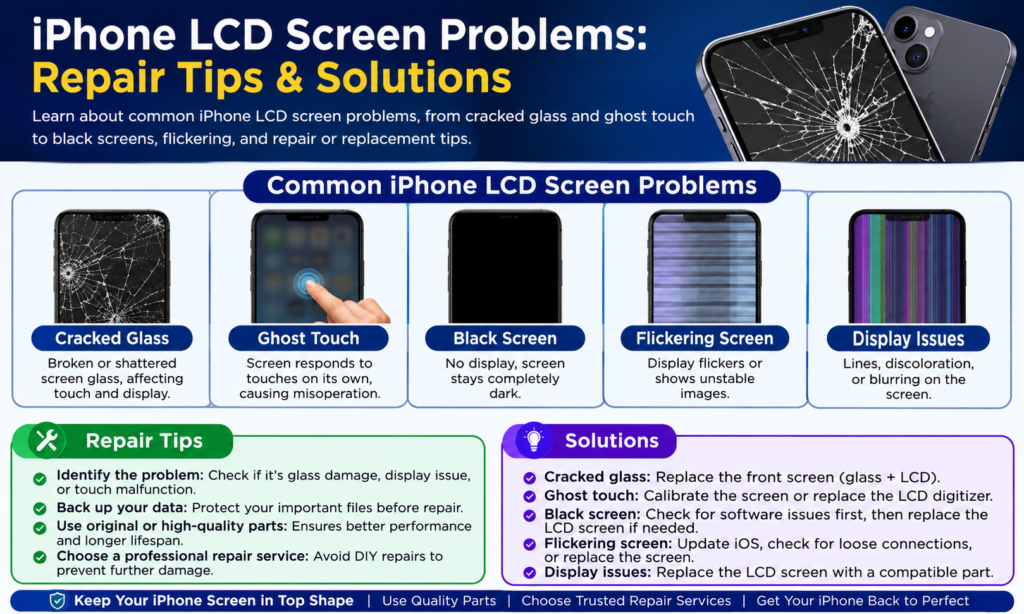
The most frequent iPhone display complaints can be divided into several categories: physical damage, problemi di tocco, display-output problems, brightness or color abnormalities, and complete loss of image. Each category tells the technician something different. Un vetro esterno rotto con un'immagine e una risposta al tocco perfettamente funzionanti può essere molto più facile da risolvere rispetto a uno schermo che mostra linee casuali e zone touch che non rispondono. L'importante è non passare direttamente alla sostituzione prima di aver identificato con precisione il sintomo.
Un primo passo utile è registrare esattamente ciò che sta facendo lo schermo. Il problema si verifica costantemente o solo occasionalmente? Appare dopo che il telefono si è riscaldato? Toccando lo schermo l'immagine cambia? Il telefono vibra ancora?, squillo, carica, o connettersi a un computer? Il problema è iniziato immediatamente dopo una caduta?, esposizione all'acqua, aggiornamento del software, o riparazione precedente? Queste semplici osservazioni possono far risparmiare molto tempo per la riparazione perché aiutano a distinguere un problema del display da un problema più ampio del dispositivo.
Vetro rotto o rotto
Cracked glass is probably the most recognizable iPhone screen problem. A phone can fall from a desk, slip from a pocket, or receive pressure inside a bag, leaving a spiderweb of cracks across the front glass. Sometimes the damage is purely cosmetic and the display and touch functions continue to work. In other cases, the impact penetrates deeper and damages the touch layer or display panel, creating symptoms that become worse over time.
A small crack should not automatically be ignored. Sharp glass fragments can make the device uncomfortable or unsafe to handle, and continued pressure on a damaged panel can cause additional failure. If the screen is cracked but still working, users should back up important data and arrange an appropriate repair rather than repeatedly pressing damaged areas. Professional technicians should also inspect the frame because a bent housing can prevent a replacement display from sitting correctly, potentially creating pressure points that cause a new screen to fail later.
Touchscreen Failure and Ghost Touch
Touchscreen problems are particularly frustrating because the image can look completely normal while the phone becomes difficult or impossible to control. Common symptoms include a section of the screen that does not respond, delayed touch registration, random taps, missed swipes, O tocco fantasma, where the phone appears to perform actions without the user touching it. These symptoms can result from damage to the touch system, contaminazione, umidità, a damaged connector, or an unsuitable replacement display.
Before assuming the hardware has failed, Apple recommends several basic checks for touch problems: restart the iPhone, make sure the display is clean and free from water or debris, disconnect Lightning or USB-C accessories, and remove cases or screen protectors. If the issue disappears after one of these steps, replacing the screen may be unnecessary. If touch remains unreliable after basic troubleshooting, Tuttavia, professional diagnosis becomes much more appropriate.
Black Screen or No Display
A completely black screen is one of the most alarming display failures, but it does not automatically mean the iPhone is dead. If the phone still rings, vibrates, produces sounds, or responds when connected to a computer, the device may still be operating even though the display is not showing an image. This distinction is extremely important for technicians because it changes the diagnostic direction.
A black display can be caused by impact damage, internal connector problems, display failure, power-related faults, or other hardware issues. If the phone has recently been dropped, the display assembly should be inspected carefully. If it suffered liquid exposure, technicians should also consider corrosion or electrical damage rather than simply installing another screen. A replacement display may solve the problem when the original panel is defective, but it cannot fix a fault elsewhere in the phone.
Linee, Sfarfallio, and Display Artifacts
Vertical or horizontal lines are another common warning sign. You might see a single bright line, multiple colored lines, rapidly flickering areas, intermittent image distortion, or blocks of pixels that appear abnormal. These symptoms often become more noticeable after a physical impact, especially when the phone has been bent or compressed.
Flickering can sometimes be associated with a poor connection or defective replacement component, while permanent lines can indicate physical damage to the display assembly. A technician should test the phone carefully before and after reconnecting the display rather than immediately assuming that the panel itself is defective. If the same symptom remains with a known-good compatible display, attention should shift toward the phone’s connector or board-level circuitry.
Colore, Luminosità, and Backlight Problems
Not every screen failure produces a completely black or cracked display. Some iPhones continue to show an image but develop unusual colors, luminosità non uniforme, dark patches, flashing regions, or an apparent yellow or blue tint. A customer may describe the screen as “too dark,” “lavato via,” “different from the original,” or simply “not looking right.” These descriptions are subjective, so a good technician should compare the display under controlled conditions instead of relying only on memory.
Replacement quality can also influence how these problems are perceived. Apple states that iPhone displays are engineered together with iOS for performance and quality, and warns that non-genuine displays can cause compatibility or performance issues. Per officine riparazioni, this means that choosing a replacement screen based solely on the lowest price can create additional complaints later. Precisione del colore, luminosità, Tocca risposta, angolo di visione, consumo di energia, and long-term reliability all matter when evaluating replacement displays.
Tinta gialla, Dark Areas, and Uneven Brightness
A yellowish or bluish appearance can sometimes be related to display settings rather than a defective screen. Before opening the device, check brightness, display settings, Turno di notte, True Tone-related behavior where applicable, and other software features that can change how colors appear. Comparing the phone with another known-good device under the same lighting conditions can also make the difference easier to identify.
Uneven brightness or dark areas are more concerning when they remain after settings have been checked. On an LCD device, backlight-related problems can create areas that are noticeably darker than others. On an OLED device, individual pixels or sections of the panel may behave differently. A technician should document the symptom with photographs and test patterns before replacing the display, especially when the repair is being performed under a warranty.
Screen Damage After Drops or Water Exposure
Drops and liquid exposure are two major causes of display failure. A drop can produce obvious glass damage, but it can also create invisible stress inside the display assembly. A phone may appear normal immediately after an accident and then develop touch problems or display lines hours or days later. This delayed behavior is one reason repair shops should ask customers about recent accidents even when the screen looks intact.
Water damage is particularly complicated because liquid can travel into connectors and other internal areas. Simply replacing the display may not solve the problem if corrosion has already affected another component. Technicians should therefore inspect the device carefully and follow appropriate safety and diagnostic procedures rather than treating every liquid-related black screen as a straightforward screen replacement.
How to Check for Hidden Display Damage
A useful inspection starts with the exterior. Cerca crepe, segni di pressione, frame deformation, gaps between the screen and housing, damaged edges, and signs that the display has lifted. Then test touch across the entire screen rather than checking only the center. Open applications, type on the keyboard, swipe from different edges, and test areas that customers commonly use.
Prossimo, check image quality. Look for dead pixels, linee, flicker, scolorimento, dark patches, abnormal brightness, and image distortion. Finalmente, ask about the history of the device: Was it dropped? Exposed to water? Previously repaired? Did the problem begin after an iOS update? Was a screen protector or charging accessory recently installed? A detailed history often provides the missing clue.
Basic iPhone Screen Troubleshooting
Before paying for a repair, there are several simple checks worth trying. These are especially useful for intermittent touch problems because not every unusual screen behavior comes from a damaged panel. Apple specifically recommends restarting the device, keeping the screen clean and dry, disconnecting charging or data accessories, and removing cases or screen protectors when troubleshooting touch problems. These steps take only a few minutes and can prevent an unnecessary repair.
The important principle is troubleshoot first, replace second. If a screen starts behaving strangely while connected to a third-party charger, disconnect the charger and test again. If touch problems disappear after removing a thick or poorly fitted screen protector, replacing the display would have been the wrong solution. D'altra parte, if the phone continues to exhibit the same failure after basic checks, professional inspection is the safer next step.
When a Restart or Cleaning May Solve the Problem
A restart can sometimes resolve temporary software behavior, while cleaning can remove moisture, polvere, olio, or debris that interferes with touch. These solutions are simple, but they should not be mistaken for permanent repairs when physical damage is present. If a display has visible cracks, permanent lines, a dead touch zone, or repeated ghost touch after restarting, the underlying hardware should be investigated.
Do not aggressively press a damaged screen in an attempt to make it respond. Excessive pressure can worsen an already damaged panel or create additional stress. Allo stesso modo, avoid using sharp objects to clean the edges of the screen. If moisture is suspected, professional service is preferable to experimenting with heat or other improvised techniques that may create additional damage.
When Does an iPhone Screen Need Replacement?
The decision to replace an iPhone display should be based on symptoms, diagnosis, repair economics, and the quality of the replacement part. A display replacement is usually appropriate when the panel or touch system has failed and cannot be economically repaired at the component level. It can also make sense when the glass is severely damaged, the image is permanently distorted, or touch performance is unreliable.
Apple’s current repair information states that technicians inspect the iPhone and determine the appropriate service and cost based on the issue, device condition, copertura, and available service options. This approach is sensible for independent repair businesses too: diagnose first, quote second, and replace only when the evidence supports it.
Repairing the Screen vs Replacing the Complete Display
There are different approaches to screen repair, depending on the model and equipment available. A complete display assembly replacement is generally more straightforward because the technician replaces the damaged display components as a unit. Other repair businesses may specialize in glass-only refurbishment, OLED refurbishment, touch-layer repair, or other component-level processes.
For a high-volume repair shop, the best approach depends on equipment, technician skill, expected failure rate, warranty requirements, e le aspettative dei clienti. A cheap screen that generates repeat returns can cost more than a better-quality component once labor, spedizione, customer service, and reputation are included. Think of the replacement display as the foundation of the repair: if the foundation is weak, everything built on top of it becomes more difficult.
Choosing a Replacement iPhone Display
Replacement screens are not all equal. Depending on the market, buyers may encounter genuine Apple parts, previously used genuine parts, espositori rinnovati, aftermarket displays, and different grades of replacement components. These categories can vary considerably in price and performance. Apple notes that genuine parts are designed and tested for its products, while non-genuine displays may cause compatibility or performance issues.
| Replacement Type | Vantaggio tipico | Main Consideration |
|---|---|---|
| Genuine Apple display | Strong compatibility and original specifications | Usually higher cost |
| Previously used genuine display | Genuine component with potentially lower cost | Previous usage may affect condition |
| Refurbished display | Can balance quality and price | Refurbishment quality varies |
| Aftermarket display | Often lower purchase cost | Quality and compatibility vary widely |
| Low-grade replacement | Lowest initial price | Higher risk of poor touch, colore, luminosità, o durabilità |
Per grossisti e officine di riparazione, quality control is particularly important. A supplier should be able to explain the display grade, compatibilità, testing process, politica di garanzia, confezione, and return procedure. Prima di effettuare un ordine di grandi dimensioni, it is sensible to test samples from the same production batch that will be supplied later. A screen that looks excellent in a product photograph tells you very little about its actual touch response, consistenza della luminosità, durata, or long-term performance.
Tips for Professional iPhone Screen Repair
Professional repair begins before the screwdriver touches the phone. Record the device model, condition, customer complaint, and visible damage. Test the original display wherever possible, document the problem, and confirm whether the customer has important data that needs to be preserved. A disciplined intake process prevents disputes because both the technician and customer have a clear record of the phone’s condition before repair.
Apple’s repair ecosystem currently includes Apple Authorized Service Providers and Independent Repair Providers, while Self Service Repair is intended for people with appropriate electronic repair knowledge and experience. For independent technicians, using suitable tools and following model-specific repair documentation is important because iPhone construction varies between generations. Even an experienced technician should avoid treating every iPhone as though the internal layout and repair procedure are identical.
How to Avoid Problems After Screen Replacement
A successful installation is only half the repair. After fitting a replacement display, test touch across the complete screen, check brightness, inspect colors, verify proximity-related behavior where relevant, test the front-facing components affected by the repair, and confirm that the screen sits evenly inside the housing. Gli esatti controlli post-riparazione dovrebbero dipendere dal modello di iPhone e dal tipo di riparazione eseguita.
Anche la compatibilità del software e delle parti merita attenzione. Apple spiega che i display dell'iPhone sono progettati insieme a iOS, e che alcuni problemi di visualizzazione non originali possono diventare evidenti in seguito agli aggiornamenti del software. Questo è uno dei motivi per cui un'azienda di riparazione dovrebbe evitare di promettere che ogni sostituzione economica si comporterà esattamente come un display originale. Una garanzia chiara e una spiegazione trasparente della qualità sostitutiva sono molto migliori per le relazioni a lungo termine con i clienti piuttosto che fare affermazioni irrealistiche.
Conclusione
iPhone LCD screen problems spaziano da semplici interruzioni del tocco a gravi guasti del display, e la soluzione corretta dipende da una diagnosi accurata. Vetro rotto, tocco fantasma, schermi neri, sfarfallio, linee, luminosità non uniforme, scolorimento, e il tocco intermittente può avere cause diverse, so replacing the screen immediately is not always the best first step. Basic troubleshooting such as restarting the phone, cleaning the display, disconnecting accessories, and removing a screen protector can eliminate some temporary issues, while persistent symptoms generally justify professional inspection.
For repair shops and parts buyers, replacement quality is just as important as installation technique. Genuine Apple parts, previously used genuine components, schermi rinnovati, and aftermarket displays can differ in performance, compatibilità, e affidabilità. Apple currently provides genuine-part repair options through its authorized and independent repair programs, and its Self Service Repair program provides eligible users with genuine parts, utensili, and repair manuals.
The simplest rule is this: diagnose carefully, choose the correct display, install it properly, and test everything before returning the phone to the customer. A few extra minutes of testing can prevent a second repair, a warranty claim, and an unhappy customer.
FAQ
1. What is the most common iPhone screen problem?
Cracked glass and touch-related problems are among the most common complaints after accidental drops. Tuttavia, a screen that appears damaged may also have deeper panel, connettore, or touch-system problems, so visual inspection alone is not enough.
2. Can an iPhone touch problem be fixed without replacing the screen?
A volte. Apple recommends restarting the device, cleaning and drying the screen, disconnecting Lightning or USB-C accessories, and removing cases or screen protectors when troubleshooting intermittent or overly sensitive touch. If the problem continues, professional diagnosis may be necessary.
3. Is an aftermarket iPhone replacement screen safe?
Quality varies significantly between aftermarket displays. Apple warns that non-genuine displays may have compatibility or performance problems, including degraded Multi-Touch performance. If using an aftermarket part, buyers should carefully evaluate supplier quality, standard di prova, termini di garanzia, e compatibilità.
4. Should I repair a cracked iPhone screen or replace the phone?
That depends on the phone’s model, overall condition, repair price, battery condition, e valore. If the device is otherwise healthy, a quality screen replacement can often be economically sensible. If multiple major components are damaged, replacement may be more practical.
5. Can I replace an iPhone screen myself?
Apple’s Self Service Repair program provides genuine parts, utensili, and repair manuals for eligible repairs and is intended for people with the knowledge and experience required to repair electronic devices. For users without repair experience, professional service is generally the safer option.