
Введение
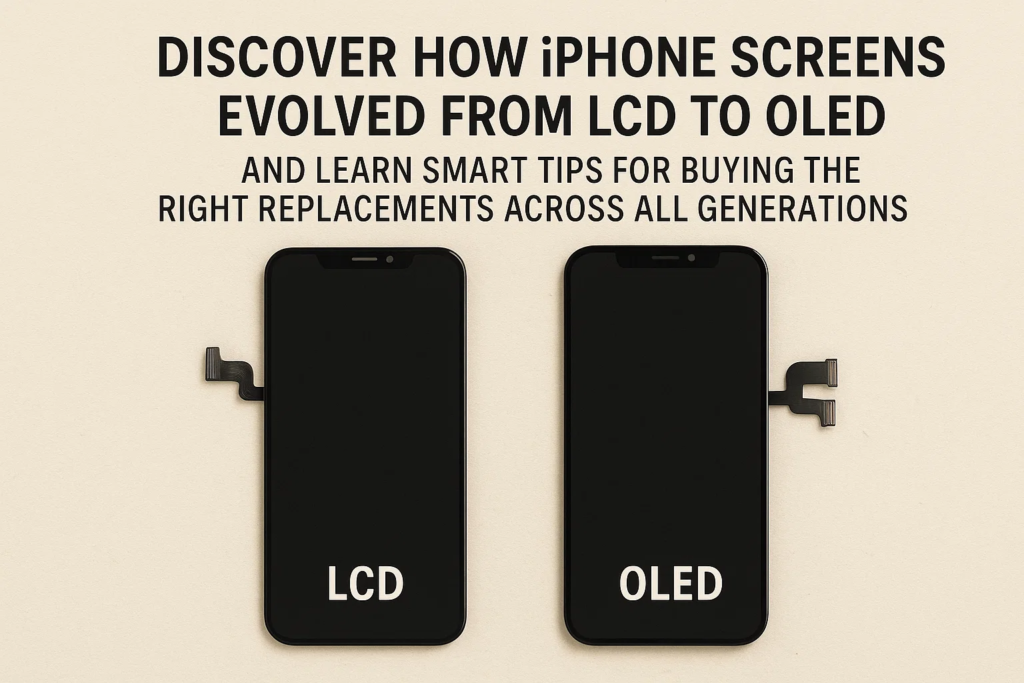
iPhone — это не просто смартфон, это эталон инноваций.. Каждое поколение поставляется с новыми функциями, и экран часто является центральным элементом этих изменений. С классического iPhone 8 ЖК-дисплей с Touch ID и усовершенствованный OLED-дисплей iPhone 14 с ProMotion и Always-On Display, эволюция была поразительной.
Для оптовиков, ремонтные мастерские, и менеджеры по закупкам, понимание этих изменений является не только техническим, но и практическим.. Покупка неправильного экрана, или некачественная замена, может привести к жалобам клиентов, потраченные впустую деньги, и испорчена деловая репутация. Давайте разберем эволюцию экранов iPhone и на что следует обратить внимание при выборе экранов для iPhone. 8 через iPhone 14.
iPhone 8 Серия – Последние ЖК-дисплеи с Touch ID
Обзор технологии ЖК-дисплея
iPhone 8 и 8 Плюс ознаменовал конец эры ЖК-дисплеев Apple.. Эти дисплеи Retina HD были четкими, надежный, и относительно недорогой по сравнению с OLED.
Интеграция Touch ID и надежность
В отличие от новых моделей Face ID, iPhone 8 все еще полагался на кнопку «Домой» с Touch ID. Это упростило замену экрана, но потребовало осторожного обращения со сканером отпечатков пальцев во время ремонта..
Советы по закупкам для iPhone 8 Экраны
- Проверьте последовательность поставщиков, поскольку ЖК-экраны широко копируются.
- Убедитесь, что Touch ID совместим.
- Сосредоточьтесь на долговечности, поскольку спрос на ремонтных рынках все еще существует..
Серия iPhone X – переход на OLED и Face ID
Внедрение технологии OLED
iPhone Х (2017) изменил правила игры: были представлены OLED-дисплеи с глубоким черным цветом и более высокой контрастностью..
Влияние Face ID и камеры TrueDepth
Переход на Face ID потребовал сложной конструкции выреза с несколькими датчиками., making screen replacements more challenging.
Procurement Concerns – OLED Burn-in Issue
OLED screens brought beauty but also risk. The iPhone X and XS models were infamous for выгорание, where static images leave permanent marks.
Quality Variations in Aftermarket OLED Panels
Some aftermarket OLEDs are dimmer, less color-accurate, or fail faster. Always request quality certifications.
айфон хз, XS Макс, and XR – Refining the OLED Era
Differences Between OLED and LCD in XR
The iPhone XR stood out with an LCD “Liquid Retina” screen, while XS and XS Max continued with OLED. Buyers had to carefully distinguish between XR’s LCD and the OLED counterparts.
Supply Chain Considerations
Replacement OLEDs for XS/XS Max tend to be expensive due to higher failure risks and calibration needs.
Replacement Challenges
Менеджерам по закупкам стоит ожидать более высоких цен, ограниченный запас, и большая потребность в тестировании перед отправкой.
iPhone 11 Серия – Балансировка OLED и LCD
iPhone 11 Закупки ЖК-дисплеев
Стандартный айфон 11 вернулся в ЖК, сделать ремонт более доступным.
iPhone 11 Требования Pro/Pro Max к OLED
Эти модели оснащены усовершенствованными OLED-экранами., которые остаются востребованными. Приобретение надежных OLED-дисплеев имеет жизненно важное значение, поскольку жалобы клиентов часто связаны с затемнением и несоответствием цвета..
Долговечность и потребность в ремонте
iPhone 11 сериал остается популярным, это означает высокий спрос на замену даже сегодня.
iPhone 12 Серия – Полный переход на OLED
Все модели с технологией OLED
Apple сделала смелый шаг: каждый айфон 12 модель, включая мини, перешел на OLED.
Керамический щит Удар
Экраны приобрели новый уровень прочности. Закупки должны быть сосредоточены на качественном ремонте, сохраняющем целостность керамического покрытия..
Требования совместимости и тестирования
Сторонние OLED-дисплеи часто демонстрируют задержки отклика на касание.. Тестирование обязательно.
iPhone 13 Серия – Яркость и эффективность
OLED повышенной яркости
iPhone 13 экраны ярче, позволяет легко обнаружить некачественные замены.
Повышение энергоэффективности
Это снижает перегрев, но покупатели должны убедиться, что замена не снижает срок службы батареи..
Последовательность поставщиков
Послепродажные OLED-панели сильно различаются. Работайте только с поставщиками, которые обеспечивают надежную калибровку яркости..
iPhone 14 Серия – расширенные функции дисплея
Технология ProMotion 120 Гц
iPhone 14 В моделях Pro появилась частота обновления 120 Гц.. Многим поставщикам вторичного рынка все еще трудно добиться такой плавности хода..
Рекомендации по постоянному отображению
Еще одна новая функция, требующая точного качества OLED.. Некачественная замена может привести к разрядке батарей или мерцанию..
Проблемы закупок
Высокий процент отказов, увеличение затрат, и надежность поставщика являются основными проблемами при покупке iPhone 14 экраны.
Ключевые аспекты закупок для разных поколений
Совместимость и варианты сборки
Небольшие различия — например, конструкция разъемов или расположение вырезов — делают рискованным смешивать экраны разных моделей..
Классы качества
- OEM (Производитель оригинального оборудования) – Лучшее, но самое дорогое.
- Инселл/TFT – Более дешевые альтернативы, часто с более слабой яркостью.
- Отремонтированный - Устойчивый, но зависит от качества ремонта.
Тестирование и калибровка
Всегда запускайте яркость, точность цветопередачи, и тесты на реакцию на прикосновение перед массовой отправкой.
Общие риски
- выгорание OLED (Х, серия XS)
- Сенсорный сбой (экраны послепродажного обслуживания)
- Несоответствие яркости (13/14 панели послепродажного обслуживания)
Выбор правильного поставщика
Сертификаты и проверки качества
Запросите ISO, CE, или сертификаты RoHS для надежности.
Баланс между ценой и надежностью
Дешевле не всегда лучше: экраны низкого качества приводят к увеличению прибыли..
After-Sales Service and Warranty
Suppliers offering replacements or refunds reduce long-term risks.
Заключение
From LCD Touch ID screens to cutting-edge OLED ProMotion panels, iPhone screens have evolved dramatically. Each generation brings not only new technology but also new procurement challenges. Buyers must pay close attention to compatibility, качество, и надежность поставщика. Choosing wisely ensures long-term customer trust, меньше жалоб, and a stronger business.
Часто задаваемые вопросы
1. What is the biggest difference between iPhone LCD and OLED screens?
ЖК-дисплеи дешевле, brighter outdoors, and less prone to burn-in, while OLEDs have deeper blacks, более высокий контраст, but risk burn-in and higher replacement costs.
2. How can I avoid buying low-quality aftermarket screens?
Work with certified suppliers, request testing reports, and avoid deals that look too good to be true.
3. Why are iPhone X OLED screens prone to burn-in?
Поскольку пиксели OLED деградируют неравномерно при отображении статических изображений в течение длительного времени..
4. Являются ли отремонтированные экраны безопасным вариантом для ремонтных мастерских??
Да, если оно получено от надежных мастеров по восстановлению, которые используют оригинальное стекло и проводят полное тестирование.
5. Как проверить качество экрана перед массовой закупкой?
Проверьте яркость, точность цветопередачи, сенсорный отклик, Совместимость с идентификатором лица, и длительные испытания на долговечность.



