
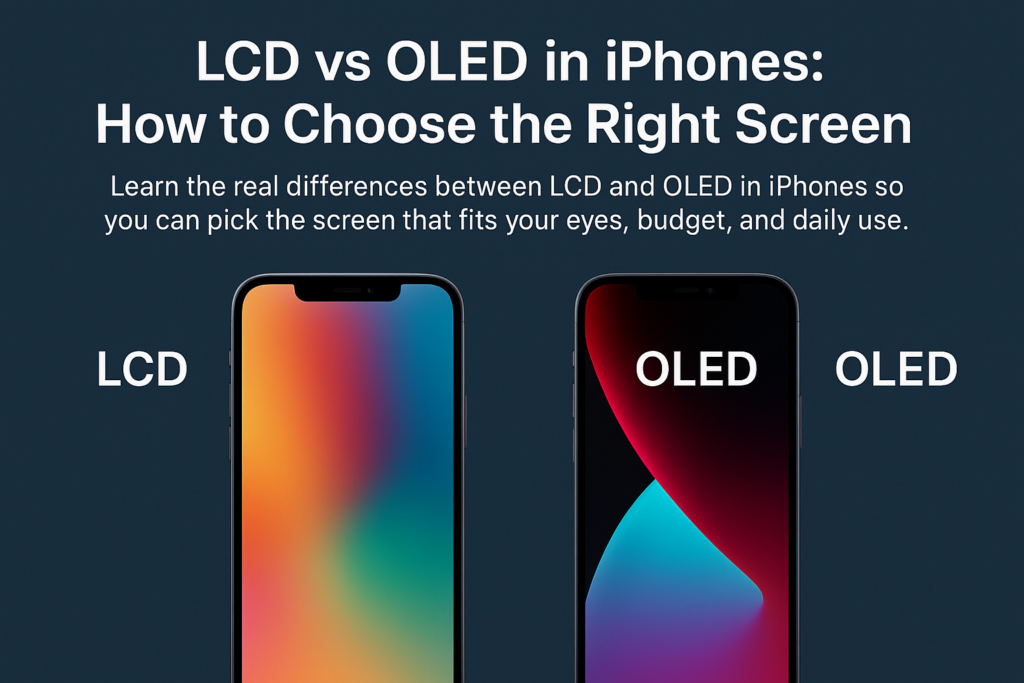
Scegliere tra uno schermo LCD o OLED su un iPhone è molto più che scegliere semplicemente un display: si tratta di bilanciare ciò che conta di più per te: qualità visiva, conforto degli occhi, durata, e costo. Con Apple che sta gradualmente spostando la sua intera gamma su OLED, comprendere le differenze ora diventa ancora più essenziale.
Analizziamo tutto passo dopo passo in modo che tu possa fare con sicurezza la scelta giusta.
Comprendere la differenza fondamentale
Cosa fa funzionare il display LCD
schermo LCD (Display a cristalli liquidi) si basa su a pannello retroilluminato che brilla attraverso strati di cristalli liquidi. Questi cristalli piegano la luce per creare immagini, ma perché la retroilluminazione è sempre accesa, anche i pixel “neri” perdono comunque un po’ di luce, facendo sembrare il nero più simile al grigio scuro.
Come OLED genera immagini
OLED (DIODO EMITTANO DI LUCE ORGANICA) adotta un approccio completamente diverso: ogni pixel si illumina da solo. Quando viene mostrato il nero, quel pixel si spegne semplicemente, creando un'oscurità pura e un contrasto incredibile.
Retroilluminazione e pixel autoemissivi
Pensala così:
- LCD = Una stanza con le luci sempre accese, anche se le tende ne bloccano la maggior parte
- OLED = Una stanza in cui è possibile accendere e spegnere le singole luci
Questa singola differenza influisce notevolmente sul colore, contrasto, utilizzo della batteria, e durata.
LCD contro OLED: Un confronto completo delle funzionalità
Tecnologia di visualizzazione
- schermo LCD utilizza una retroilluminazione + cristalli liquidi
- OLED utilizza milioni di pixel organici autoemittenti
Contrasto e livelli di nero
- schermo LCD: Contrasto inferiore, i neri sembrano grigi
- OLED: Nero puro, contrasto infinito
Precisione e vivacità del colore
- schermo LCD: Naturale, colori realistici
- OLED: Più ricco, più saturo, più accattivante
Snellezza e flessibilità
- schermo LCD: Più spesso a causa della retroilluminazione
- OLED: Più sottile, pieghevole, ideale per la progettazione da bordo a bordo
Consumo energetico
- schermo LCD: Retroilluminazione sempre attiva → maggiore consumo energetico
- OLED: I pixel scuri si spengono → maggiore efficienza energetica
Comfort per gli occhi
- schermo LCD: Utilizza spesso l'attenuazione DC → meno sfarfallio
- OLED: Utilizza l'oscuramento PWM → sfarfallio evidente per gli utenti sensibili
Durabilità e burn-in
- schermo LCD: Lunga durata, resistente all'invecchiamento, nessun burn-in
- OLED: I materiali organici invecchiano più velocemente, possibile il burn-in
Costo e riparabilità
- schermo LCD: Più economico da produrre e sostituire
- OLED: Tecnologia più sofisticata → riparazioni più costose
Tabella comparativa: LCD e OLED negli iPhone
| Caratteristica | Schermo LCD | Schermo OLED |
|---|---|---|
| Principio di visualizzazione | Retroilluminazione + spia di controllo a cristalli liquidi | Pixel autoemissivi che si accendono/spengono individualmente |
| Contrasto & Livelli neri | Inferiore, il nero appare grigio scuro | Estremamente alto, veri neri puri |
| Prestazioni cromatiche | Naturale e preciso | Vibrante, saturato, visuali di grande impatto |
| Spessore & Flessibilità | Più spesso, non può piegarsi | Più sottile, pieghevole, ideale per il design moderno |
| Consumo energetico | Maggiore a causa della retroilluminazione costante | Inferiore, soprattutto in modalità oscura |
| Comfort per gli occhi | Oscuramento CC, sfarfallio basso → più gradevole alla vista | L'attenuazione PWM → può causare affaticamento agli occhi |
| Durata & Burn-in | Lunga durata, nessun burn-in | Durata di vita più breve, esiste il rischio di burn-in |
| Costo | Costi di produzione e riparazione inferiori | Maggiori costi di produzione e riparazione |
Perché queste differenze sono importanti
Come la tecnologia influenza la visione del mondo reale
Gli schermi LCD possono apparire più morbidi e naturali, mentre gli schermi OLED offrono un contrasto intenso perfetto per i film, foto, e giochi.
Perché i livelli neri cambiano la tua esperienza
Guardare un film su OLED è come essere a teatro: le scene oscure rimangono veramente oscure. Il display LCD non può raggiungere questo obiettivo perché la retroilluminazione non si spegne mai completamente.
In che modo il tipo di schermo influisce sulla durata della batteria
Se ami modalità oscura, L'OLED può prolungare significativamente la durata della batteria perché i pixel neri non consumano energia.
Comfort per gli occhi e uso a lungo termine
Oscuramento CC sul display LCD
La luminosità dello schermo LCD si regola uniformemente, con sfarfallio minimo, ideale per:
- lunghe sessioni di lettura
- lavoro d'ufficio
- occhi sensibili
Sfarfallio PWM su OLED
La maggior parte degli iPhone OLED utilizza PWM (Modulazione della larghezza dell'impulso), che lampeggia rapidamente a luminosità inferiore.
Chi dovrebbe evitare gli schermi PWM
Se sperimenti:
- mal di testa
- affaticamento degli occhi
- vertigini
- affaticamento visivo
Potresti essere sensibile al PWM, E Il display LCD potrebbe essere più sicuro per i tuoi occhi.
Durabilità, Durata, e rischi di burn-in
Immagini statiche e burn-in OLED
Lasciando la stessa immagine (per esempio., barra di navigazione, icone delle app) per lunghi periodi può segnare in modo permanente gli schermi OLED.
Stabilità a lungo termine dello schermo LCD
Gli LCD non soffrono di burn-in e tendono a invecchiare con più grazia, rendendoli una solida scelta a lungo termine.
Scelta in base all'utilizzo
Per i media & Appassionati di HDR
Scegliere OLED.
Ti divertirai:
- neri più profondi
- film più ricchi
- giochi più coinvolgenti
Per lettori pesanti o attività di ufficio
Scegliere schermo LCD, soprattutto se:
- Usi il telefono per leggere
- I tuoi occhi si stancano facilmente
- Tieni lo schermo scuro di notte
Per i giocatori
Entrambi funzionano, ma OLED dà:
- immagini migliori
- risposta dei pixel più rapida
Il display LCD dà: - nessuna preoccupazione di burn-in
Per acquirenti attenti al budget
Il display LCD è più conveniente sia in termini di costi di acquisto anticipati che di riparazione.
L’andamento del mercato di Apple
Il passaggio di Apple verso l’OLED completo
Apple sta trasformando tutti i futuri iPhone verso OLED, grazie a:
- migliore flessibilità progettuale
- estetica superiore
- valore del premio più elevato
Quali iPhone offrono ancora LCD?
Questi modelli utilizzano il display LCD:
- iPhone 11
- iPhone XR
- iPhone SE (22a e 3a Gen)
I modelli più vecchi possono includere anche il display LCD, ma la disponibilità varia in base alla regione.
Quadro di raccomandazione finale
Chiediti:
- Voglio il migliori immagini possibili →OLED
- Sono miei occhi sensibili →LCD
- Ne ho bisogno durabilità a lungo termine →LCD
- Lo uso? modalità oscura spesso →OLED
- Sono preoccupato per? Costi di riparazione →LCD
Il tuo schermo ideale dipende da ciò che apprezzi di più.
Conclusione
Scegliere tra LCD e OLED su un iPhone significa davvero capire le tue priorità. L'OLED offre prestazioni visive ed efficienza energetica imbattibili, mentre il display LCD offre comfort, durata, e convenienza. Con Apple che sta rapidamente spostando la sua gamma su OLED, conoscere le differenze ora ti aiuta a prendere una decisione più intelligente prima che le opzioni diventino limitate.
Che tu sia un amante del cinema, un lettore pesante, o qualcuno che desidera semplicemente il miglior equilibrio tra valore e comfort visivo, c'è un tipo di display perfetto per le tue esigenze.
FAQ
1. L'OLED è sempre migliore dell'LCD?
Non sempre. L'OLED ha un aspetto migliore, ma il display LCD può essere più gradevole alla vista e durevole.
2. L'OLED fa davvero risparmiare batteria?
Sì, soprattutto quando utilizzi la modalità oscura o app con temi più scuri.
3. Gli schermi OLED dell'iPhone possono bruciare??
SÌ, le immagini statiche a lungo termine possono causare burn-in. Gli utenti normali raramente riscontrano problemi gravi.
4. Quale iPhone è il migliore se voglio uno schermo LCD?
L'iPhone 11 o i modelli iPhone SE sono le migliori opzioni LCD attuali.
5. Il display LCD è completamente privo di sfarfallio?
Il display LCD utilizza in genere l'oscuramento CC, quindi lo sfarfallio è minimo e più facile per gli occhi sensibili.



