
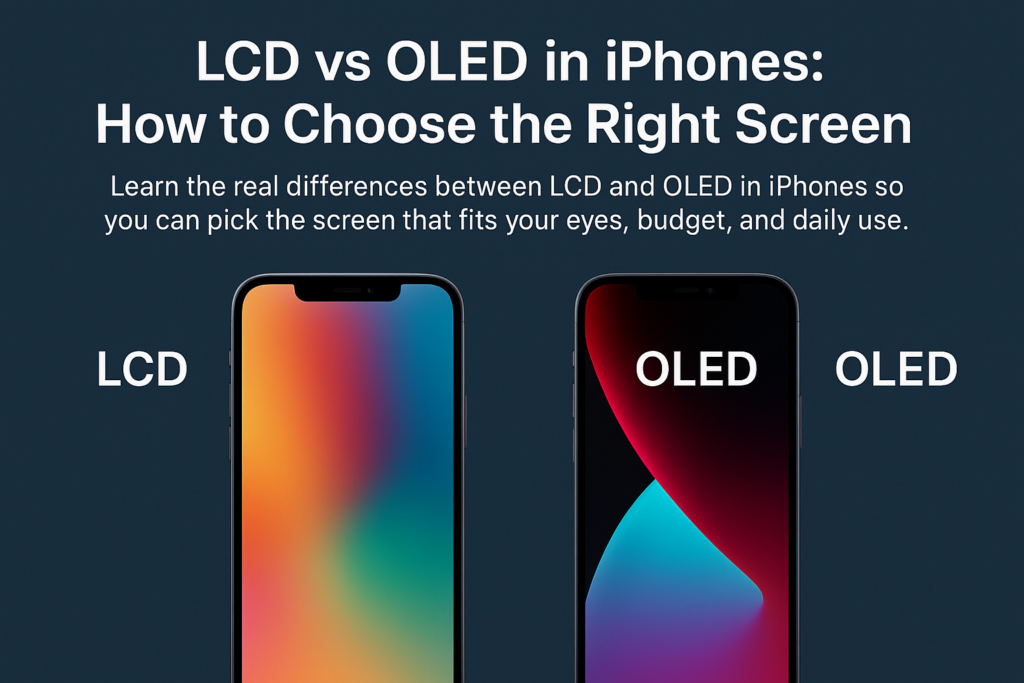
Выбор между ЖК-экраном или OLED-экраном на iPhone — это больше, чем просто выбор дисплея. Речь идет о балансе того, что для вас наиболее важно.: визуальное качество, комфорт для глаз, долговечность, и стоимость. Apple постепенно переводит всю свою линейку на OLED, понимание различий теперь становится еще более важным.
Давайте разберем все по шагам, чтобы вы могли с уверенностью сделать правильный выбор..
Понимание основной разницы
Что заставляет ЖК-дисплей работать
ЖК -дисплей (Жидкокристаллический дисплей) опирается на панель подсветки который светится сквозь слои жидких кристаллов. Эти кристаллы преломляют свет, создавая изображения, а потому что подсветка всегда включена, даже «черные» пиксели все равно пропускают немного света, из-за чего черный цвет больше похож на темно-серый.
Как OLED генерирует изображения
Олинг (Органический светоизлучающий диод) использует совершенно другой подход: каждый пиксель светится сам по себе. Когда отображается черный цвет, этот пиксель просто выключается, что приводит к полной темноте и невероятному контрасту..
Подсветка против самоизлучающих пикселей
Подумайте об этом как:
- ЖК = Комната, в которой всегда включен свет., даже если шторы закрывают большую часть этого
- OLED = комната, в которой вы можете включать и выключать отдельные источники света.
Это единственное отличие существенно влияет на цвет., контраст, использование батареи, и долговечность.
ЖК против OLED: Комплексное сравнение функций
Технология отображения
- ЖК -дисплей использует подсветку + жидкие кристаллы
- Олинг использует миллионы самоизлучающихся органических пикселей
Контрастность и уровни черного
- ЖК -дисплей: Низкая контрастность, черные выглядят серыми
- Олинг: Чистый черный, бесконечный контраст
Точность цвета и яркость
- ЖК -дисплей: Естественный, реалистичные цвета
- Олинг: Богаче, более насыщенный, более привлекательный
Тонкость и гибкость
- ЖК -дисплей: Толще из-за подсветки
- Олинг: тоньше, гибкий, идеально подходит для дизайна от края до края
Потребляемая мощность
- ЖК -дисплей: Подсветка всегда включена → более высокое энергопотребление
- Олинг: Темные пиксели отключаются → более энергоэффективно
Комфорт для глаз
- ЖК -дисплей: Часто использует затемнение постоянным током → меньше мерцания
- Олинг: Использует ШИМ-регулирование → заметное мерцание для чувствительных пользователей.
Долговечность и пригорание
- ЖК -дисплей: Длительный срок службы, устойчив к старению, нет выгорания
- Олинг: Органические материалы стареют быстрее, возможно прогорание
Стоимость и ремонтопригодность
- ЖК -дисплей: Дешевле сделать и заменить
- Олинг: Более модная техника → более дорогой ремонт
Сравнительная таблица: LCD против OLED в iPhone
| Особенность | ЖК-экран | OLED-экран |
|---|---|---|
| Принцип отображения | Подсветка + жидкие кристаллы контролируют свет | Самоизлучающие пиксели, которые включаются и выключаются индивидуально. |
| Контраст & Уровни черного | Ниже, черный кажется темно-серым | Чрезвычайно высокий, настоящий чистый черный |
| Цветопередача | Естественно и точно | Яркий, насыщенный, впечатляющие визуальные эффекты |
| Толщина & Гибкость | Толще, не могу согнуть | тоньше, гибкий, идеально подходит для современного дизайна |
| Потребляемая мощность | Выше за счет постоянной подсветки | Ниже, особенно в темном режиме |
| Комфорт для глаз | Затемнение постоянного тока, низкое мерцание → более благоприятно для глаз | ШИМ-регулирование → может вызвать утомление глаз. |
| Продолжительность жизни & Обжиг | Длительный срок службы, нет выгорания | Более короткий срок службы, существует риск выгорания |
| Расходы | Снижение затрат на производство и ремонт | Более высокая стоимость производства и ремонта. |
Почему эти различия имеют значение
Как технологии влияют на просмотр реального мира
ЖК-экраны могут выглядеть мягче и естественнее, а OLED-экраны обеспечивают интенсивную контрастность, идеальную для просмотра фильмов, фото, и игры.
Почему уровни черного меняют ваш опыт
Когда смотришь фильм на OLED, чувствуешь себя как в кинотеатре.: темные сцены остаются по-настоящему темными. ЖК-дисплей не может этого добиться, потому что подсветка никогда полностью не выключается..
Как тип экрана влияет на срок службы батареи
Если ты любишь темный режим, OLED может значительно продлить срок службы батареи, поскольку черные пиксели не потребляют энергию..
Комфорт для глаз и длительное использование
Затемнение постоянного тока на ЖК-дисплее
Яркость ЖК-дисплея регулируется плавно, с минимальным мерцанием — идеально подходит для:
- длительные сеансы чтения
- работа в офисе
- чувствительные глаза
ШИМ-мерцание на OLED
Большинство OLED-iPhone используют ШИМ. (Широтно-импульсная модуляция), который быстро мерцает при меньшей яркости.
Кому следует избегать экранов с ШИМ
Если вы испытываете:
- головные боли
- напряжение глаз
- головокружение
- зрительная усталость
Вы можете быть чувствительны к ШИМ, и ЖК-дисплей может быть безопаснее для ваших глаз.
Долговечность, Продолжительность жизни, и риски выгорания
Статические изображения и выгорание OLED
Оставив тот же образ (например, панель навигации, значки приложений) в течение длительного времени может навсегда оставить маркировку на OLED-экранах.
Долгосрочная стабильность ЖК-дисплея
ЖК-дисплеи не страдают от выгорания и имеют тенденцию стареть более изящно., что делает их надежным долгосрочным выбором.
Выбор в зависимости от вашего использования
Для СМИ & Любители HDR
Выбирать Олинг.
Вам понравится:
- более глубокий черный цвет
- более богатые фильмы
- более захватывающий игровой процесс
Для любителей чтения или офисных задач
Выбирать ЖК -дисплей, особенно если:
- Вы используете свой телефон для чтения
- Ваши глаза легко устают
- Вы держите экран тусклым ночью
Для геймеров
Оба работают, но OLED дает:
- лучшие визуальные эффекты
- более быстрый отклик пикселей
ЖК-дисплей дает: - никаких переживаний по поводу выгорания
Для экономных покупателей
ЖК-дисплей более доступен как с точки зрения первоначальных затрат на покупку, так и с точки зрения ремонта..
Тенденция рынка Apple
Переход Apple к полностью OLED
Apple переводит все будущие iPhone на OLED, благодаря:
- лучшая гибкость дизайна
- превосходная эстетика
- более высокая стоимость премии
Какие iPhone все еще имеют ЖК-дисплей?
В этих моделях используется ЖК-дисплей.:
- iPhone 11
- айфон ХС
- айфон SE (22-го и 3-го поколения)
Старые модели могут также включать ЖК-дисплей., но доступность зависит от региона.
Окончательная структура рекомендаций
Спросите себя:
- Хочу ли я наилучшие визуальные эффекты → ОЛЕД
- мои глаза чувствительные → ЖК-дисплей
- Мне нужно длительная долговечность → ЖК-дисплей
- Я использую темный режим часто → ОЛЕД
- Беспокоюсь ли я о затраты на ремонт → ЖК-дисплей
Ваш идеальный экран зависит от того, что вы цените больше всего.
Заключение
Выбор между ЖК-дисплеем и OLED на iPhone на самом деле зависит от понимания ваших приоритетов.. OLED обеспечивает непревзойденное качество изображения и энергоэффективность., в то время как ЖК-дисплей обеспечивает комфорт, долговечность, и доступность. Поскольку Apple быстро переводит свою линейку на OLED, знание различий теперь поможет вам принять более разумное решение, прежде чем возможности станут ограниченными..
Являетесь ли вы любителем кино, тяжелый читатель, или тот, кто просто хочет получить наилучший баланс цены и комфорта для глаз, есть идеальный тип дисплея для ваших нужд.
Часто задаваемые вопросы
1. Всегда ли OLED лучше, чем LCD??
Не всегда. OLED выглядит лучше, но ЖК-дисплей может быть более приятным для глаз и долговечным.
2. Действительно ли OLED экономит заряд батареи?
Да, особенно при использовании темного режима или приложений с темными темами..
3. Могут ли выгореть OLED-экраны iPhone?
Да, долговременные статические изображения могут вызвать выгорание. Обычные пользователи редко сталкиваются с серьезными проблемами..
4. Какой iPhone лучше, если мне нужен ЖК-экран?
iPhone 11 или модели iPhone SE — ваши лучшие текущие варианты ЖК-дисплеев.
5. ЖК-дисплей полностью лишен мерцания??
ЖК-дисплей обычно использует затемнение постоянным током., поэтому мерцание минимально и облегчает чувствительные глаза.



