
Введение
При покупке мобильных ЖК-экранов, Вы не просто покупаете кусок стекла с пикселями. Вы инвестируете в продукт, сенсорный слой которого напрямую влияет на взаимодействие с пользователем.. Представьте себе замену экрана, только для того, чтобы ваш клиент жаловался, что смахивание похоже на проведение пальцем по сиропу. Вот почему сенсорное тестирование качества перед покупкой важно.
Понимание сенсорного слоя
Сенсорный слой — это невидимый герой, сидящий над дисплеем., обнаружение каждого касания, провести время, и ущипнуть, что ты сделаешь. В современных смартфонах, наиболее использовать емкостная сенсорная технология-быстрый, отзывчивый, и точный. Низкокачественные версии, однако, может отставать, неправильно истолковывать жесты, или есть мертвые зоны.
Общие проблемы в слоях с плохим сенсорным управлением включают в себя::
- Задержка касания: Действия регистрируются с опозданием на несколько секунд.
- Мертвые зоны: Некоторые области никогда не отвечают.
- Призрачные прикосновения: Экран регистрирует прикосновения, которых вы не совершали.
Знание этого поможет вам обнаружить проблемы на ранних этапах процесса покупки..
Подготовка к сенсорному тесту
Прежде чем погрузиться в тесты, собирать:
- Мобильный ЖК-экран
- Смартфон или тестовое устройство
- А приложение для рисования (любое простое приложение для рисования подойдет)
- А приложение для тестирования мультитач (бесплатно в магазинах приложений)
Советы по охране окружающей среды:
- Тестируйте в помещении без бликов.
- Избегайте влажной или пыльной среды, которая может повлиять на результаты..
- Обращайтесь с ЖК-дисплеями осторожно: не сгибайте и не нажимайте слишком сильно..
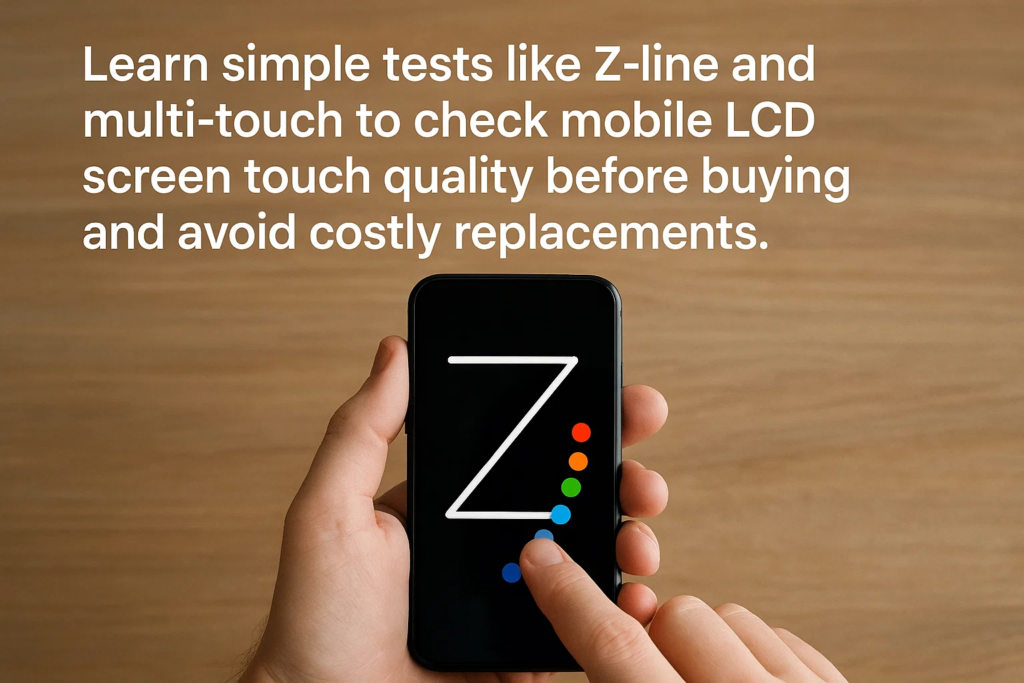
Тест Z-Line приложения для рисования
Это твой первый обязательный тест.
- Откройте базовое приложение для рисования..
- Выберите тонкую кисть для лучшей видимости..
- Рисовать непрерывно Z-образные линии которые охватывают весь экран.
- Следите за:
- Перерывы (указывает на сбой обнаружения касания)
- Пропускает (касание переходит в другое место)
- Призрачные линии (появляются фантомные прикосновения)
Если ваши линии четкие и завершенные, без пробелов, ваш сенсорный слой преодолевает первое препятствие.
Мультитач-тест с десятью пальцами
Зачем проверять десятью пальцами? Поскольку реальное использование предполагает мультитач-жесты— масштабирование, пролистывание несколькими пальцами, и игровое управление.
- Установите приложение для тестирования мультитач.
- Поместите все десять пальцев на экран одновременно.
- Убедитесь, что приложение обнаруживает каждая точка касания.
- Если какой-либо палец не регистрируется, панель может иметь ограниченные возможности мультитач— красный флаг для игр или расширенного использования приложений..
Тест на чувствительность к краям
Края печально известны тем, что выходят из строя первыми, особенно в бюджетных экранах.
- Нажмите несколько раз по самым краям экрана..
- Обратите внимание на любые задержка или отсутствие ответов.
- Плохое обнаружение краев влияет на набор текста, прокрутка, и игры.
Тест на плавное сопротивление
Окончательно, проверить, насколько хорошо экран справляется с перетаскиванием:
- Удерживайте и перетащите значок приложения или фигуру по дисплею..
- Проверьте заикается, прыжки, или сопротивление.
- Плавное и непрерывное движение означает, что сенсорный слой хорошо откалиброван..
Интерпретация результатов
- Пройти все тесты? Вероятно качественный сенсорный слой.
- Не удалось выполнить одно или несколько? Даже незначительные сбои могут привести к серьезному недовольству пользователей..
- Всегда сравнивайте с известным Справочный экран OEM для сравнительного анализа.
Распространенные проблемы с сенсорным экраном & Причины
| Проблема | Вероятная причина |
|---|---|
| Задержка касания | Низкокачественная сенсорная микросхема или прошивка |
| Призрачные прикосновения | Плохое экранирование, вмешательство |
| Мертвые зоны | Неисправные сетки сенсорных датчиков |
| Неисправность края | Неполное покрытие сенсорной матрицы |
Лучшие практики закупок
- Тест до оплата оптовых поставок.
- Запишите видеодоказательство неисправных устройств для претензий поставщика.
- Сохраняйте образцы из каждой партии для дальнейшего использования..
Как избежать поддельных экранов
- Следите за поддельные этикетки OEM— проверьте шрифт, качество печати, и выравнивание.
- Оригинальная упаковка прочная, с правильной амортизацией.
- Работайте только с проверенными поставщиками с хорошей репутацией..
Поддержание производительности сенсорного управления
- Устанавливайте экраны осторожно — избегайте чрезмерной затяжки винтов..
- Используйте тонкий, качественные защитные пленки для экрана.
- Беречь от влаги и сильной жары.
Заключение
Тестирование сенсорных слоев мобильных ЖК-дисплеев не является обязательным, оно необходимо.. Используя приложение для рисования: тест Z-line, а тест мультитач десятью пальцами, нарезание кромок, и тест на плавное сопротивление гарантирует, что вы обнаружите проблемы на ранней стадии. Это избавит вас от дорогостоящего возврата, разгневанные клиенты, и потраченное время.
Часто задаваемые вопросы
1. Могу ли я проверить качество сенсорного экрана без специального приложения??
Да, но специализированные приложения делают обнаружение проще и точнее.
2. Как узнать, соответствует ли экран OEM качеству??
Сравните чувствительность к касанию, гладкость, и упаковка с оригинальным экраном производителя..
3. Почему края выходят из строя быстрее, чем центр?
Проводка сенсорной сетки более уязвима по краям, особенно в некачественных сборках.
4. Достаточно ли теста Z-line для подтверждения качества сенсорного управления??
Нет. Объедините это с мультитач, край, и перетащите тесты для полной оценки.
5. Должен ли я тестировать каждую единицу или просто случайные образцы??
Для заказов на большую сумму, протестируйте каждую единицу. Для оптовых партий, случайное тестирование приемлемо, но более рискованно.



