
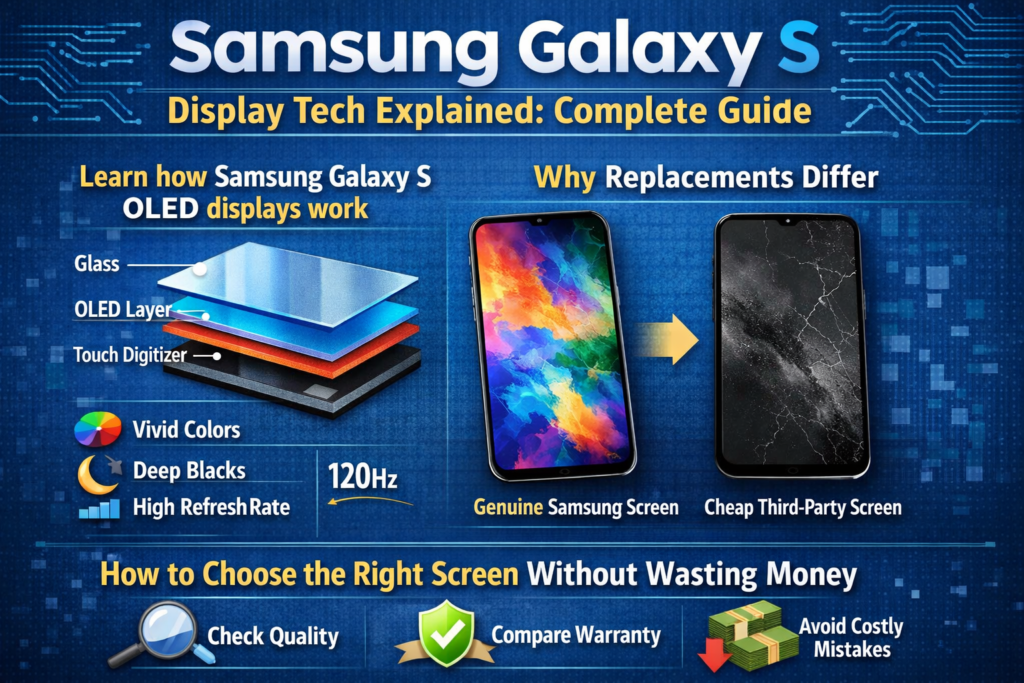
Знакомство с дисплеями серии Samsung Galaxy S
Когда люди говорят о телефонах Samsung Galaxy S, первое, что обычно приходит на ум, — это не камера или процессор, а экран. И честно, это имеет смысл. Samsung не просто использовать дисплеи; он построил вокруг себя империю. Серия Galaxy S стала золотым стандартом для экранов смартфонов, устанавливая стандарты, за которыми год за годом следуют другие бренды.
Но что на самом деле стоит за этими потрясающими визуальными эффектами?? Что заставляет один экран Galaxy S выглядеть премиальным, а другой замененный экран… выключенным? Это именно то, что мы здесь ломаем — без пуха, никаких маркетинговых словечек, просто настоящий, практические объяснения.
Почему экран — душа серии Galaxy S
Думайте об экране как о сцене, на которой все происходит.. Фотографии, видео, игры, отпечатки пальцев, даже время автономной работы — все зависит от дисплея. Samsung понимает это лучше всех, именно поэтому серия Galaxy S почти никогда не идет на компромисс в технологии экрана..
Плохой экран не просто выглядит хуже; это меняет поведение телефона. Точность касания, яркость, энергопотребление, и биометрическая безопасность – все зависит от качества дисплея.
Эволюция технологии экрана Samsung Galaxy S Series
Ранние инновации AMOLED
Samsung была одним из первых производителей, сделавших большую ставку на AMOLED.. В то время как другие придерживались ЖК-дисплея, Samsung увидел будущее: самоизлучающие пиксели, более глубокий черный цвет, более тонкие панели. Ранние модели Galaxy S представили AMOLED широкой публике — и никогда не оглядывались назад.
От Super AMOLED к Dynamic AMOLED
В Super AMOLED удалены лишние слои между дисплеем и сенсорным датчиком, сделать экраны тоньше и отзывчивее. Динамический AMOLED пошел еще дальше с HDR10+, улучшенная точность цветопередачи, и сертификаты комфорта для глаз. Суммируя: красивее, умнее, и легче для глаз.
Прорыв в LTPO и адаптивной частоте обновления
В современных моделях Galaxy S используются OLED-панели LTPO, которые динамически регулируют частоту обновления — от 10 до 120 Гц.. Это как круиз-контроль для вашей батареи: быстро, когда тебе нужна скорость, медленно, когда ты этого не делаешь.
Основные технологии отображения, используемые в серии Galaxy S
Объяснение технологии OLED-дисплея
Структура OLED и принцип работы
OLED означает органический светоизлучающий диод.. Каждый пиксель излучает свой собственный свет. Нет подсветки. Никаких компромиссов. Когда пиксель выключается, оно действительно черное, как будто свет полностью погас.
Преимущества OLED во флагманских смартфонах
- Бесконечный коэффициент контрастности
- Настоящий черный цвет и яркие цвета
- Более быстрое время ответа
- Более тонкие и гибкие панели
- Низкое энергопотребление благодаря темному пользовательскому интерфейсу
Вот почему OLED не подлежит обсуждению во флагманах Galaxy S..
Объяснение технологии внутриклеточного ЖК-дисплея
Что на самом деле означает внутриклеточное пребывание
In-cell — это не тип дисплея, а метод сенсорной интеграции.. Сенсорные датчики встроены в саму ЖК-панель.. Звучит эффективно, верно? Это… для телефонов среднего класса..
Технические ограничения внутриклеточных экранов
Вот в чем загвоздка: Внутриклеточные экраны по-прежнему используют ЖК-подсветку. Это означает:
- Нет настоящих черных
- Низкая контрастность
- Более высокое энергопотребление
- Нет поддержки ультразвукового отпечатка пальца
И этот последний пункт? Это нарушает условия сделки для устройств Galaxy S.
OLED против встроенного ЖК-дисплея: Ключевые технические различия
Сравнение качества дисплея
OLED побеждает. Каждый раз. Лучший контраст, более насыщенные цвета, более высокая яркость, и правильная поддержка HDR. Встроенные ЖК-экраны просто не могут сравниться с изображением флагманского уровня..
Энергопотребление и эффективность
OLED-пиксели отключаются по отдельности.. Подсветка ЖК-дисплея остается включенной, несмотря ни на что. Темный режим на OLED экономит заряд батареи. На ЖК-дисплее? Не совсем.
Совместимость с ультразвуковыми датчиками отпечатков пальцев
Это очень важно. Использование телефонов Samsung Galaxy S ультразвуковой сканеры отпечатков пальцев. Подсветка ЖК-дисплея блокирует ультразвуковые волны. Результат? Внутрикамерные экраны = отпечаток пальца не работает. Период.
Оригинальные экраны и сменные экраны
Экраны оригинального пакета обновления Samsung
Это сертифицированные заводом-изготовителем экраны, продаваемые по официальным каналам.. То же качество, та же производительность, та же цена, что немного обидно.
OEM и восстановленные OLED-экраны
Высококачественные альтернативы с использованием оригинальных или почти оригинальных OLED-панелей.. Когда все сделано правильно, эти экраны поддерживают датчики отпечатков пальцев, HDR, и адаптивная частота обновления — по более разумной цене.
Сменные встроенные ЖК-экраны
Дешевый, функциональный, и скомпрометирован. Они работают, но они убирают то, что делает телефон Galaxy S особенным. Лучше всего зарезервировать для экстренного или временного использования..
Понимание оценок качества экрана на рынке ремонта
Оригинальные экраны в разобранном виде
Снято с поврежденных телефонов.. Обычно отличное качество, но состояние варьируется. Возраст и предыдущее использование имеют значение.
Преимущества экрана в сборе с рамой
Предварительно установлен с рамкой = меньше ошибок при установке, лучшее выравнивание, снижение риска утечки света. Для изогнутых экранов Galaxy S, это огромный плюс.
Как выбрать правильный экран для вашего телефона Galaxy S
На основе бюджета
- Неограниченный бюджет → Оригинальный пакет обновлений
- Разумные расходы → OEM / Восстановленный OLED
- Минимальный бюджет → Встроенный ЖК-дисплей (с компромиссами)
В зависимости от потребностей использования
Если вы используете разблокировку по отпечатку пальца ежедневно, OLED является обязательным. Никаких исключений.
На основе долгосрочной надежности
OLED-экраны служат дольше, работать лучше, и сохранить стоимость при перепродаже.
Советы по идентификации экрана и тестированию
Функциональное тестирование отпечатков пальцев
Всегда проверяйте работу ультразвукового отпечатка пальца перед окончательной установкой..
Визуальный и физический осмотр
Проверьте равномерность яркости, цветовой оттенок, битые пиксели, и состояние разъема.
Контрольный список проверки продавца
- Поддержка отпечатков пальцев гарантирована
- Доступна политика возврата
- Четкая маркировка продукта
Распространенные мифы об экранах Samsung Galaxy S
- «In-cell выглядит так же, как OLED» → Это не так
- «Отпечаток пальца можно исправить с помощью программного обеспечения» → Невозможно.
- «Все OLED-экраны оригинальные» → Однозначно нет
Кому следует выбрать тип экрана
- Потребители → OEM или оригинал
- Профессионалы ремонта → OLED в рамке
- Временные пользователи → Встроенный ЖК-дисплей
Будущие тенденции в технологиях отображения Samsung
Ожидайте более ярких панелей, более разумное управление питанием, камеры под дисплеем, и еще более прочные гибкие материалы OLED. Samsung не сбавляет обороты – во всяком случае, оно ускоряется.
Заключение
Экраны серии Samsung Galaxy S — это не просто дисплеи, это шедевры инженерной мысли. Технология OLED определяет флагманский опыт, в то время как встроенные ЖК-экраны существуют исключительно как экономичная альтернатива на рынке ремонта.. Понимание этих различий поможет вам сделать мудрый выбор., защитите свои инвестиции, и избежать неприятных сюрпризов.
Что касается дисплеев Galaxy S, знание действительно сила.
Часто задаваемые вопросы (Часто задаваемые вопросы)
1. Может ли встроенный экран поддерживать ультразвуковой отпечаток пальца Samsung??
Нет. Аппаратные ограничения делают это невозможным.
2. Безопасно ли использовать отремонтированные OLED-экраны??
Да, если они получены от надежных поставщиков и прошли надлежащие испытания.
3. Почему оригинальный экран Samsung такой дорогой?
Сертификация, контроль качества, и гарантированная производительность.
4. Влияет ли качество экрана на время автономной работы?
Абсолютно. OLED-экраны гораздо более энергоэффективны.
5. Стоит ли экран в рамочной сборке?
Да, особенно для изогнутых моделей Galaxy S..



