
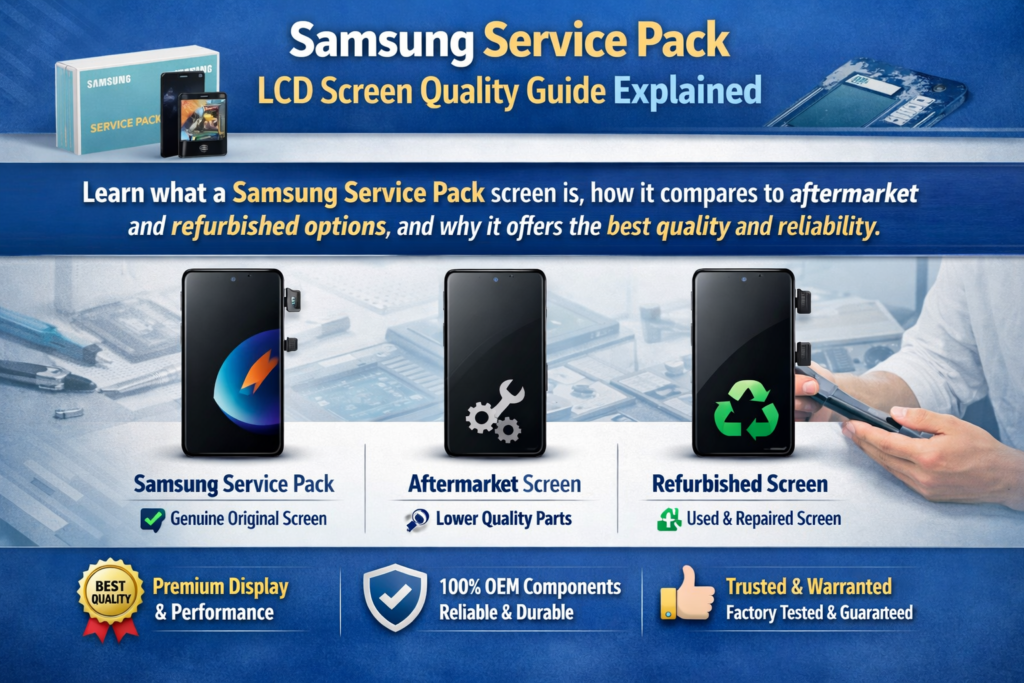
Что такое экран пакета обновлений Samsung?
Определение и компоненты
Если вы когда-нибудь ремонтировали телефон Samsung, вы, наверное, слышали этот термин «Пакет обслуживания» разбросаны так, будто это какой-то золотой стандарт. И честно? Это вроде как. А Экран пакета обновлений Samsung относится к официальному сменному модулю дисплея, поставляемому непосредственно по авторизованным каналам Samsung.. Это не просто отдельные панели — обычно это целые сборки, включающие дисплей., сенсорный слой, а иногда даже рама и дополнительные компоненты.
Согласно последним данным отрасли, Пакет обновления по существу представляет собой 100% Оригинальный дисплейный модуль Samsung, разработанный в соответствии с заводскими стандартами. . Это означает, что когда вы устанавливаете один, вы не понижаете версию телефона — вы восстанавливаете его исходное состояние. Думайте об этом как о замене разбитого лобового стекла автомобиля на точно такое же стекло от производителя., не дешевая имитация.
Еще одна ключевая деталь? Эти экраны часто поставляются предварительно откалиброванными.. Это означает, что кривые яркости, точность цветопередачи, и сенсорная чувствительность уже оптимизированы. В отличие от вариантов послепродажного обслуживания, нет никаких догадок. Вы устанавливаете его, и это просто работает — именно так, как задумал Samsung.
Почему Samsung использует экраны пакетов обновлений
Samsung не балуется, когда дело доходит до ремонта. В официальных сервисных центрах, технические специалисты должны использовать оригинальные детали, обеспечение того, чтобы телефон работал точно так же, как и из коробки . Вот почему существуют экраны пакетов обновлений — для обеспечения согласованности, надежность, и репутация бренда.
Есть и техническая причина.. В современных телефонах Samsung используются передовые технологии отображения, такие как Динамический AMOLED, изогнутые края, и датчики отпечатков пальцев под дисплеем. Если поменять некачественный экран, эти функции могут полностью перестать работать. Это не просто неудобно — это мешает большинству пользователей..
Так, Samsung использует пакеты обновлений, потому что они гарантируют три вещи:
- Полная совместимость
- Оригинальное исполнение
- Долгосрочная надежность
И в мире ремонта, это сочетание бесценно.
Чем экраны пакета обновления отличаются от экранов других типов
Пакет обновления и экраны послепродажного обслуживания
Давайте будем честными: экраны послепродажного обслуживания повсюду.. Они дешевые, легко найти, и заманчиво. Но вот в чем загвоздка: их не производит Самсунг. И эта разница проявляется сразу.
ЖК- или OLED-экраны вторичного рынка часто не имеют одинаковой технологии отображения.. Например, многие более дешевые замены не используются AMOLED-панели, в результате получаются тусклые цвета, плохой контраст, и ограниченные углы обзора . Это похоже на переключение с телевизора 4K на старый HD-экран — вы сразу это заметите..
Еще хуже, некоторые функции могут сломаться. Датчики отпечатков пальцев могут перестать работать, Реакция на прикосновение может показаться запаздывающей, и уровни яркости могут быть непоследовательными. Суммируя, вы жертвуете тем самым опытом, который делает телефоны Samsung премиальными..
Пакет обновления против восстановленных экранов
Восстановленные экраны звучат как разумная золотая середина., верно? Не совсем. Обычно это оригинальные панели с замененным стеклом.. Хотя в теории это звучит нормально, исполнение – это все, и оно часто непоследовательно.
Общие проблемы включают в себя:
- Пыль задерживается между слоями
- Слабый клей, вызывающий подъем
- Снижена чувствительность к касанию
Как отмечается в отраслевых отчетах, качество отремонтированных экранов во многом зависит от того, кто их ремонтировал . Это означает, что вы бросаете кости каждый раз, когда устанавливаете его..
Пакет обновления против удаленных экранов
Вытянутые экраны — это оригинальные дисплеи, снятые с бывших в употреблении устройств.. Они ближе к качеству Service Pack, но у них есть одна большая проблема: неизвестная история.
Конечно, они могут работать идеально. Но они также могли иметь скрытый износ., пониженная яркость, или микроповреждения. По сравнению с новым экраном пакета обновлений, они все еще компромисс.
Основные характеристики качества экранов с пакетом обновлений Samsung
Оригинальная технология AMOLED
Одним из самых больших преимуществ экранов с пакетом обновления является доступ к оригинальной версии Samsung. AMOLED-технология. Это не просто маркетинговая шумиха — именно это придает дисплеям Samsung фирменный вид..
С AMOLED, каждый пиксель излучает свой собственный свет. Это означает:
- Настоящие негры (пиксели полностью отключаются)
- Более высокий коэффициент контрастности
- Повышение энергоэффективности
Экраны вторичного рынка часто не могут воспроизвести это.. На первый взгляд они могут выглядеть нормально, но рядом, разница очевидна.
Сенсорная чувствительность и производительность
Вы когда-нибудь пользовались телефоном, на котором сенсорное управление кажется «отключенным»? Обычно это признак некачественного экрана.. Отображения пакета обновления устраняют эту проблему.
Потому что они откалиброваны на заводе, они доставляют:
- Мгновенный отклик на прикосновение
- Точное распознавание жестов
- Плавная прокрутка
Это особенно важно для геймеров и активных пользователей.. Небольшая задержка реакции на прикосновение может полностью испортить впечатление..
Точность цветопередачи и яркость
Samsung известен яркими, яркие цвета. Экраны пакета обновлений точно сохраняют это. Вы получаете одинаковые цветовые профили, уровни яркости, и производительность HDR как у оригинального дисплея.
Сравните это с экранами вторичного рынка, которые часто кажутся размытыми или чрезмерно насыщенными. Это всё равно что сравнивать профессионально отредактированную фотографию с некачественным фильтром..
Преимущества производительности в реальном использовании
Совместимость датчика отпечатков пальцев
Современные телефоны Samsung используют датчики отпечатков пальцев под дисплеем, которые полагаются на точную технологию отображения. Экраны пакета обновления полностью поддерживают эту функцию..
Экраны послепродажного обслуживания? Не всегда. Фактически, многие полностью терпят неудачу или становятся ненадежными. Это огромное неудобство в повседневном использовании..
Частота обновления и плавность
Высокая частота обновления, например 120 Гц, является основным преимуществом устройств Samsung.. Экраны пакета обновления поддерживают эту производительность.
Некоторые более дешевые замены снижают частоту обновления., телефон работает медленнее. Представьте себе, что вы покупаете спортивную машину, а затем ограничиваете ее скорость наполовину — вот что это такое..
Долговечность и надежность
Структурная прочность
Экраны с пакетом обновления часто продаются в сборе., включая рамку. Это уменьшает количество ошибок при установке и повышает долговечность..
Экран правильно установленного пакета обновления:
- Идеально подходит
- Уменьшает утечку света
- Минимизирует риски будущих повреждений
Долговечность по сравнению с альтернативами
Вот правда: более дешевые экраны могут сэкономить деньги заранее, но они часто выходят из строя раньше. Экраны с пакетом обновления рассчитаны на длительный срок службы, так же, как оригинал.
Это значит меньше ремонтов, меньше жалоб, и лучшая долгосрочная ценность.
Ценовой анализ и стоимость
Почему экраны пакетов обновлений стоят дорого
Давайте поговорим о слоне в комнате — цене.. Экраны с пакетом обновлений стоят дорого. В некоторых случаях, замена экрана может стоить дороже $200 в зависимости от модели .
Почему так высоко?
Потому что вы платите за:
- Оригинальные компоненты
- Передовые технологии
- Гарантированная совместимость
Это не просто экран — это целая система отображения.
Стоимость и долгосрочная ценность
Вот простое сравнение:
| Тип экрана | Цена | Качество | Уровень риска |
|---|---|---|---|
| Пакет обновления | Высокий | Отличный | Низкий |
| Отремонтированный | Середина | Переменная | Середина |
| вторичный рынок | Низкий | Плохое – Среднее | Высокий |
Когда вы учитываете удовлетворенность клиентов и повторяете ремонт, Экраны с пакетом обновления часто обеспечивают наилучшее соотношение цены и качества..
Распространенные заблуждения о качестве пакетов обновлений
Миф о «втором качестве»
Некоторые считают, что экраны Service Pack — это «второе качество». Это не точно. Они есть оригинальные детали, изготовленные по стандартам Samsung.
Различия в опыте обычно возникают из-за:
- Настройки дисплея
- Проблемы с установкой
- Неоригинальные детали имеют неправильную маркировку
Путаница с OEM-экранами и экранами копирования
Рынок полон запутанных терминов — OEM, оригинальный, копировать, отремонтированный. Официально признаны только экраны Service Pack. 100% оригинальные замены Samsung.
Все остальное находится где-то ниже этого стандарта..
Когда следует выбирать экран пакета обновления?
Идеальные варианты использования
Вам следует выбрать экран пакета обновления, если:
- Вы хотите оригинальное исполнение
- Телефон высокого класса (Галактика С, серия Z)
- Вы заботитесь о долгосрочной надежности
Когда альтернативы могут иметь смысл
Бывают ситуации, когда более дешевые варианты работают.:
- Низкобюджетный ремонт
- Старые устройства
- Временные исправления
Но помните: вы платите за качество за цену..
Заключение
ЖК-экраны Samsung с пакетом обновления представляют собой высочайший стандарт замены дисплея смартфона. Они обеспечивают оригинальное качество, полная функциональность, и долговременная надежность, с которой не может сравниться ни одна альтернатива послепродажного обслуживания.. Хотя цена может показаться высокой, ценность становится ясной, если принять во внимание производительность, долговечность, и пользовательский опыт.
Если вы серьезно относитесь к сохранению целостности устройства Samsung, Экраны пакета обновления — это не просто опция, это эталон.
Часто задаваемые вопросы
1. Являются ли экраны Samsung Service Pack оригинальными??
Да, они есть 100% оригинальные запчасти Samsung, предназначенные для официального ремонта..
2. Почему экраны Service Pack такие дорогие?
Потому что они включают в себя оригинальную технологию AMOLED., полные сборки, и гарантированная совместимость.
3. Поддерживают ли экраны с пакетом обновления датчики отпечатков пальцев?
Да, они полностью поддерживают датчики отпечатков пальцев под дисплеем без проблем.
4. Являются ли отремонтированные экраны хорошей альтернативой??
Они могут быть дешевле, но качество варьируется, и проблемы являются общими.
5. Как определить подлинный экран пакета обновления?
Ищите официальную упаковку., стабильное ценообразование, и проверенные поставщики.



