
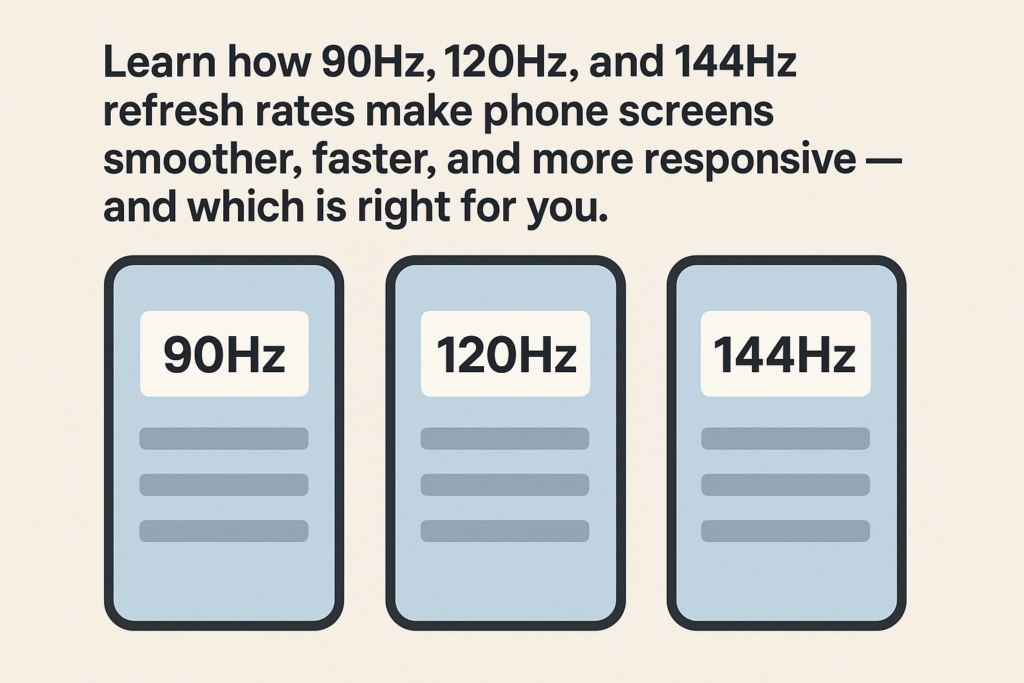
Tabhairt isteach
Má scrollaigh tú riamh trí do ghuthán agus má thug tú faoi deara cé chomh mín is a bhraitheann tú roinnt scáileáin, tá taithí agat ar an draíocht rátaí athnuachana arda. Uair amháin gné in áirithe le haghaidh monatóirí cluichíochta, tá an teicneolaíocht seo ina rud riachtanach d'fhóin chliste nua-aimseartha. Ach cad go díreach a dhéanann téarmaí cosúil 90Hz, 120Hz, is 144Hz meán — agus conas a théann siad i bhfeidhm ar fheidhmíocht, cumhacht, agus praghas?
Léimimis isteach i saol iontach na rátaí athnuachana do thaispeántais na nguthán cliste agus conas a mhúnlaíonn siad d’eispéireas laethúil.
Éabhlóid na Rátaí Athnuachana Taispeána Smartphone
Thosaigh fóin chliste le scáileáin simplí 60Hz - athnuachan 60 uair in aghaidh an tsoicind. Bhí sé seo breá breá ar feadh na mblianta, ach mar apps, cluin, agus d'éirigh beochan níos dinimiciúla, thosaigh úsáideoirí ag crapadh amhairc níos míne.
- 2017–2018: Bhí na chéad scáileáin 90Hz le feiceáil i bhfóin chearrbhachais mar an Fón Razer.
- 2019–2020: 120Tháinig painéil Hz mar phríomhshrutha i múnlaí príomhthionscadal.
- 2021 ar aghaidh: Thosaigh roinnt fóin préimhe ag tairiscint 144Hz, ag brú go réidh chun airde nua.
Thuig monaróirí go tapa gur chruthaigh taispeántais níos míne braistint luais agus só - pointe díola mór i margadh iomaíoch na bhfón cliste.
Cad is brí le Ráta Athnuachana?
Tá an ráta athnuachana, tomhaiste i Hertz (Hz), léiríonn sé cé mhéad uair in aghaidh an tsoicind a dhéanann do scáileán an íomhá a nuashonrú.
- 60Hz: Athnuachann an scáileán 60 uair in aghaidh an tsoicind.
- 120Hz: Athnuaíonn sé dhá uair chomh tapa - 120 uair in aghaidh an tsoicind.
Smaoinigh air cosúil le haistriú trí albam grianghraf: an níos tapúla a chasann tú leathanaigh, an smoother Breathnaíonn an tairiscint. Ciallaíonn ráta athnuachana níos airde níos lú doiléire, soiléireacht tairiscint níos fearr, is aiseolas dteagmháil níos freagraí.
Comparáid a dhéanamh idir 90Hz, 120Hz, agus Taispeántais 144Hz
90Hz — An Iontráil go Smoothness
90Ba é Hz an chéad chéim fíor suas ó 60Hz traidisiúnta. Rinne sé scrollú agus beochan go suntasach níos míne gan a bheith ró-throm ar thomhaltas ceallraí. Ideal le haghaidh fóin lár-réimse, buaileann sé cothromaíocht mhaith idir costas agus feidhmíocht.
120Hz - An Spota Sweet
120Is é Hz an áit a bhfuil an chuid is mó de na príomhfhóin socraithe. Seachadann sé amhairc thar a bheith sreabhach, go háirithe faoi deara le linn cluichíochta, athrú app, nó brabhsáil ábhar tapa. Péireálann sé go maith freisin le córais ráta athnuachana oiriúnaitheacha, rud a fhágann go bhfuil sé éifeachtach agus ard.
144Hz - Do na hÚsáideoirí Cumhachta
144Tá taispeántais Hz le fáil den chuid is mó i smartphones cluichíochta. Ní bhíonn an feabhas thar 120Hz drámatúil i gcónaí d’úsáideoirí laethúla, ach i gcearrbhachas iomaíoch, comhaireamh gach milleasoicind. Baineann sé ar fad le cruinneas, luas, agus cearta bragging.
An Féidir Leat an Difríocht a Inniú i nDáiríre?
In úsáid laethúil, daoine is mó faoi deara go héasca ar an léim ó 60Hz go 120 Hz. An difríocht idir 120Hz agus 144Hz, áfach, tá sé subtle agus go minic faoi deara ach amháin i cluichí luas tapa nó tagarmharcanna.
Mar a théann Athnuachan Ráta i bhfeidhm ar Eispéireas an Úsáideora
Mothaíonn scáileáin ardráta athnuachana an comhéadan iomlán níos beo.
- Scrollaigh: Sleamhnaíonn leathanaigh ghréasáin agus fothaí sóisialta gan stró.
- Beochan: Mothaíonn aistrithe agus oscailtí app nádúrtha agus tapa.
- Cearrbhachas: Laghdaíonn rátaí athnuachana níos airde doiléire gluaisne agus moill ionchuir.
Ní bhaineann sé le hamharcanna amháin - is féidir le scáileáin níos míne fiú feistí a dhéanamh bheith ag déanamh níos gasta, sásamh iomlán a fheabhsú.
An Gaol idir an Ráta Athnuachana agus Feidhmíocht Próiseálaí
Níl ráta athnuachana taispeána ach chomh maith leis an próiseálaí tiomáint é. A bhrú 120 nó 144 frámaí in aghaidh an tsoicind, caithfidh an LAP agus an GPU a bheith cumhachtach go leor le coinneáil suas.
Murar féidir leis an bpróiseálaí an t-aschur sin a láimhseáil, feicfidh tú titeann fráma, lag, is stutters, an cuspóir ráta athnuachana ard a shárú.
Próiseálaithe nua-aimseartha cosúil le Qualcomm Snapdragon 8 Tá sliseanna sraith Gen nó MediaTek Toise optamaithe le haghaidh rindreáil ardráta athnuachana, feidhmíocht éifeachtach a thairiscint gan róthéamh.
Saol Battery vs. Ráta Athnuachana Ard
Seo an ghabháil - taoscann rátaí athnuachana níos airde níos mó ceallraí. Ciallaíonn níos mó frámaí in aghaidh an tsoicind níos mó oibre don taispeáint agus don phróiseálaí.
Chun seo a chomhrac, monaróirí isteach teicneolaíocht ráta athnuachana oiriúnaitheach, a íslíonn an Hz go huathoibríoch nuair a thaispeánfar íomhánna statacha (cosúil le grianghraif a léamh nó a fheiceáil) agus méadaíonn sé é le linn tascanna a bhaineann le gluaiseacht-trom ar nós cearrbhachas nó scrollaigh.
Leideanna chun feidhmíocht agus cumhacht a chothromú:
- Úsáid mód oiriúnaitheach nuair atá sé ar fáil.
- Gile scáileán níos ísle.
- Cumasaigh spárálaíscáileáin ceallraí le haghaidh tascanna éadroma.
- Dún apps cúlra a chuireann béim ar an GPU.
Ráta Athnuachan Ard i LCD vs. Taispeántais OLED
Cé go bhfuil painéil OLED clú ar dathanna beoga agus blacks domhain, Tá tóir fós ar LCDs le haghaidh cost-éifeachtach, taispeántais smartphone buan.
- LCDs is féidir 120Hz nó fiú 144Hz a bhaint amach leis na ICanna ceart tiománaí.
- OLEDs, áfach, beidh amanna freagartha picteilín níos tapúla agus rialú cumhachta níos fearr agat.
Éilíonn LCDs coigeartuithe backlight, is féidir a n-éifeachtúlacht fuinnimh a theorannú beagán i gcomparáid le OLEDanna ag an ráta athnuachana céanna.
An Ráta Ceart Athnuachana a Roghnú le haghaidh Suímh Táirge
Fóin Leibhéal Iontrála
Soláthraíonn LCD 90Hz mothú préimhe gan costais throma nó tarraingt cumhachta. Foirfe do mhúnlaí buiséid a dhíríonn ar óg, úsáideoirí gníomhacha.
Fóin Mheán-Raon
120Tá Hz iontach don deighleog seo — ag tairiscint cothromaíocht réidhe, éifeachtúlacht fuinnimh, agus achomharc iomaíoch.
Suaitheanta & Fóin Cearrbhachais
144Seasann Hz amach le haghaidh feistí cearrbhachais agus ultra-phréimhe. Cuireann sé le gameplay iomaíoch agus freastalaíonn sé ar dhíograiseoirí teicneolaíochta a éilíonn an chuid is fearr.
Margaíocht agus Dearcadh Tomhaltóirí
Bímis macánta - ní féidir le gach duine 120Hz a insint ó 144Hz láithreach. Fós féin, tá an tionchar margaíochta ollmhór.
Úsáideann monaróirí “144Hz” nó “Adaptive 120Hz” mar gnéithe suaitheantas a chruthaíonn sceitimíní agus gradam thart ar tháirge.
Is cluiche uimhreacha é - is fearr an comhionannas níos airde in aigne na dtomhaltóirí, fiú nuair a sháraíonn an saol fíor ardchlár thar phointe áirithe.
Todhchaí Taispeántais Ardráta Athnuachana
Cá dtéann muid as seo? Roinnt fréamhshamhlacha bhrú cheana féin 165Hz agus fiú 240Hz rátaí athnuachana. Ach tá teorainn phraiticiúil ann - ní féidir leis na súile daonna ach an oiread sin réidh a bhrath.
Is dócha go ndíreofar ar an gcéad tonn nuálaíochta eile rátaí athnuachana oiriúnaitheacha AI-tiomáinte, áit a choigeartóidh an fón Hz go cliste bunaithe ar ábhar, nósanna úsáideora, agus sláinte ceallraí — ag seachadadh feidhmíochta is éifeachtacht gan uaim.
Deireadh
Tá athmhúnlú déanta ag scáileáin ardráta athnuachana ar an taithí atá againn ar fhóin chliste. Ó na chéad cheannródaithe 90Hz go dtí tithe cumhachta 144Hz an lae inniu, Soláthraíonn na dul chun cinn seo níos rianúla, níos gasta, agus radharcanna níos tumtha ná riamh.
Ach bíonn costas ag baint le rátaí athnuachana níos airde — níos mó éilimh ar thomhaltas cumhachta agus ar chrua-earraí. Do mhonaróirí agus ceannaitheoirí smartphone, tá sé ar fad faoi aimsiú na cothromaíocht cheart idir an ráta athnuachana, feidhmíocht próiseálaí, agus saol na ceallraí a mheaitseáil le suíomh an táirge.
Cibé an bhfuil tú ag dearadh, ag ceannach, nó fón cliste a úsáid, Cinntíonn tuiscint ar an gcothromaíocht seo cinntí níos cliste - agus eispéireas úsáideora níos rianúla.
Ceisteanna Coitianta
1. Cén ráta athnuachana is fearr le haghaidh fón cluichíochta?
120Soláthraíonn Hz nó 144Hz an réidh is fearr le haghaidh cearrbhachais iomaíoch, go háirithe nuair a péireáilte le próiseálaí cumhachtach.
2. An gciallaíonn ráta athnuachana níos airde feidhmíocht níos fearr i gcónaí?
Ní gá. Gan tacaíocht láidir LAP/GPU, féadfaidh rátaí arda athnuachana a bheith ina gcúis le moilliú nó le ceallraí amú.
3. Conas is féidir liom ceallraí a shábháil ar ghuthán 120 Hz?
Úsáid mód ráta athnuachana oiriúnaitheach, gile níos ísle, agus cumasaigh spárálaí ceallraí nuair nach bhfuil tú ag cearrbhachas.
4. Is fiú 144Hz é le húsáid laethúil?
Le haghaidh tascanna rialta cosúil le teachtaireachtaí nó na meáin shóisialta, 120Mothaíonn Hz den scoth cheana féin. 144Baineann Hz tairbhe go príomha le gamers trom.
5. An mbainfidh LCDanna amach anseo rátaí athnuachana 240Hz?
Tá, tugann taighde agus fréamhshamhlacha le fios go bhféadfadh teicneolaíochtaí LCD atá le teacht 240Hz a bhaint amach - cé go bhfuil éifeachtacht fós ina dhúshlán.



