
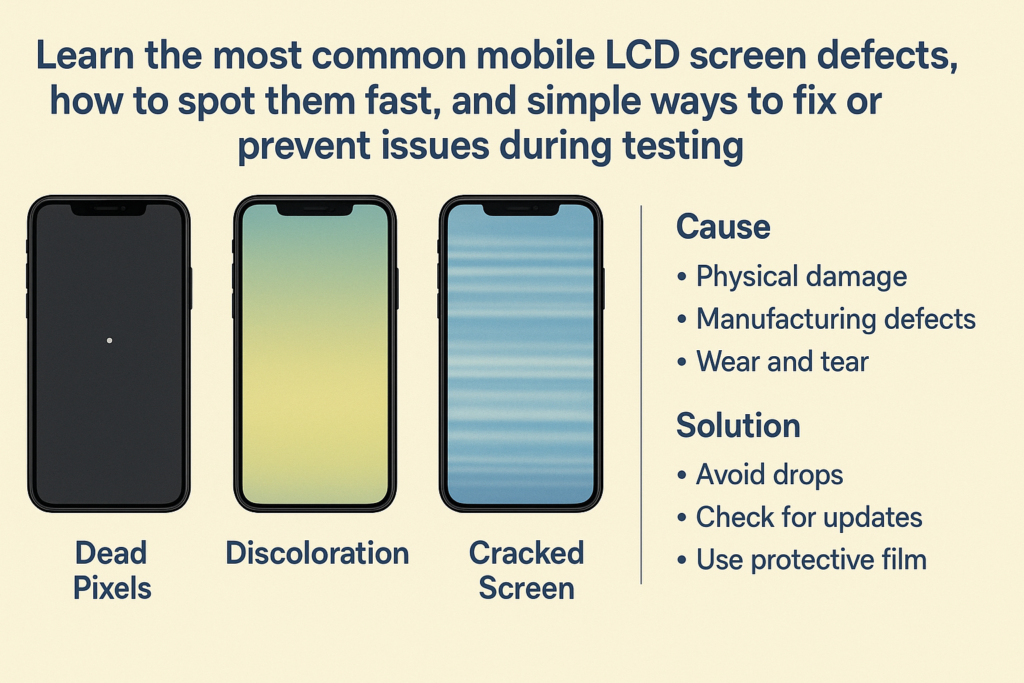
Introduction
Lors de l'approvisionnement en écrans LCD mobiles, que ce soit pour la vente en gros, ateliers de réparation, ou usines de remise à neuf : des tests appropriés sont absolument essentiels. Même les écrans de haute qualité peuvent présenter des défauts lors de l'inspection, et l'identification précoce des problèmes permet d'éviter les plaintes des clients, retours, et des coûts de main-d'œuvre gaspillés.
Dans cet article, nous passerons en revue les défauts LCD les plus courants détectés lors des tests, qu'est-ce qui les cause, et des solutions efficaces pour que vous puissiez acheter en toute confiance et éviter les pertes inutiles.
Comprendre le processus de test LCD
Outils de base utilisés pour les tests LCD
Pour bien tester les écrans LCD mobiles, vous aurez généralement besoin:
- Un testeur LCD professionnel ou une carte mère
- Câbles d'alimentation et de connexion
- Images de test de motif blanc/noir
- Outils ou applications de test tactile
- Gants antistatiques
Ces outils aident à simuler le fonctionnement réel de l'appareil pour vérifier avec précision les performances d'affichage et tactiles..
Étapes de test standard
- Inspecter l'apparence pour détecter la poussière, rayures, ou des fissures
- Connectez l'écran LCD au testeur ou à la carte mère du téléphone
- Vérifier l'affichage: couleurs, lignes, luminosité
- Tester les fonctions tactiles: multi-touch, glisser, robinet
- Tester le rétroéclairage, uniformité, et pixels morts
- Effectuer un test de vieillissement pendant au moins 15 à 30 minutes
Défauts LCD courants et comment les identifier
1. Aucun affichage / Écran complètement noir
Causes
- Circuit intégré ou circuit pilote endommagé
- Mauvaise connexion FPC
- Rétroéclairage brûlé ou court-circuit
Diagnostic
- Vérifiez le FPC pour la courbure, casser, ou de la saleté
- Essayez une autre carte mère
- Inspecter au microscope pour détecter les problèmes de soudure
2. Problèmes d'écran blanc
Un écran blanc signifie généralement:
- Le circuit intégré du pilote d'affichage ne communique pas
- Dommages au câble LCD interne
- Mauvaise correspondance du firmware sur certains modèles
Solution: Nettoyer les connecteurs, tester avec une autre carte, rejeter les écrans avec des échecs répétés.
3. Affichage scintillant
Raisons courantes:
- Mauvais contact du rétroéclairage
- CI de rétroéclairage de mauvaise qualité
- Instabilité de tension
Un scintillement apparaît souvent lors des changements de luminosité. Remplacez ou rejetez l'écran en cas de persistance.
4. Lignes horizontales ou verticales
Ligne unique
Probablement en raison de:
- Dommages aux lignes de pixels du panneau LCD interne
- Défaillance partielle de la puce IC
Les lignes unicolores ou noires ne peuvent pas être corrigées : l'écran doit être remplacé.
Plusieurs lignes
Souvent causé par:
- Dommages FPC
- Pression pendant le transport
- Mauvais assemblage lors du laminage
Plusieurs lignes s'aggravent généralement avec le temps, alors évitez d'installer de tels écrans.
5. L'écran tactile ne répond pas
Touche fantôme
L'écran se tape automatiquement. Les causes incluent:
- Mauvaise mise à la terre
- IC tactile défectueux
- Problèmes de sensibilité du panneau
Pas de contact
Symptômes:
- Zone partielle ne répond pas
- Tout l'écran ne fonctionne pas
Essayez de nettoyer les broches du connecteur ou de tester avec un autre appareil. Si toujours pas de réponse, le circuit intégré tactile ou le capteur est défectueux.
6. Incohérence de couleur ou teinte jaune/bleue
Cela arrive quand:
- La température de couleur du rétroéclairage est incorrecte
- Film polarisant de mauvaise qualité
- Vieillissement des LED
Un bon fournisseur doit fournir une correspondance de couleurs cohérente avec les normes OEM.
7. Points lumineux / Taches sombres
- Points lumineux proviennent d'une pression interne sur le rétroéclairage
- Taches brunes peut indiquer de la poussière, marques de colle, ou zones LED défectueuses
Ceux-ci ne peuvent pas être réparés et doivent être rejetés lors du contrôle qualité..
8. Pixels morts ou points noirs
Les pixels morts sont de minuscules blancs, noir, ou des points colorés visibles à l'écran.
Cause:
- Sous-pixels individuels échoués
- Défauts de fabrication
Le contrôle qualité professionnel peut tolérer 1 à 2 micro-points, mais les points visibles sont inacceptables pour les écrans de haute qualité.
9. Fuite du rétroéclairage
Le saignement du rétroéclairage, en particulier sur les bords, provient de:
- Mauvais assemblage
- Pression inégale sur le cadre
- Espaces entre les couches de panneaux
Les fuites graves affectent l’expérience utilisateur et doivent être évitées.
10. Faible luminosité / Luminosité inégale
Si la luminosité semble faible ou inégale:
- La bande LED de rétroéclairage est de faible qualité
- Le film de diffusion est défectueux
- IC ne peut pas fournir une tension stable
Les écrans LCD de haute qualité utilisent des matériaux de rétroéclairage plus lumineux et plus uniformes.
11. Désalignement du cadre (pour écrans « avec cadre »)
Un cadre mal aligné peut provoquer:
- Difficulté à installer
- Espaces latéraux ou ajustement lâche
- Pression de la lunette tactile
Vérifiez toujours la structure du cadre et comparez-la avec les spécifications OEM.
Causes profondes des défauts de l'écran LCD
Problèmes de fabrication
- Mauvaise stratification
- Alignement imprécis
- Poussière à l’intérieur de la salle blanche
- Qualité IC incohérente
Problèmes d'assemblage
Les erreurs de stratification du module tactile et du panneau entraînent souvent un toucher fantôme ou des points lumineux.
Facteurs de transport et de stockage
- Pression excessive
- Exposition à l'humidité
- Variations de température
Matériaux de mauvaise qualité
Des films moins chers, LED, ou les polariseurs signifient une durabilité inférieure et des taux de défauts plus élevés.
Solutions efficaces et méthodes de prévention
Vérifiez le FPC (Câble flexible) Qualité
Rechercher:
- Bords lisses
- Impression claire
- Pas de bulles
- Fort renfort
Assurer un équipement de test correct
Using old testers may cause false defects. Always keep equipment updated.
Adopt Reliable Supplier Testing Standards
Ask suppliers to follow:
- 100% function test
- 30-minute aging test
- Touch accuracy test
Use Proper Packaging
Proper foam and anti-pressure packaging prevent bright spots and line issues.
Perform Pre-Shipment Aging Tests
Aging tests expose unstable ICs before they reach your warehouse.
Best Practices When Purchasing Mobile LCD Screens
Ask for Testing Videos
Suppliers should provide:
- Real test footage
- Model verification
- Backlight and touch test
Request QC Reports
This allows you to monitor defect percentages and stability across batches.
Choose Suppliers With After-Sales / RMA Support
Good suppliers:
- Offer replacements
- Have clear RMA policies
- Provide technical support
Conclusion
L'achat d'écrans LCD mobiles n'est pas qu'une question de prix : le contrôle de la qualité est ce qui protège réellement votre entreprise.. En comprenant les défauts courants et comment les tester, vous pouvez éviter des retours coûteux et établir des partenariats plus solides avec des fournisseurs fiables. Avec le bon processus de test et des mesures préventives, vos achats deviennent plus fluides, plus prévisible, et bien plus rentable.
FAQ
1. Quel est le défaut le plus courant des écrans LCD?
Lignes (horizontale/verticale) et les problèmes tactiles font partie des défauts les plus fréquemment signalés.
2. Les problèmes de toucher fantôme peuvent-ils être réparés?
Généralement non. Ils sont souvent causés par des problèmes internes de circuits intégrés tactiles et nécessitent un remplacement..
3. Quelles sont les causes des points lumineux sur les écrans LCD?
Dommages dus à la pression pendant le transport ou le montage.
4. Les tests de vieillissement sont-ils vraiment utiles?
Oui : les tests de vieillissement révèlent des circuits intégrés instables et évitent de futures plaintes de clients.
5. Dois-je acheter des écrans « avec cadre » ou des écrans « sans cadre »?
Les écrans avec cadre réduisent les risques d'installation mais coûtent plus cher. Les écrans sans cadre nécessitent une installation précise mais sont moins chers.



