
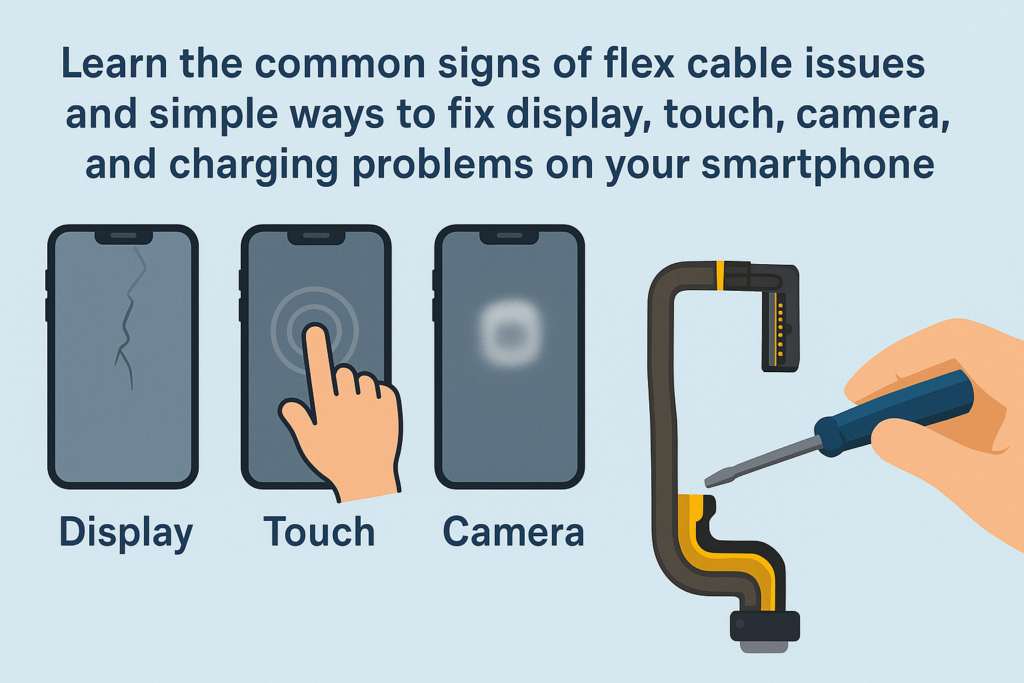
Los teléfonos inteligentes de hoy son más compactos, más inteligente, y más poderoso que nunca. Pero detrás de ese elegante exterior hay una estructura interna muy compleja.. Entre los componentes más importantes y frágiles se encuentran los cables flexibles.. Piense en ellos como el "sistema nervioso" de su dispositivo., conectar la placa base a la pantalla, camaras, botones, puertos de carga, y más. Cuando estos cables fallan o pierden el contacto adecuado, tu teléfono puede comenzar a comportarse de manera extraña.
En esta guía completa, desglosaremos los síntomas comunes, causas, y soluciones para problemas de conexión de cables flexibles, ayudándole a comprender qué sucede dentro de su teléfono y cómo solucionarlo.
Introducción a los cables flexibles para teléfonos inteligentes
¿Qué son los cables flexibles??
Cables flexibles, también llamados FPC (Circuito impreso flexible) o cables planos: son delgados, departamento, Conectores diseñados con precisión que se utilizan para vincular componentes dentro de un teléfono inteligente.. Su material flexible les permite doblarse y encajar dentro de marcos delgados de dispositivos..
Por qué son importantes los cables flexibles en los teléfonos inteligentes modernos
Sin cables flexibles, la pantalla no mostraria nada, la camara no funcionaria, y tus entradas táctiles no se registrarían. Cada función importante depende de una conexión de cable flexible estable. Cuando uno se suelta o se daña, todo el teléfono puede funcionar mal.
Síntomas de problemas de conexión del cable flexible
Los problemas con los cables flexibles son engañosos. No siempre presentan fallas constantes: a veces tu teléfono funciona bien, luego de repente se porta mal. Aquí están los signos más comunes.:
Mostrar anomalías
Parpadeo, Pauta, y artefactos
Si tu pantalla muestra:
- Líneas coloridas
- Segmentos intermitentes
- Imágenes distorsionadas
- Píxeles de “mosaico”
…especialmente cuando doblas o tocas el teléfono, Esto suele ser un problema con el cable flexible de la pantalla..
Fallo de toque parcial o total
Tu toque puede:
- Deja de responder en ciertas áreas
- congelar aleatoriamente
- Trabaje solo después de presionar o girar el marco.
De nuevo, Esto generalmente se debe a un mal contacto en la conexión flexible de la pantalla..
Mal funcionamiento de la cámara
Problemas de enfoque
Cuando la cámara trasera sigue buscando enfoque o vibra incontrolablemente, El cable flexible de la cámara puede estar suelto o dañado..
Pantalla negra o fallas de la aplicación
Si su cámara se abre en una pantalla negra, se congela, o se cierra a la fuerza al cambiar de lente, el cable flexible es probablemente el culpable.
Problemas de carga y transferencia de datos
Carga intermitente
Si su teléfono se carga solo cuando el cable se encuentra en cierto ángulo (o deja de cargarse cuando lo mueve), es posible que el cable flexible de carga o la placa del puerto estén sueltos..
Conexión de PC inestable
Si la computadora reconoce su teléfono solo algunas veces, el mismo componente podría estar fallando.
Fallas clave y de audio
Las teclas de encendido/volumen no funcionan
Las teclas laterales dependen de pequeños cables flexibles. Si el cable se ha movido o roto, los botones dejan de responder.
Vocero, Auricular, o fallas del micrófono
Puedes notar:
- No hay sonido durante las llamadas
- No hay audio al reproducir música
- La otra persona no puede oírte
Estos síntomas a menudo se deben a problemas con el cable flexible de audio o la placa secundaria..
Otros comportamientos inusuales
Reinicios aleatorios
Los reinicios repentinos provocados por golpes o sacudidas suaves pueden indicar una conexión flexible inestable.
Face ID o Fallos Biométricos
Sensores complejos como Face ID dependen de delicados conjuntos flexibles. Cualquier problema puede desactivar la función por completo..
Causas principales detrás del mal funcionamiento del cable flexible
Comprender la causa le ayuda a evitar problemas futuros..
Daño físico
Gotas, doblando, compresión, o el impacto puede aflojar o rasgar los cables flexibles.
Desgaste por uso prolongado
Mamparas plegables, mecanismos deslizantes, o los botones que se presionan con frecuencia tensionan sus cables flexibles con el tiempo.
Daños por líquidos y corrosión
Incluso una exposición menor a la humedad: humedad, sudor, o salpicaduras: pueden corroer los contactos metálicos.
Reparaciones deficientes o montaje inadecuado
Los técnicos no capacitados pueden:
- No asienta correctamente los conectores
- Romper clips de seguridad
- Atrape los cables flexibles debajo de los tornillos
Esta es una de las causas ocultas más comunes..
Envejecimiento de componentes naturales
Como todos los materiales, Los cables flexibles se degradan lentamente con el tiempo..
Cómo diagnosticar problemas con el cable flexible
Reproducir el problema
Observe cuando ocurre el problema:
- Sólo después de una caída?
- Al presionar una esquina específica?
- Al girar ligeramente el teléfono?
Si el problema aparece o desaparece por presión o movimiento, Es casi seguro que es un problema con el cable flexible..
Utilice el método de eliminación
Consultar accesorios
Por problemas de carga, intentar:
- Un cable diferente
- Un cargador diferente
Descartar problemas de software
A veces:
- Una actualización fallida
- Una aplicación con errores
- Archivos de sistema corruptos
…puede imitar problemas de hardware. Intentar:
- Reiniciando el teléfono
- Actualizando el sistema
- Restablecimiento de fábrica (después de la copia de seguridad)
Métodos de limpieza seguros (Sólo para puertos externos)
Cuando limpiar
solo limpio externo Partes como el puerto de carga..
Cómo limpiar de forma segura
Apague el dispositivo, entonces:
- Utilice una herramienta de madera o plástico.
- Retire suavemente la pelusa
- Evite cualquier objeto metálico.
Nunca abras el teléfono tú mismo a menos que estés capacitado. Los cables flexibles internos son frágiles y se estropean fácilmente.
Cuándo NO abrir el teléfono usted mismo
Si el problema involucra:
- Mostrar
- Cámara
- identificación facial
- Conectores de placa base
…déjalo en manos de un profesional.
Soluciones de reparación profesionales
Procedimientos de diagnóstico detallados
Los técnicos utilizan:
- Multímetros
- microscopios
- esquemas
Pueden localizar fallas con alta precisión..
Cómo volver a colocar y limpiar los cables flexibles internos
Si el cable está suelto, un técnico puede limpiar los contactos utilizando soluciones especializadas y volver a conectarlos de forma segura.
Reemplazo de cables flexibles dañados
Si el cable está roto o envejecido, reemplazarlo es la única solución confiable.
Reparaciones avanzadas para problemas con el conector de la placa base
Si el zócalo flexible de la placa base está dañado, Es posible que se requiera microsoldadura.
Consejos de prevención para evitar futuros problemas con el cable flexible
Protección adecuada
Utilice estuches a prueba de golpes para evitar caídas..
Evitar la exposición a la humedad
Mantenga su teléfono alejado de:
- Baños
- Sudor
- Lluvia
Manejo cuidadoso de dispositivos plegables
Doblar suavemente y evitar movimientos bruscos..
Elegir servicios de reparación profesionales
Priorizar siempre:
- Tiendas de renombre
- Técnicos certificados
- Piezas originales o de alta calidad.
Conclusión
Los problemas de conexión del cable flexible pueden parecer confusos, pero la buena noticia es que, por lo general, se pueden solucionar. Ya sea una pantalla parpadeante, una cámara que se porta mal, o un puerto de carga que funciona solo en ciertos ángulos, Estos problemas a menudo se deben a un cable flexible suelto o dañado.. Al comprender los síntomas, detectando las causas, y saber cuándo buscar ayuda profesional, puede mantener su teléfono funcionando sin problemas y extender su vida útil.
Preguntas frecuentes
1. ¿Puedo solucionar un problema del cable flexible yo mismo??
Puedes limpiar puertos externos, pero las reparaciones internas deben dejarse en manos de técnicos capacitados..
2. ¿Cuánto cuesta la reparación del cable flexible??
Varía según el modelo y la pieza., pero la mayoría de los reemplazos de cables flexibles son relativamente asequibles.
3. ¿La pantalla parpadea siempre es causada por un cable flexible defectuoso??
No siempre: las pantallas o los circuitos de la placa base también pueden fallar. Es necesario un diagnóstico adecuado.
4. ¿Puede la humedad provocar que los cables flexibles fallen??
Sí. Incluso pequeñas cantidades de humedad pueden corroer los conectores y afectar la transmisión de la señal..
5. ¿Qué pasa si sigo usando mi teléfono con un problema con el cable flexible??
El problema puede empeorar con el tiempo., conduciendo al fracaso total de la función afectada.



