
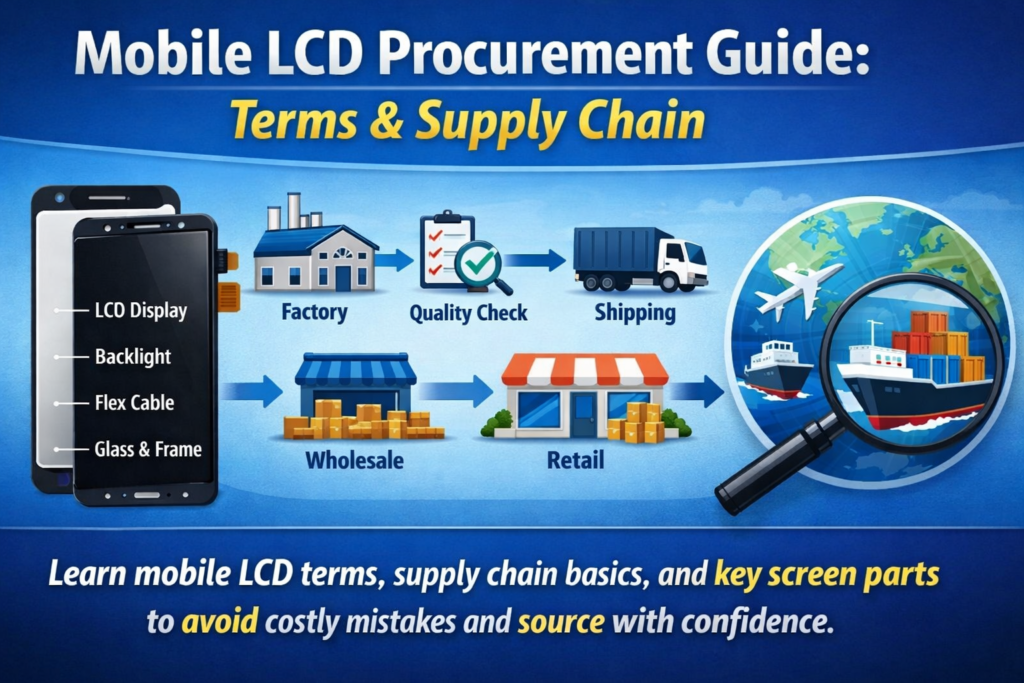
Forståelse af forsyningskæden for mobildisplay
Nøglekomponenter i en smartphoneskærm
Hvis du nogensinde har prøvet at købe mobiltelefonskærme, du har sikkert lagt mærke til, hvor forvirrende terminologien kan blive. En leverandør siger "LCD-modul,” siger en anden ”touch assembly," og en anden smider "ydre glas" eller "digitizer." Det er som om alle taler det samme sprog - men med helt forskellige dialekter.
I sin kerne, en smartphone-skærm er ikke kun et enkelt stykke. Det er en omhyggeligt konstrueret stak af komponenter, der arbejder sammen for at levere billeder og berøringsrespons. De LCD-panel producerer billedet, de berøringslag registrerer dine fingerbevægelser, og den dækglas beskytter alt nedenunder. Disse elementer kan enten sælges separat eller som et fuldt integreret modul, afhængig af produkttype og reparationskrav.
Det er vigtigt at forstå, hvordan disse dele interagerer, især hvis du er i indkøb. En lille misforståelse - som at forveksle en hel samling med kun en glaslinse - kan føre til dyre fejl, forsinkelser, eller kundeklager. Derfor er det ikke kun nyttigt at blive fortrolig med disse termer – det er absolut nødvendigt, hvis du vil operere effektivt i denne branche.
Hvorfor terminologi betyder noget i indkøb
Lad os være ærlige: i branchen for mobile dele, klarhed er lig med profit. Hvis du ikke klart definerer, hvad du køber, du kan ende med at betale for noget, du ikke havde til hensigt at købe – eller endnu værre, modtager inkompatible komponenter.
For eksempel, at bestille en "skærm" uden at angive, om det er en komplet LCD-modul eller bare ydre glas kan føre til stor forvirring. Leverandører kan antage forskellige ting baseret på deres egne standarder. Og fordi international handel er involveret, sprogbarrierer forstærker kun problemet.
Nøjagtig terminologi hjælper med at strømline kommunikationen, reducerer tvister, og sikrer sammenhæng på tværs af ordrer. Det gør det også nemmere at sammenligne tilbud fra forskellige leverandører. Når alle er afstemt efter definitioner, priserne bliver gennemsigtige, og forhandlingerne bliver meget smidigere.
Kort sagt, At mestre disse termer er ikke kun teknisk viden – det er en strategisk fordel.
Hvad er et mobilt LCD-skærmmodul?
Definition af LCD-modul (LCM)
Udtrykket LCD modul (LCM) er en af de mest brugte sætninger i mobildisplayindustrien. Simpelthen sagt, en LCM er en komplet displayenhed der inkluderer LCD-panelet og normalt touch-funktionaliteten, alt sammen forsamlet til en enkelt komponent.
Tænk på det som en klar-til-installationspakke. I stedet for at håndtere flere lag hver for sig, du får alt bundet sammen. Dette reducerer installationstiden og minimerer risikoen for skader under reparation eller montering.
I indkøb, Angivelse af "LCM" betyder typisk, at du ønsker en fuldt funktionel displayenhed, ikke kun enkelte dele. Imidlertid, det er stadig vigtigt at afklare, om modulet indeholder yderligere komponenter som rammen, baggrundsbelysning, eller IC-chips.
Kernekomponenter inde i en LCM
Et standard LCD-modul består normalt af flere lag:
- LCD-panel (Liquid Crystal Display) – ansvarlig for billedgenerering
- Baggrundsbelysningsenhed – giver belysning
- Tryk på Digitalizer – registrerer berøringsinput
- Dækglas – beskytter skærmen
- FPC (Fleksibelt trykt kredsløb) – forbinder modulet med bundkortet
Disse lag bindes ofte ved hjælp af avancerede lamineringsteknikker som f.eks OCA (Optisk klar klæbemiddel). Integrationen forbedrer skærmens klarhed og berøringsfølsomhed, mens refleksioner reduceres.
For købere, at forstå disse komponenter hjælper dig med at evaluere produktkvalitet og prissætning. Et modul med bedre laminering og materialer af højere kvalitet vil naturligvis koste mere – men også levere bedre ydeevne og holdbarhed.
Mobilskærm Touch-teknologi forklaret
Kapacitiv berøring vs resistiv berøring
Touch-teknologi er den usynlige magi bag hvert swipe, tryk, og knibe. I dag, næsten alle smartphones bruger kapacitive berøringsskærme, men ældre eller specialiserede enheder kan stadig stole på resistiv berøringsteknologi.
Kapacitive berøringsskærme registrerer elektriske signaler fra din finger, tilbyder hurtigere svartider og multi-touch-funktioner. Det er derfor, de dominerer forbrugermarkedet. Resistive skærme, på den anden side, stole på tryk og er mindre følsomme, men mere holdbare i visse industrielle miljøer.
Fra et indkøbssynspunkt, kapacitive berøringspaneler er standarden. Imidlertid, ikke alle kapacitive skærme er lige. Variationer i følsomhed, holdbarhed, og controller-IC'er kan påvirke brugeroplevelsen markant.
Berøringspanelets rolle i moderne smartphones
De berøringspanel, også kendt som digitalisering, sidder over displaylaget og omsætter fysisk berøring til digitale signaler. I moderne design, dette lag er ofte integreret direkte i LCD eller glas ved hjælp af teknologier som f.eks Incell eller Oncell.
Denne integration reducerer tykkelsen og forbedrer reaktionsevnen. Det forenkler også forsyningskæden, da færre separate komponenter er nødvendige. Imidlertid, det kan gøre reparationer dyrere, da hele modulet muligvis skal udskiftes, hvis et lag svigter.
For købere, valget mellem separate berøringspaneler og integrerede løsninger afhænger af målgruppen – om det er reparationsfokuserede eller slutbrugerprodukter.
Yderskærm (Glas) vs indre skærm (Vise)
Hvad er den ydre skærm (Dækglas)?
De ydre skærm, ofte omtalt som dækglas, er det øverste lag, som brugere fysisk rører ved. Dens primære rolle er beskyttelse. Det beskytter de sarte indre komponenter mod ridser, påvirkninger, og miljøskader.
Dækglas af høj kvalitet er typisk lavet af forstærkede materialer som hærdet glas. Nogle har endda belægninger til anti-fingeraftryk eller anti-genskin ejendomme.
I indkøb, ydre glas sælges ofte separat til reparationsformål. Det er billigere end et helt modul, men det kræver dygtige teknikere at installere. Denne mulighed er populær på markeder, hvor omkostningsbesparende reparationer foretrækkes.
Hvad er den indre skærm (LCD-panel)?
De indvendig skærm refererer til det faktiske displaypanel - den del, der genererer billeder. Dette inkluderer det flydende krystallag, farvefiltre, og baggrundsbelysningssystem.
I modsætning til det ydre glas, den indvendige skærm er meget følsom og dyr. Beskadigelse af denne komponent resulterer normalt i skærmproblemer som døde pixels, linjer, eller slet intet billede.
At adskille den indvendige skærm fra det ydre glas er muligt, men teknisk udfordrende. Derfor vælger mange købere i stedet for komplette moduler - det er enklere og mere pålideligt.
Forskelle mellem fuld samling og separate dele
Fuld laminering vs rammeadskillelse
EN fuld samling (også kaldet fuld laminering) betyder alle lag - glas, røre, og display – er bundet til en enkelt enhed. Dette giver bedre optisk klarhed og holdbarhed.
I modsætning hertil, separate dele tillade hvert lag at blive udskiftet individuelt. Mens dette reducerer materialeomkostningerne, det øger arbejdskompleksiteten og risikoen under installationen.
Fordele og ulemper for købere
| Valgmulighed | Fordele | Ulemper |
|---|---|---|
| Fuld samling | nem installation, bedre kvalitet | Højere omkostninger |
| Separate dele | Lavere omkostninger, fleksibel reparation | Højere arbejdsrisiko |
At vælge den rigtige løsning afhænger af din forretningsmodel. Hvis du prioriterer hastighed og pålidelighed, hele samlinger er vejen at gå. Hvis omkostningsbesparelse er dit hovedmål, separate dele kan være mere egnede.
Almindelige branchevilkår, du skal kende
OEM, Eftermarked, Renoveret Forklaret
- OEM (Originalt udstyrsproducent): Originale fabriksfremstillede dele
- Eftermarked: Tredjeparts fremstillede komponenter
- Renoveret: Brugte dele restaureret til funktionsdygtig stand
Hver kategori har sit eget pris- og kvalitetsniveau. OEM dele er de dyreste, men tilbyder den højeste pålidelighed.
Incell, Oncell, og TFT-teknologier
- Incell: Touch integreret i LCD-laget
- Oncell: Tryk på lag på toppen af LCD
- Tft: Traditionel LCD-teknologi
Forståelse af disse udtryk hjælper dig med at sammenligne produkter mere effektivt.
Kvalitetskarakterer og teststandarder
Skærmbilleder for klasse A vs B
Kvalitetsvurdering er afgørende ved indkøb. A-klasse skærme er næsten perfekte, mens B-klasse skærme kan have mindre defekter.
Nøgletestprocedurer før forsendelse
Leverandører udfører typisk:
- Lysstyrke test
- Test af berøringsfølsomhed
- Inspektion af døde pixel
Disse tests sikrer produktets pålidelighed før levering.
Prisfaktorer ved indkøb af LCD-skærme
Materialeomkostninger og teknologipåvirkning
Avancerede teknologier som Incell øger produktionsomkostningerne, men forbedrer ydeevnen.
MOQ og Supply Chain overvejelser
Minimum ordremængde (MOQ) kan påvirke priserne markant. Masseordrer kommer normalt med rabatter.
Valg af den rigtige leverandør
Nøgle evalueringskriterier
Se efter:
- Konsekvent kvalitet
- Gennemsigtig kommunikation
- Pålidelig levering
Røde flag at undgå
Undgå leverandører, der:
- Mangler certificeringer
- Angiv uklare specifikationer
- Tilbyd usædvanligt lave priser
Fremtidige tendenser inden for indkøb af mobildisplay
Skift mod OLED og fleksible skærme
Mens LCD stadig dominerer budgetenheder, OLED vinder popularitet på grund af bedre farve og fleksibilitet.
Stigende efterspørgsel efter integrerede moduler
Integrerede løsninger vil fortsætte med at vokse, forenkling af fremstilling og reparationer.
Konklusion
Det kan føles overvældende at navigere i verden af indkøb af mobile LCD-skærme i starten, men når du først forstår terminologien, alt begynder at give mening. Fra LCD-moduler til berøringspaneler, fra ydre glas til indre displays, hvert udtryk repræsenterer en specifik komponent med sin egen rolle i det større billede.
Når du tydeligt forstår, hvad du køber, du reducerer risici, forbedre kommunikationen med leverandører, og i sidste ende træffe smartere købsbeslutninger. Uanset om du køber til værksteder, engros distribution, eller fremstilling, at mestre disse koncepter giver dig en reel konkurrencefordel.
FAQS
1. Hvad er forskellen mellem LCD-modul og berøringsskærm?
Et LCD-modul inkluderer både display- og touch-komponenter, mens berøringsskærmen kun refererer til det berøringsfølsomme lag.
2. Kan jeg kun udskifte det ydre glas på en telefonskærm?
Ja, men det kræver specialiseret udstyr og dygtige teknikere.
3. Hvad betyder Incell-teknologi?
Incell integrerer touch-funktionen direkte i LCD-laget, gør skærme tyndere og mere responsive.
4. Er eftermarkedsskærme pålidelige?
Det kan de være, men kvaliteten varierer afhængigt af producenten.
5. Hvorfor er hele samlinger dyrere?
Fordi de kombinerer flere komponenter i én enhed, giver bedre ydeevne og lettere installation.



