
Indledning
Har nogensinde købt en telefon og følt, at skærmen ikke var helt rigtig? Måske så farverne ujævne ud, berøringen var ikke nøjagtig, eller skærmen flimrede ved lav lysstyrke. Det er der displaytest på stedet bliver kritisk. Med Display Tester app, du kan køre test på professionelt niveau med det samme, sparer tid og undgår dyre fejl.
Kom godt i gang med Display Tester
Før du dykker ned i tests, du skal konfigurere appen:
- Download: Tilgængelig i Google Play Butik til de fleste Android-enheder.
- Krav: Fungerer bedst på Android 6.0 og derover.
- Installation: Hurtigt og ligetil – bare download, installere, og åben.
Nøglefunktioner i Display Tester
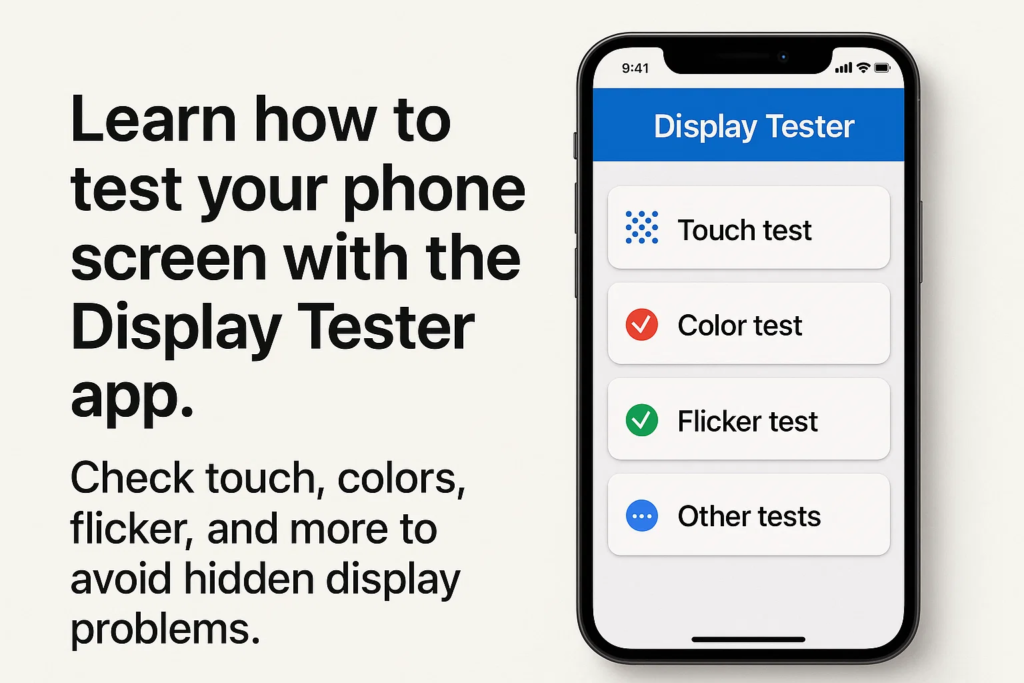
Hvad gør denne app så populær blandt værksteder og teknologientusiaster?
- Berøringsskærms nøjagtighedsværktøjer
- Kontrol af farveensartethed
- Registrering af flimmer (specielt til OLED-skærme med PWM-dæmpning)
- Døde pixel og gradienttest
- Lysstyrke, kontrast, og synsvinkeltest
Grænsefladen er ren, enkel, og designet til hurtig brug på stedet.
Berøringstest – Kontrol af berøringsnøjagtighed
Hvad er en berøringstest?
EN Tryk på Test verificerer, om dine fingerbevægelser spores nøjagtigt på tværs af skærmen.
Sådan udføres en berøringstest i Display Tester
- Åbn Tryk på Test funktion i appen.
- Træk fingeren hen over skærmen.
- Tjek om de tegnede linjer følger din finger jævnt uden huller eller spring.
Hvorfor berøringspræcision betyder noget
Hvis berøringer er forkert justeret, skrive, spil, eller endda at rulle kan være frustrerende.
Almindelige problemer opdaget under berøringstest
- Døde berøringszoner
- Forsinket svar
- Ghost berører (når skærmen reagerer uden input)
Farveensartethed – sikrer jævne farver
Forstå farveens ensartethed
Ensartet farve betyder, at din skærm skal vises konsekvente nuancer på tværs af skærmen uden mærkelige patches.
Kører farveensartethedstesten
- Vælg Farveensartethedstest i appen.
- Skærmen vil vise solide farver (rød, grøn, blå, grå, hvid).
- Undersøg for områder, der virker mørkere, lettere, eller farvet anderledes.
Identifikation af ujævne pletter eller gradienter
Ujævne farver kan indikere problemer med panelkvaliteten, væskeskader, eller fabrikationsfejl.
Hvordan farveinkonsistens påvirker brugeroplevelsen
Selv små uoverensstemmelser kan skabe billeder, videoer, eller hjemmesider ser forvrænget ud.
Flimmertest – Registrerer PWM-dæmpning
Hvad er flimmer og hvorfor betyder det noget?
Mange OLED-skærme bruger PWM (Pulsbreddemodulation) til lysstyrkekontrol. Dette kan forårsage usynlig flimmer, fører til hovedpine eller anstrengte øjne.
Sådan kører du flimmertesten med Display Tester
- Åbn Flimmertest valgmulighed.
- Sænk lysstyrken til 10–20 %.
- Se godt efter (eller optag med et slowmotion-kamera) at se flimmermønstre.
Registrerer PWM-flimmer i OLED- og LCD-skærme
- OLED skærme flimrer ofte kraftigt ved lav lysstyrke.
- LCD skærme viser normalt mindre flimmer, men dårlige paneler kan stadig have problemer.
Sundhedsproblemer relateret til skærmflimmer
Langvarig eksponering for flimmer kan forårsage:
- Øjenbelastning
- Hovedpine
- Søvnforstyrrelser
Yderligere nyttige tests i Display Tester
Udover de tre store, Display Tester inkluderer også:
- Lysstyrke og kontrast test – sikrer god læsbarhed i stærkt sollys.
- Detektering af døde pixel – hjælper med at identificere fastsiddende eller defekte pixels.
- Synsvinkeltest – kontrollerer, om farverne skifter, når de ses fra siden.
Praktiske brugssager
Hvem kan drage fordel af Display Tester?
- Telefonværksteder: Bekræft hurtigt skærmudskiftninger.
- Grossister/forhandlere: Test batchkvalitet før forsendelse.
- Slutbrugere: Tjek nyindkøbte enheder for skjulte defekter.
Tips til nøjagtig test på stedet
- Test ind neutral belysning (undgå alt for lyse rum).
- Kør flere test for konsistens.
- Hold lysstyrken på forskellige niveauer for at sammenligne resultater.
- Tag billeder eller videoer til registrering.
Fordele ved at bruge Display Tester i forhold til andre apps
- Mere præcis og pålidelig resultater
- Større udvalg af tests i én pakke
- Enkelt design velegnet til både professionelle og afslappede brugere
Almindelige fejl at undgå
- Stoler kun på én test
- Ignorerer subtilt flimmer ved lav lysstyrke
- Test under dårlige lysforhold
- Fejlfortolkning af problemer med farveensartethed som softwarefejl
Trin-for-trin arbejdsgang eksempel
For en fuldstændig kontrol, følg denne rækkefølge:
- Tryk på Test → Sørg for jævn sporing
- Farveensartethed → Tjek for jævne nuancer
- Flimmertest → Bekræft skærmens stabilitet ved lav lysstyrke
- Kør ekstraudstyr (død pixel, kontrast, osv.)
Ekspertindsigt
Professionelle elsker Display Tester fordi:
- Det sparer tid sammenlignet med manuelle kontroller.
- Det opbygger kundernes tillid ved at bevise skærmkvalitet på forhånd.
- Det kan den forhindre tvister ved at dokumentere testresultater.
Fremtiden for On-Site Screen Testing
Efterhånden som displayteknologien udvikler sig, vi kan se:
- AI-drevet defektdetektion
- Indbyggede telefondiagnosticeringsapps
- Standardiseret test til reparations- og videresalgsmarkeder
Konklusion
Hvis du vil opdage skærmproblemer før de koster dig penge eller komfort, de Display Tester app er et must-have. Fra berøringsnøjagtighed til farve ensartethed og flimmerdetektion, denne app gør kontrol på professionelt niveau tilgængelig for alle, lige fra deres telefon.
FAQS
1. Kan Display Tester bruges på alle Android-enheder?
Ja, det virker på de fleste Android-telefoner og -tablets, der kører Android 6.0 og derover.
2. Virker Display Tester til iPhones?
Ingen, i øjeblikket er det kun tilgængeligt for Android-enheder.
3. Hvor nøjagtig er flimmertesten sammenlignet med laboratorieudstyr?
Selvom det ikke er så præcist som laboratorieværktøjer, det er meget effektivt til praktisk kontrol på stedet.
4. Er Display Tester gratis eller betalt?
Der er en gratis version med væsentlige funktioner, og en pro-version med avancerede værktøjer.
5. Kan jeg også bruge Display Tester til tablets og skærme?
Ja, så længe de kører Android eller er forbundet til et Android-baseret testsystem.



