
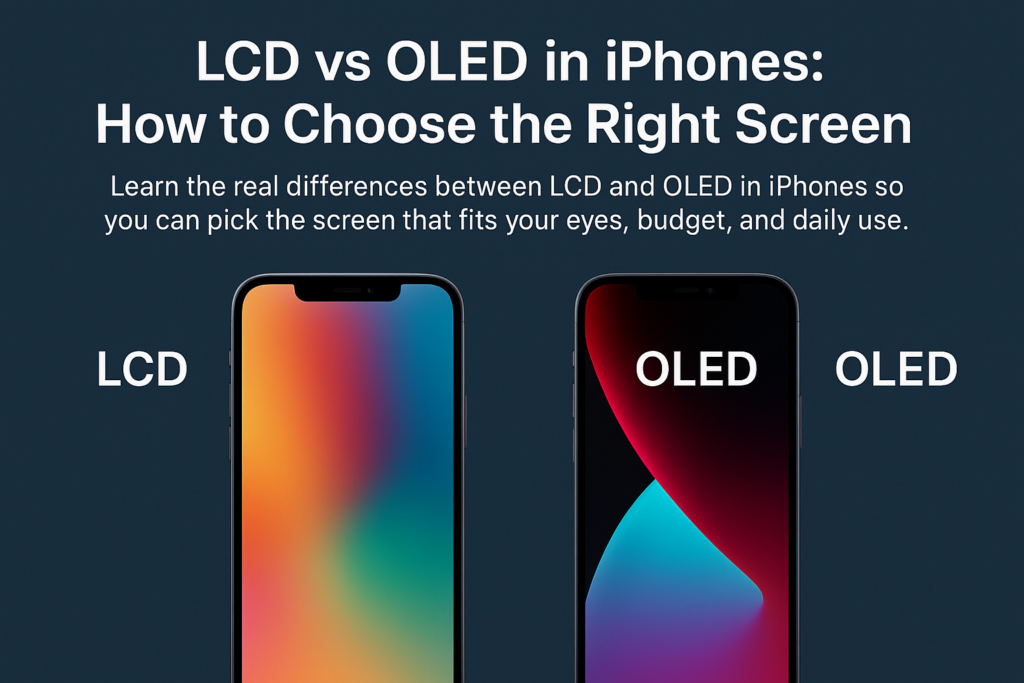
Volba mezi LCD nebo OLED obrazovkou na iPhonu je víc než jen výběr displeje – jde o vyvážení toho, co je pro vás nejdůležitější.: vizuální kvalita, pohodlí pro oči, trvanlivost, a náklady. S tím, že Apple postupně přesouvá celou svou řadu na OLED, pochopení rozdílů je nyní ještě důležitější.
Pojďme si vše rozebrat krok za krokem, abyste se mohli s jistotou rozhodnout správně.
Pochopení základního rozdílu
Co dělá LCD funkční
LCD (Displej z tekutých krystalů) spoléhá na a podsvícení panelu který prosvítá vrstvami tekutých krystalů. Tyto krystaly ohýbají světlo a vytvářejí obrazy, ale protože podsvícení je vždy zapnuté, dokonce i „černé“ pixely stále unikají trochu světla – černá se tak jeví spíše jako tmavě šedá.
Jak OLED generuje obrázky
OLED (Organická světelná dioda) má úplně jiný přístup: každý pixel se rozsvítí sám. Při zobrazení černé, tento pixel se jednoduše vypne – výsledkem je čistá tma a neuvěřitelný kontrast.
Podsvícení vs self-emisivní pixely
Přemýšlejte o tom jako:
- LCD = Místnost se stále zapnutými světly, i když většinu z toho blokují závěsy
- OLED = Místnost, kde můžete zapínat a vypínat jednotlivá světla
Tento jediný rozdíl dramaticky ovlivňuje barvu, kontrast, využití baterie, a trvanlivost.
LCD vs OLED: Komplexní srovnání funkcí
Technologie displeje
- LCD používá podsvícení + tekuté krystaly
- OLED používá miliony samovyzařujících organických pixelů
Kontrast a úrovně černé
- LCD: Nižší kontrast, černoši vypadají šedě
- OLED: Čistě černá, nekonečný kontrast
Přesnost a živost barev
- LCD: Přírodní, věrné barvy
- OLED: Bohatší, více nasycené, poutavější
Štíhlost a flexibilita
- LCD: Tlustší kvůli podsvícení
- OLED: Ředidlo, ohebný, ideální pro design od okraje k okraji
Spotřeba energie
- LCD: Vždy zapnuté podsvícení → vyšší spotřeba
- OLED: Tmavé pixely se vypnou → úspornější
Oční pohodlí
- LCD: Často používá DC stmívání → méně blikání
- OLED: Používá PWM stmívání → znatelné blikání pro citlivé uživatele
Odolnost a vyhoření
- LCD: Dlouhá životnost, odolný proti stárnutí, žádné vyhoření
- OLED: Organické materiály stárnou rychleji, možné vypálení
Cena a opravitelnost
- LCD: Levnější vyrobit a vyměnit
- OLED: Fancier tech → dražší opravy
Srovnávací tabulka: LCD vs OLED v iPhonech
| Funkce | LCD obrazovka | Obrazovka OLED |
|---|---|---|
| Princip zobrazení | Podsvícení + tekuté krystaly ovládají světlo | Samoemisivní pixely, které se zapínají/vypínají jednotlivě |
| Kontrast & Černé úrovně | Spodní, černá se jeví jako tmavě šedá | Extrémně vysoká, opravdové čisté černochy |
| Barevný výkon | Přirozené a přesné | Vibrující, nasycený, vysoce působivé vizuální prvky |
| Tloušťka & Flexibilita | Tlustější, nemůže ohnout | Ředidlo, ohebný, ideální pro moderní design |
| Spotřeba energie | Vyšší díky stálému podsvícení | Spodní, zejména v tmavém režimu |
| Oční pohodlí | DC stmívání, nízké blikání → šetrnější k očím | PWM stmívání → může způsobit únavu očí |
| Životnost & Burn-In | Dlouhá životnost, žádné vyhoření | Kratší životnost, existuje riziko popálení |
| Náklady | Nižší náklady na výrobu a opravy | Vyšší náklady na výrobu a opravy |
Proč na těchto rozdílech záleží
Jak technologie ovlivňuje sledování reálného světa
LCD obrazovky mohou vypadat měkčí a přirozenější, zatímco OLED obrazovky poskytují intenzivní kontrast, který je ideální pro filmy, Fotografie, a hry.
Proč černé úrovně mění váš zážitek
Sledování filmu na OLED je jako v divadle: tmavé scény zůstanou skutečně tmavé. LCD toho nemůže dosáhnout, protože podsvícení se nikdy úplně nevypne.
Jak typ obrazovky ovlivňuje životnost baterie
Pokud milujete tmavý režim, OLED může výrazně prodloužit životnost baterie, protože černé pixely nespotřebovávají žádnou energii.
Pohodlí pro oči a dlouhodobé používání
DC stmívání na LCD
Jas LCD se plynule nastavuje, s minimálním blikáním – ideální pro:
- dlouhé čtení
- kancelářská práce
- citlivé oči
PWM blikání na OLED
Většina OLED iPhonů využívá PWM (Pulse Width Modulation), který rychle bliká při nižším jasu.
Kdo by se měl vyhýbat PWM obrazovkám
Pokud zažijete:
- bolesti hlavy
- namáhání očí
- závrať
- zraková únava
Můžete být citliví na PWM, a LCD může být pro vaše oči bezpečnější.
Trvanlivost, Životnost, a Burn-In Risks
Statické obrázky a vypalování OLED
Zanechání stejného obrázku (např., navigační lišta, ikony aplikací) po dlouhou dobu může trvale označit OLED obrazovky.
Dlouhodobá stabilita LCD
LCD netrpí vypálením a mají tendenci stárnout elegantněji, což z nich činí solidní dlouhodobou volbu.
Výběr na základě vašeho použití
Pro média & HDR nadšenci
Vybrat OLED.
budete si užívat:
- hlubší černoši
- bohatší filmy
- více pohlcující hraní
Pro náročné čtenáře nebo kancelářské úkoly
Vybrat LCD, zvláště pokud:
- Ke čtení používáte telefon
- Vaše oči se snadno unaví
- V noci budete mít obrazovku ztlumenou
Pro hráče
Oba fungují, ale OLED dává:
- lepší vizuály
- rychlejší odezva pixelů
LCD dává: - žádné starosti s vypalováním
Pro kupující, kteří dbají na rozpočet
LCD je dostupnější jak z hlediska nákladů na nákup předem, tak z hlediska nákladů na opravu.
Tržní trend společnosti Apple
Apple směřuje k plnému OLED
Apple přechází všechny budoucí iPhony na OLED, díky:
- lepší flexibilita designu
- špičková estetika
- vyšší hodnota pojistného
Které iPhony stále nabízejí LCD?
Tyto modely používají LCD:
- iPhone 11
- iPhone XR
- iPhone SE (2nd a 3. gen)
Starší modely mohou také obsahovat LCD, ale dostupnost se liší podle regionu.
Rámec konečného doporučení
Zeptejte se sami sebe:
- Chci? nejlepší možné vizuály → OLED
- jsou moje oči citlivé → LCD
- Potřebuji? dlouhodobá trvanlivost → LCD
- Používám? tmavý režim často → OLED
- Mám obavy? náklady na opravu → LCD
Vaše ideální obrazovka závisí na tom, čeho si ceníte nejvíce.
Závěr
Výběr mezi LCD a OLED na iPhonu je opravdu o pochopení vašich priorit. OLED poskytuje nepřekonatelný vizuální výkon a energetickou účinnost, zatímco LCD nabízí pohodlí, trvanlivost, a cenovou dostupnost. Apple rychle přesunul svou řadu na OLED, znalost rozdílů vám nyní pomůže učinit chytřejší rozhodnutí, než budou možnosti omezené.
Ať už jste milovník filmu, těžký čtenář, nebo někoho, kdo prostě chce nejlepší rovnováhu mezi hodnotou a pohodlím očí, existuje ideální typ zobrazení pro vaše potřeby.
Časté časté
1. Je OLED vždy lepší než LCD?
Ne vždy. OLED vypadá lépe, ale LCD může být šetrnější k očím a odolnější.
2. Opravdu OLED šetří baterii?
Ano – zejména při použití tmavého režimu nebo aplikací s tmavšími motivy.
3. Mohou se vypálit OLED obrazovky iPhone?
Ano, dlouhodobé statické obrazy mohou způsobit vypálení. Běžní uživatelé se zřídka setkávají se závažnými problémy.
4. Který iPhone je nejlepší, pokud chci LCD displej?
iPhone 11 nebo modely iPhone SE jsou vaše nejlepší současné možnosti LCD.
5. LCD je zcela bez blikání?
LCD obvykle používá stejnosměrné stmívání, takže blikání je minimální a snazší pro citlivé oči.



