
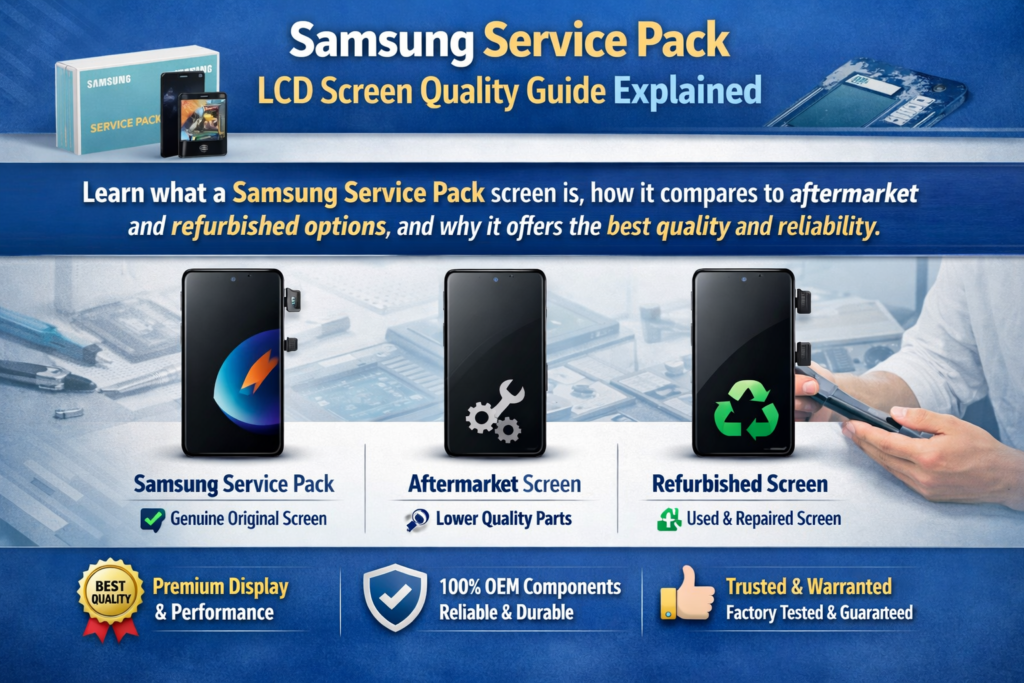
¿Qué es una pantalla de Service Pack de Samsung??
Definición y componentes
Si alguna vez has reparado un teléfono Samsung, probablemente hayas escuchado el término “Paquete de servicios” tirado como si fuera una especie de estándar de oro. Y honestamente? Es algo así como. A Pantalla del paquete de servicio Samsung se refiere a un módulo de pantalla de reemplazo oficial suministrado directamente a través de los canales autorizados de Samsung. Estos no son solo paneles sueltos; generalmente son ensamblajes completos que incluyen la pantalla., capa táctil, y a veces incluso el marco y componentes adicionales.
Según conocimientos recientes de la industria, un Service Pack es esencialmente un 100% Módulo de pantalla Samsung original diseñado para cumplir con los estándares de fábrica. . Eso significa que cuando instalas uno, no estás degradando el teléfono, lo estás restaurando a su condición original. Piense en ello como reemplazar el parabrisas de un automóvil roto con exactamente el mismo vidrio del fabricante., no es una imitación más barata.
Otro detalle clave? Estas pantallas suelen venir precalibradas. Eso significa curvas de brillo., precisión del color, y la sensibilidad táctil ya están optimizadas. A diferencia de las opciones del mercado de accesorios, no hay conjeturas. lo instalas, y simplemente funciona, exactamente como pretendía Samsung.
Por qué Samsung utiliza pantallas de Service Pack
Samsung no pierde el tiempo en reparaciones. En centros de servicio oficiales, Los técnicos deben utilizar piezas originales, garantizar que el teléfono funcione exactamente como lo hizo al sacarlo de la caja . Esta es la razón por la que existen las pantallas de Service Pack: para mantener la coherencia, fiabilidad, y reputación de marca.
También hay una razón técnica detrás de esto.. Los teléfonos Samsung modernos utilizan tecnologías de visualización avanzadas como AMOLED dinámico, bordes curvos, y sensores de huellas dactilares debajo de la pantalla. Si cambias una pantalla de baja calidad, Estas características podrían dejar de funcionar por completo.. Esto no sólo es un inconveniente: es un factor decisivo para la mayoría de los usuarios..
Entonces, Samsung utiliza Service Packs porque garantizan tres cosas:
- Compatibilidad total
- Rendimiento original
- Fiabilidad a largo plazo
Y en el mundo de la reparación., esa combinación no tiene precio.
En qué se diferencian las pantallas de Service Pack de otros tipos de pantalla
Paquete de servicio versus pantallas de posventa
Seamos realistas: las pantallas no originales están en todas partes. son baratos, fácil de encontrar, y tentador. Pero aquí está la captura: no están hechos por Samsung. Y esa diferencia aparece inmediatamente..
Las pantallas LCD u OLED del mercado de accesorios a menudo carecen de la misma tecnología de visualización. Por ejemplo, muchos reemplazos más baratos no usan Paneles AMOLED, dando como resultado colores apagados, pobre contraste, y ángulos de visión limitados . Es como cambiar de un televisor 4K a una pantalla HD antigua: lo notarás al instante.
Aún peor, algunas características pueden romperse. Los sensores de huellas dactilares podrían dejar de funcionar, la respuesta táctil puede parecer lenta, y los niveles de brillo pueden ser inconsistentes. En breve, estás sacrificando la experiencia que hace que los teléfonos Samsung sean premium.
Service Pack frente a pantallas reacondicionadas
Las pantallas renovadas suenan como un término medio inteligente, bien? No exactamente. Suelen ser paneles originales con el cristal sustituido.. Si bien eso suena bien en teoría, la ejecución lo es todo y, a menudo, es inconsistente.
Los problemas comunes incluyen:
- Polvo atrapado entre capas
- Adhesivo más débil que provoca levantamiento
- Sensibilidad táctil reducida
Como se destaca en los informes de la industria, La calidad de las pantallas reacondicionadas depende en gran medida de quién las renovó. . Eso significa que estás tirando los dados cada vez que instalas uno..
Service Pack frente a pantallas extraídas
Las pantallas extraídas son pantallas originales tomadas de dispositivos usados.. Están más cerca de la calidad del Service Pack, pero vienen con un gran problema: historia desconocida.
Seguro, podrían funcionar perfectamente. Pero también podrían tener desgaste oculto., brillo reducido, o microdaños. En comparación con una pantalla de Service Pack nueva, todavía son un compromiso.
Funciones principales de calidad de las pantallas del Service Pack de Samsung
Tecnología AMOLED original
Una de las mayores ventajas de las pantallas Service Pack es el acceso a las pantallas originales de Samsung. Tecnología AMOLED. Esto no es sólo publicidad exagerada: es lo que le da a las pantallas Samsung su aspecto característico.
Con AMOLED, cada píxel emite su propia luz. Eso significa:
- negros verdaderos (los píxeles se apagan por completo)
- Relaciones de contraste más altas
- Mejor eficiencia energética
Las pantallas del mercado de accesorios a menudo no logran replicar esto. Puede que parezcan bien a primera vista., pero lado a lado, la diferencia es obvia.
Sensibilidad táctil y rendimiento
¿Alguna vez usaste un teléfono donde el tacto se siente "apagado"?? Suele ser una señal de una pantalla de baja calidad.. Las pantallas de Service Pack eliminan ese problema.
Porque están calibrados de fábrica, ellos entregan:
- Respuesta táctil instantánea
- Reconocimiento preciso de gestos
- Desplazamiento suave
Esto es especialmente importante para jugadores y usuarios habituales.. Un ligero retraso en la respuesta táctil puede arruinar por completo la experiencia.
Precisión del color y brillo
Samsung es conocido por su vibrante, colores llamativos. Las pantallas del Service Pack conservan eso exactamente. Obtienes los mismos perfiles de color., niveles de brillo, y rendimiento HDR como la pantalla original.
Compárelo con las pantallas del mercado de accesorios, que a menudo aparecen descoloridos o demasiado saturados. Es como comparar una foto editada profesionalmente con un filtro de baja calidad..
Ventajas de rendimiento en uso real
Compatibilidad del sensor de huellas dactilares
Uso de los teléfonos Samsung modernos sensores de huellas dactilares debajo de la pantalla, que se basan en una tecnología de visualización precisa. Las pantallas del Service Pack son totalmente compatibles con esta característica.
Pantallas de posventa? No siempre. De hecho, muchos fallan por completo o se vuelven poco confiables. Eso es un gran inconveniente en el uso diario..
Frecuencia de actualización y suavidad
Las altas frecuencias de actualización, como 120 Hz, son un importante punto de venta para los dispositivos Samsung. Las pantallas del Service Pack mantienen este rendimiento.
Algunos reemplazos más baratos reducen la frecuencia de actualización, haciendo que el teléfono se sienta más lento. Imagínese comprar un automóvil deportivo y luego limitarlo a la mitad de su velocidad: eso es lo que se siente.
Durabilidad y confiabilidad
Resistencia estructural
Las pantallas Service Pack a menudo se venden como conjuntos completos., incluyendo el marco. Esto reduce los errores de instalación y mejora la durabilidad..
Una pantalla de Service Pack correctamente instalada:
- Encaja perfectamente
- Reduce la fuga de luz
- Minimiza los riesgos de daños futuros
Longevidad comparada con alternativas
Aquí está la verdad: Las pantallas más baratas pueden ahorrar dinero por adelantado, pero a menudo fallan antes. Las pantallas Service Pack están diseñadas para durar, igual que el original.
Eso significa menos reparaciones., menos quejas, y mejor valor a largo plazo.
Análisis de precios y valor
Por qué las pantallas de Service Pack son caras
Hablemos del elefante en la habitación: el precio. Las pantallas del Service Pack son caras. En algunos casos, reemplazar una pantalla puede costar más $200 dependiendo del modelo .
¿Por qué tan alto??
Porque estás pagando por:
- Componentes originales
- Tecnología avanzada
- Compatibilidad garantizada
No es sólo una pantalla, es todo el sistema de visualización.
Costo versus valor a largo plazo
Aquí hay una comparación simple:
| Tipo de pantalla | Precio | Calidad | Nivel de riesgo |
|---|---|---|---|
| Paquete de servicios | Alto | Excelente | Bajo |
| Renovar | Medio | Variable | Medio |
| Mercado de accesorios | Bajo | Pobre-promedio | Alto |
Cuando se tiene en cuenta la satisfacción del cliente y la repetición de reparaciones, Las pantallas de Service Pack suelen ofrecer el mejor valor.
Conceptos erróneos comunes sobre la calidad del Service Pack
Mito de la “segunda calidad”
Algunas personas creen que las pantallas del Service Pack son de “segunda calidad”. eso no es exacto. Ellos son Piezas originales fabricadas según los estándares de Samsung..
Las diferencias en la experiencia generalmente provienen de:
- Configuración de pantalla
- Problemas de instalación
- Piezas no originales mal etiquetadas
Confusión con pantallas OEM y de copia
El mercado está lleno de términos confusos: OEM, original, Copiar, renovar. Sólo las pantallas del Service Pack se reconocen oficialmente como 100% reemplazos originales de Samsung.
Todo lo demás cae por debajo de ese estándar..
¿Cuándo debería elegir una pantalla de Service Pack??
Casos de uso ideales
Debe elegir una pantalla de Service Pack si:
- Quieres un rendimiento original
- El teléfono es de gama alta. (Galaxia S, serie Z)
- Le importa la confiabilidad a largo plazo
Cuando las alternativas podrían tener sentido
Hay situaciones en las que funcionan las opciones más baratas.:
- Reparaciones de bajo presupuesto
- Dispositivos más antiguos
- Correcciones temporales
Pero recuerde: está intercambiando calidad por costo.
Conclusión
Las pantallas LCD Samsung Service Pack representan la El más alto estándar en reemplazo de pantallas de teléfonos inteligentes.. Entregan calidad original., funcionalidad completa, y confiabilidad a largo plazo que ninguna alternativa del mercado de repuestos puede igualar. Si bien el precio puede parecer elevado, El valor se vuelve claro cuando se considera el rendimiento., durabilidad, y experiencia de usuario.
Si realmente quiere mantener la integridad de un dispositivo Samsung, Las pantallas de Service Pack no son sólo una opción: son el punto de referencia.
Preguntas frecuentes
1. ¿Son originales las pantallas del Service Pack de Samsung??
Sí, ellos son 100% Piezas originales Samsung diseñadas para reparaciones oficiales..
2. ¿Por qué son tan caras las pantallas Service Pack??
Porque incluyen tecnología AMOLED original, asambleas completas, y compatibilidad garantizada.
3. ¿Las pantallas del Service Pack son compatibles con sensores de huellas dactilares??
Sí, son totalmente compatibles con los sensores de huellas dactilares debajo de la pantalla sin problemas.
4. ¿Son las pantallas reacondicionadas una buena alternativa??
pueden ser mas baratos, pero la calidad varía y los problemas son comunes.
5. ¿Cómo puedo identificar una pantalla de Service Pack genuina??
Busque embalaje oficial, precios consistentes, y proveedores de confianza.



