
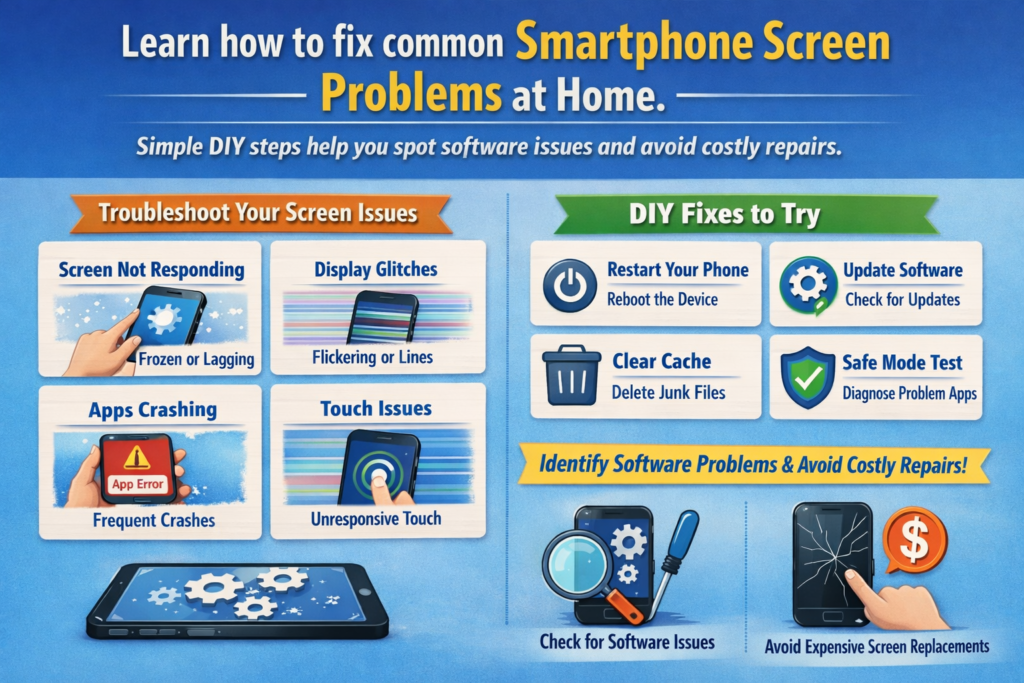
Úvod – Prečo obrazovka vášho telefónu nie je vždy „rozbitá“
Buďme úprimní – keď sa obrazovka telefónu začne správať divne, väčšina ľudí preskočí rovno do režimu paniky. „Skvelé, ďalšia drahá oprava,“správne? Ale tu je bomba pravdy: nie každý problém s obrazovkou znamená poškodenie hardvéru. V skutočnosti, veľké množstvo problémov so zobrazením je spôsobené chybami softvéru, nesprávne nakonfigurované nastavenia, alebo zastarané ovládače.
Hardvér vs. Problémy so softvérovou obrazovkou
Poškodenie hardvéru zvyčajne prichádza so zjavnými znakmi – prasklinami, čierne škvrny, mŕtve pixely, ktoré sa nikdy nemenia. Problémy so softvérom, na druhej strane, sú záludné. Prejavujú sa ako farebné posuny, oneskorené reakcie na dotyk, blikanie, alebo jas, ktorý sa zdá mať vlastnú myseľ.
Prečo vám DIY riešenie problémov môže ušetriť peniaze
Myslite na svoj telefón ako na auto. Ak rádio prestane fungovať, motor nevymeníš. Podobne, veľa problémov s obrazovkou sa dá vyriešiť v priebehu niekoľkých minút –zadarmo- správnymi krokmi. Táto príručka je vašou lacnou súpravou nástrojov na opravu softvérových problémov s obrazovkou pred odovzdaním peňaženky do opravovne.
Pochopenie problémov so softvérom obrazovky smartfónu
Ako softvér riadi správanie displeja
Obrazovka vášho telefónu nie je len sklo a pixely. V zákulisí, operačný systém, ovládače displeja, a firmvér spolupracujú pri ovládaní jasu, farby, obnovovacia frekvencia, a odozva na dotyk.
Úloha OS, Vodiči, a Kalibrácia
- OS spravuje používateľské nastavenia
- Vodiči komunikovať s hardvérom displeja
- Kalibračné profily jemné doladenie farieb a presnosť dotyku
Keď sa niečo z toho pokazí, vaša obrazovka sa začne správať nesprávne – aj keď je hardvér úplne v poriadku.
Problémy so skreslením farieb displeja
Bežné príznaky farebných problémov
Vyzerá vaša obrazovka žltkasto?? Príliš modrá? Akoby niekto nastavil saturáciu 200%? Nie si sám.
Žltý odtieň, Presýtenie, a vymyté farby
Tieto problémy sú často spôsobené:
- Nočný režim alebo filtre modrého svetla
- Nesprávne farebné profily
- Softvérové chyby po aktualizáciách
Opravy skreslenia farieb krok za krokom
Úprava nastavení displeja
Začnite jednoducho:
- Zakázať Nočné svetlo / Režim pre oči
- Prepínajte medzi nimi Prirodzené, Živé, alebo Štandardné farebné režimy
- Obnovte predvolené nastavenia displeja
Nástroje na kalibráciu farieb
Niektoré telefóny obsahujú vstavané nástroje na kalibráciu. Ak nie, dôveryhodné kalibračné aplikácie môžu pomôcť preladiť hodnoty RGB a gama – len to nepreháňajte.
Automatický jas nefunguje správne
Prečo automatický jas zlyhá
Automatický jas závisí od senzorov okolitého svetla. Keď softvérové chyby alebo poškodené dáta zasahujú, úrovne jasu sa zbláznili.
Nesprávne nastavenie snímača a chyby softvéru
Niekedy snímač funguje dobre, ale systém sa časom „naučil“ zlé údaje.
Ako vyriešiť problémy s automatickým jasom
Resetovanie adaptívneho jasu
- Vypnite automatický jas
- Reštartujte telefón
- Znova ho zapnite a trénujte v rôznych svetelných podmienkach
Vymazanie vyrovnávacej pamäte systému
Vymazanie vyrovnávacej pamäte systému môže odstrániť zostávajúce chyby po aktualizáciách – bez straty údajov.
Oneskorenie dotykovej obrazovky a nereagujúci dotyk
Čo spôsobuje prerušenia dotykovej obrazovky
Oneskorená alebo nefunkčná odozva dotyku je často spojená:
- Aplikácie na pozadí okupujú zdroje
- Prekrytia ako rekordéry obrazovky
- Softvérové konflikty
Konflikty aplikácií a procesy na pozadí
Príliš veľa spustených aplikácií je ako príliš veľa kuchárov v kuchyni – nič nefunguje hladko.
Oprava odozvy dotykovej obrazovky
Testovanie núdzového režimu
Spustite systém v núdzovom režime. Ak dotyková obrazovka funguje dobre, gratulujeme – identifikovali ste softvérového vinníka.
Dotknite sa Kalibrácia citlivosti
Mnoho telefónov umožňuje dotykovú rekalibráciu alebo zvýšenú citlivosť, užitočné najmä po aktualizáciách systému.
Ghost Touch a náhodné vstupy na obrazovku
Čo je Ghost Touch?
Ghost touch sa stane, keď vaša obrazovka zaregistruje dotyky, ktoré ste neurobili. Strašidelné? Áno. Trvalé? Zvyčajne nie.
Opravy softvéru pred panikou
Aktualizácie firmvéru
Výrobcovia často opravujú problémy s duchovným dotykom potichu prostredníctvom aktualizácií. Buďte vždy aktuálni.
Úpravy obnovovacej frekvencie obrazovky
Prepínanie medzi 60Hz, 90Hz, alebo 120 Hz môže niekedy stabilizovať správanie dotykového vstupu.
Problémy s blikaním a blikaním obrazovky
Keď blikanie nie je poškodenie hardvéru
Blikanie pri nízkom jase často súvisí so softvérovo riadeným PWM (Modulácia šírky impulzu).
Riešenia, ktoré môžete vyskúšať doma
Zakázať prekrytie hardvéru
Táto možnosť vývojára núti GPU zvládnuť vykresľovanie, zníženie blikania v niektorých prípadoch.
Upravte nastavenia PWM a jasu
Mierne zvýšenie jasu alebo zakázanie adaptívnych funkcií môže stabilizovať displej.
Oneskorenie zobrazenia, koktať, a Frame Drops
Ako softvér ovplyvňuje hladkosť obrazovky
Váš displej môže byť schopný plynulého výkonu, ale softvérové prekážky môžu zničiť zážitok.
Kroky optimalizácie výkonu
Nastavenia obnovovacej frekvencie
Nastavte si telefón na pevnú vysokú obnovovaciu frekvenciu, ak je k dispozícii.
Mierka systémovej animácie
Zmenšením mierky animácie sa všetko zrýchli – ako keby ste dali telefónu kofeínovú dávku.
Zamrznutie obrazovky alebo čierna obrazovka (Ale telefón je zapnutý)
Bežné príčiny chýb čiernej obrazovky
Zlyhanie systému, neúspešné aktualizácie, alebo konflikty aplikácií môžu zamrznúť displej, kým telefón stále beží.
Urob si sám opravy bez otvorenia telefónu
Vynútiť reštart
Toto vymaže dočasné zlyhania systému – jednoduché, rýchlo, a efektívne.
Nástroje na opravu OS
Niektoré značky ponúkajú oficiálne nástroje na opravu, ktoré preinštalujú systémové komponenty bez straty údajov.
Dôležitosť aktualizácií systému a ovládačov
Prečo zastarané ovládače rozbíjajú displeje
Ovládače fungujú ako prekladač medzi softvérom a hardvérom. Starí prekladatelia spôsobujú nedorozumenia – alias chyby.
Bezpečné postupy aktualizácie
- Používajte iba oficiálne aktualizácie
- Vyhnite sa beta softvéru na každodenných zariadeniach
- Zálohujte pred veľkými aktualizáciami
Keď aplikácie tretích strán rozbijú vašu obrazovku
Identifikácia problematických aplikácií
Odpaľovacie zariadenia, filtre, stmievače obrazovky, a herné boostery sú bežnými problémami.
Problémy s povolením aplikácie a prekrytím
Zakážte povolenia „kresliť cez iné aplikácie“ a znova otestujte správanie obrazovky.
Preventívne tipy, ako sa vyhnúť budúcim problémom s obrazovkou
Návyky inteligentných nastavení
- Dlhodobo sa vyhýbajte extrémnym nastaveniam jasu
- Obmedzte aplikácie na pozadí
- Používajte oficiálne témy a spúšťače
Kontrolný zoznam údržby softvéru
Myslite na to ako na čistenie zubov – nudné, ale nevyhnutné.
Keď DIY prestane – poznať prah opravy
Známky, že skutočne potrebujete profesionálnu opravu
Ak problémy pretrvávajú aj po resetovaní, aktualizácie, a testovanie bezpečného režimu, oprava hardvéru môže byť nevyhnutná. Aspoň teraz, budete vedieť určite.
Záver – staňte sa svojím vlastným lekárom obrazovky smartfónu
Obrazovka vášho smartfónu nie je taká krehká – alebo tajomná – ako sa zdá. Mnohé problémy sú založené na softvéri a s trochou trpezlivosti a know-how úplne opraviteľné. Najprv vyskúšajte tieto riešenia DIY, môžeš ušetriť peniaze, vyhnúť sa zbytočným opravám, a predĺžiť životnosť telefónu. Považujte túto príručku za svoju lekárničku pri problémoch s obrazovkou – vždy, keď ju potrebujete.
Časté otázky
1. Môže softvér skutočne spôsobiť vážne problémy s obrazovkou?
Absolútne. Mnohé problémy so zobrazením sú riadené softvérom a sú reverzibilné.
2. Obnovenie nastavení vymaže moje údaje?
Nie. Väčšina resetov displeja a systému nemá vplyv na osobné súbory.
3. Sú kalibračné aplikácie tretích strán bezpečné?
Dôveryhodné aplikácie sú vo všeobecnosti bezpečné, ale vždy skontrolujte recenzie a povolenia.
4. Ako často by som mal aktualizovať systém telefónu?
Pravidelne, Vyhnite sa však nestabilným beta verziám na primárnych zariadeniach.
5. Kedy by som mal zastaviť svojpomocné riešenie problémov?
Ak núdzový režim a obnovenie továrenských nastavení nepomôže, je pravdepodobne potrebná oprava hardvéru.



