
Indledning
Hvorfor indkøb af LCD-skærme er mere risikabelt, end det ser ud
At købe smartphone LCD-skærme lyder enkelt – find en model, tjek prisen, afgive en ordre. Let, højre? Ikke helt. I virkeligheden, LCD-skærmanskaffelse er en af de nemmeste måder for værksteder og bulkkøbere at tabe penge hurtigt. En forkert version, et forkert stik, eller et panel af lav kvalitet kan gøre en "god handel" til en stak usælgelig beholdning.
Tænk på LCD-indkøb som at købe sko online uden at tjekke størrelsestabellen. De ser måske rigtige ud, men når de først kommer, du sidder fast.
Hvem er denne guide til
Denne artikel er skrevet til:
- Telefonværksteder
- Renoverere og sekundære montører
- Grossister og bulk LCD-købere
Hvis du bekymrer dig om stabil kvalitet, forudsigelige omkostninger, og færre afkast, du er på det rigtige sted.
1. Skærmmodel og versionskompatibilitet
Forståelse af telefonmodelvarianter
Én telefonmodel betyder ikke altid én skærm. Producenter frigiver flere varianter til forskellige markeder, chipsæt, og produktionspartier. Selv telefoner med samme navn kan bruge forskellige LCD-leverandører.
Regionale og transportørforskelle
En model, der sælges i Asien, kan bruge en anden LCD-version end den samme model, der sælges i Europa eller USA. Mobiltelefonlåste telefoner kan også introducere skjulte kompatibilitetsforskelle.
Matchende skærmversionsnumre korrekt
Bekræft altid:
- Skærmversionsnummer
- Kompatibel bundkort revision
- Understøttet firmware
At springe dette trin over er som at installere den forkerte motor i en bil - det kan passe, men det vil ikke køre.
2. Originale vs eftermarked vs renoverede skærme
Hvad "Original" virkelig betyder på markedet
I reparationsbranchen, "original" betyder ofte renoveret original-ikke helt ny fra telefonmærket. Virkelig helt nye originale LCD-skærme er sjældne og dyre.
Fordele og ulemper ved eftermarkedsskærme
Eftermarkedsskærme er nyproduceret af tredjepartsfabrikker. De er billigere og bredt tilgængelige, men varierer meget i kvalitet.
Fordele:
- Lavere omkostninger
- Stabil forsyning
Ulemper:
- Inkonsekvent farve og lysstyrke
- Kortere levetid, hvis lav kvalitet
Hvordan renoverede skærme er lavet
Renoverede skærme genbruger originale LCD-paneler med udskiftet glas, baggrundsbelysning, eller berøringslag. Kvalitet afhænger helt af renoveringsprocessen.
3. LCD vs OLED - ved, hvad du køber
Vigtigste tekniske forskelle
LCD bruger baggrundsbelysningslag, mens OLED udsender lys pixel for pixel. At blande dem op fører til lysstyrkeproblemer, fingeraftryksfejl, eller strømafløb.
Omkostninger og reparationsmarkedsimplikationer
LCD-skærme er billigere, mere holdbare, og nemmere at renovere – hvilket gør dem ideelle til budgetreparationer og masseindkøb.
4. Stik og interfacetype
FPC-stikvariationer
Selv mindre forskelle i FPC-stik kan forårsage:
- Intet display
- Flimrende
- Berøringsfejl
Hvorfor små stikforskelle forårsager store problemer
Stik er ikke universelle. Et forkert pin-layout kan dræbe skærmen eller bundkortet.
5. Skærm med ramme vs uden ramme
Fordele ved LCD-skærme med ramme
Skærme med ramme:
- Reducer installationsrisikoen
- Spar arbejdstid
- Lavere brudrater
Til storkøbere, dette betyder ofte lavere samlede omkostninger – også selvom enhedsprisen er højere.
Når rammeløse skærme giver mening
Erfarne teknikere foretrækker måske rammeløse skærme til omkostningskontrol, men risikoen er højere.
6. Kvalitetskarakterer og prisklasser
Almindelige LCD-kvalitetsgrader forklaret
- Klasse A: Bedste farve, Lysstyrke, og levetid
- Klasse B: Mindre defekter, acceptabel til budgetreparationer
- Grad C: Synlige problemer, høj afkastrisiko
Typiske prisklasser efter klasse
Billigere skærme er ikke altid billigere, når først returnering og arbejdskraft er indregnet.
7. Funktionstest før masseaccept
Vigtige displaytests
Test altid:
- Skærmens lysstyrke
- Farve ensartethed
- Døde pixels
Røre, Lysstyrke, Farve, og Dead Pixel Checks
At springe test over er som forsendelse uden forsikring – du spiller hasard.
8. Problemer med baggrundslys og farvekonsistens
Almindelige problemer med baggrundslys
- Ujævn lysstyrke
- Let lækage
- Flimrende
Farveafvigelse og hvordan man kan se det
Sammenlign skærme side om side under de samme lysstyrkeindstillinger for at fange farveskift tidligt.
9. Garanti, Retur, og eftersalgsbetingelser
Hvad en rigtig garanti skal dække
En ordentlig garanti inkluderer:
- DOA udskiftning
- Installationssikre returneringer
- Klare tidsgrænser
Røde flag i leverandørgarantipolitikker
"Ingen returnering efter installation" er et advarselsskilt.
10. Leverandørpålidelighed og langsigtet samarbejde
Sådan evaluerer du leverandører af LCD-skærme
Se efter:
- Stabil kvalitet
- Klar kommunikation
- Konsekvent batchkontrol
Hvorfor stabile leverandører sparer flere penge på lang sigt
En pålidelig leverandør reducerer afkast, omarbejde, og kundeklager – sparer mere end at jagte den laveste pris.
Almindelige indkøbsfælder, der skal undgås
Pris-kun beslutningstagning
Den billigste skærm bliver ofte den dyreste fejl.
Ignorer prøvetestning
Spring aldrig prøver over, især ved store ordrer.
Bedste praksis for værksteder og bulkkøbere
Opbygning af en standard inspektionsproces
Opret tjeklister for hver indgående batch.
Håndtering af lagerrisiko
Køb mindre testbatcher før skalering af ordrer.
Konklusion
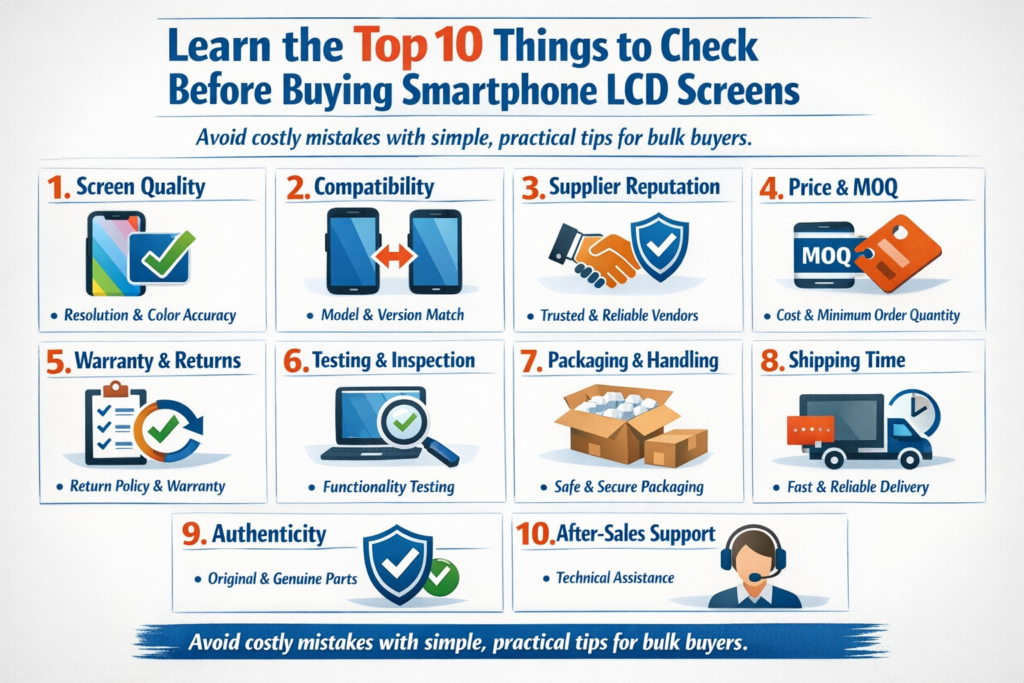
Smartphone LCD indkøb handler ikke om at finde den laveste pris – det handler om at balancere kompatibilitet, kvalitet, afprøvning, og leverandørpålidelighed. Ved at være opmærksom på disse ti nøgleovervejelser, værksteder og bulkkøbere kan undgå dyre fejl, beskytte deres omdømme, og opbygge en mere rentabel drift. Køb smart, test omhyggeligt, og tænke langsigtet.
FAQS
1. Er alle "originale" LCD-skærme helt nye?
Ingen. De fleste "originale" skærme på markedet er renoveret med originale paneler.
2. Er det mere sikkert at købe skærme med ramme?
Ja, især til bulkordrer og mindre erfarne teknikere.
3. Hvor mange skærme skal jeg prøvetest før massekøb?
Mindst 3-5 enheder pr. batch anbefales.
4. Hvorfor ser skærme med samme model anderledes ud?
Forskellige LCD leverandører, batches af baggrundsbelysning, eller renoveringskvalitet.
5. Hvad er den største fejl, store købere begår?
Valg af pris frem for langsigtet pålidelighed.



