
Introducción
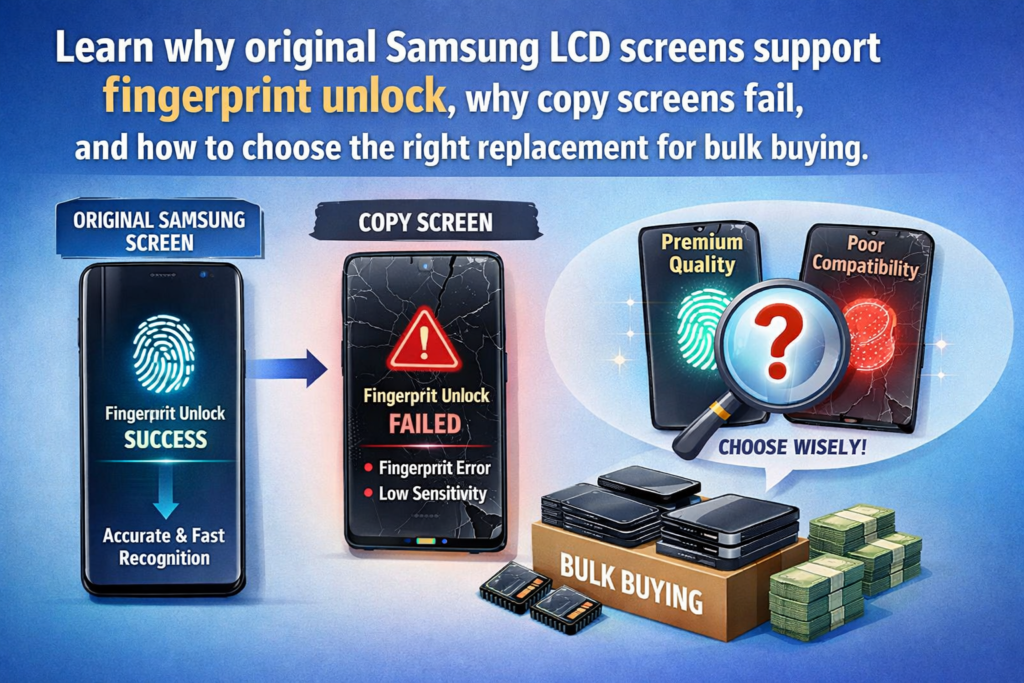
Al comprar pantallas LCD de teléfonos Samsung, especialmente para modelos con sensores de huellas dactilares en pantalla, muchos compradores notan una gran diferencia.: Las pantallas LCD originales de Samsung incluyen funcionalidad de huellas dactilares., mientras que la mayoría de las pantallas del mercado de accesorios no lo hacen. Si alguna vez te has preguntado por qué sucede esto, estás en el lugar correcto.
Esta guía explica, en ingles sencillo, cómo funciona la tecnología de huellas dactilares de Samsung, ¿Por qué sólo las pantallas originales lo admiten?, y lo que los compradores necesitan saber cuando compran pantallas al por mayor.
Comprender la adquisición de pantallas LCD de Samsung
Pantallas Originales Samsung
Original (OEM) Las pantallas Samsung LCD o AMOLED provienen directamente de la cadena de suministro oficial de Samsung. ellos incluyen:
- El módulo de huellas dactilares correcto
- Calibración a nivel de fábrica
- El software protegido de Samsung
- Alta precisión y velocidad de desbloqueo rápida
En breve, Son exactamente las mismas pantallas que se utilizan en los nuevos teléfonos Samsung..
Mercado de accesorios (Copiar) Pantallas
Estos son producidos por fábricas de terceros.. Si bien pueden parecer similares por fuera, ellos normalmente Falta el módulo de huellas dactilares., y aunque incluyan uno, el rendimiento es inestable.
Por qué las pantallas originales de Samsung admiten el reconocimiento de huellas dactilares
Samsung utiliza tecnología patentada de huellas dactilares
Los modelos de gama alta de Samsung utilizan Sensores ultrasónicos de huellas dactilares en pantalla., que se basan en ondas de vibración precisas para capturar datos de huellas dactilares en 3D.
Esto requiere:
- Grosor exacto de la pantalla
- Transparencia correcta del material.
- Alineación de la estructura de píxeles
- Módulos de huellas dactilares integrados en hardware
sin estos, la función de huella digital simplemente no funciona.
Módulo de huellas dactilares integrado
Las pantallas originales Samsung incluyen un sensor de huellas dactilares incorporado instalado debajo de la pantalla durante la fabricación. Este módulo está emparejado con:
- La placa base de Samsung
- Sistema de seguridad Samsung Knox
- Archivos de calibración cifrados
Las pantallas de posventa suelen funcionar no incluir este hardware sensible y costoso.
Tecnología de huellas dactilares óptica versus ultrasónica
Sensores ópticos de huellas dactilares
Utilizado por muchas marcas. (Opto, Vivo, Xiaomi), sensores ópticos:
- Utilice luz para leer huellas dactilares
- son mas baratos
- Más fácil de simular para pantallas de terceros
Sensores ultrasónicos de Samsung
En modelos emblemáticos (T10, S20, S21, S22, T23, S24, Serie de notas), Samsung utiliza sensores ultrasónicos, cual:
- Usa ondas sonoras
- Son más precisos y seguros
- Requiere un posicionamiento exacto del hardware
- Debe funcionar a través de la estructura del panel OLED de Samsung
Por eso las fábricas de terceros no pueden replicarlos fácilmente.
Montaje a nivel de fábrica & Sintonización
Calibración durante la producción
Durante el proceso de producción de Samsung, El módulo de huellas dactilares se calibra utilizando:
- Máquinas especializadas
- Datos de fábrica cifrados
- Herramientas de adaptación de sensores
Esto asegura:
- Alta precisión de reconocimiento
- Velocidad de desbloqueo rápida
- Baja tasa de error
Los proveedores del mercado de repuestos no pueden acceder a estas herramientas de calibración.
Estricta compatibilidad de hardware
Cada pantalla original de Samsung se adapta a la del dispositivo.:
- firmware
- Claves de seguridad
- Sistema de autenticación Knox
Este emparejamiento es exclusivo de la cadena de suministro interna de Samsung..
Por qué la mayoría de las pantallas de repuesto NO admiten huellas dactilares
Falta hardware para huellas dactilares
La mayoría de las pantallas del mercado de accesorios:
- NO incluya el sensor ultrasónico de huellas dactilares
- Utilice capas de pantalla simplificadas
- Centrarse en el bajo costo, características no avanzadas
Sin hardware → Sin función de huella digital.
Restricciones de costos en la producción posventa
El módulo ultrasónico de huellas dactilares es extremadamente caro, e instalarlo requiere:
- Equipos de precisión
- Materiales de alta calidad
- Tecnología licenciada
Para mantener los costos bajos, la mayoría de las pantallas del mercado de accesorios omiten esta parte por completo.
Barreras técnicas
Los fabricantes externos también carecen:
- Algoritmos de huellas dactilares patentados por Samsung
- Software de calibración
- Firmware de seguridad
- Máquinas de sintonización de sensores
Incluso si el hardware está presente, la función aún puede fallar.
Restricciones de seguridad
Samsung utiliza el sistema de seguridad knox, que cifra los datos de las huellas dactilares durante:
- Inscripción
- Almacenamiento
- Reconocimiento
Sin acceso a las claves de cifrado de Samsung, Las pantallas no originales no pueden comunicarse con el entorno seguro del dispositivo..
Cómo identificar una pantalla Samsung original compatible con huellas dactilares
Características físicas
Las pantallas originales suelen tener:
- Alto brillo
- Fondos negros puros
- Transiciones de color suaves
- Adhesivos y sellos de fábrica.
Embalaje & Etiquetas
Buscar:
- códigos qr samsung
- Códigos de fecha del fabricante
- Etiquetas de seguridad
- Pegatinas antifalsificación
Método de prueba
Utilice el proceso de configuración de huellas dactilares del teléfono:
- Instalar la pantalla original
- Registrar una nueva huella digital
- Prueba de velocidad y precisión del reconocimiento.
Si el teléfono acepta el registro de huellas dactilares, es casi seguro que es original.
Ventajas & Desventajas de elegir pantallas originales o de repuesto
Pantallas Samsung Originales
Ventajas:
- Soporte completo de huellas dactilares
- La mejor calidad de visualización
- Compatibilidad perfecta
- Larga vida útil
Contras:
- Mayor costo
Pantallas de posventa
Ventajas:
- Más económico
- Más fácil de encontrar
Contras:
- SIN función de huella digital
- Brillo más bajo
- Colores menos precisos
- Mayor tasa de defectos
Consejos para comprar pantallas LCD Samsung al por mayor
1. Elija proveedores verificados
Busque proveedores que:
- Proporcionar embalaje OEM
- Ofrecer vídeos de prueba.
- Permitir controles de calidad previos al envío
2. Evite las falsificaciones
Algunas pantallas de copia afirman falsamente que admiten huellas dactilares. Pruebe siempre antes del envío.
3. Realizar pruebas de calidad masivas
prueba para:
- Uniformidad de brillo
- Píxeles muertos
- Precisión táctil
- Capacidad de respuesta de huellas dactilares (si corresponde)
Problemas comunes que enfrentan los compradores
La huella digital no funciona después del reemplazo
Esto sucede porque:
- La pantalla no es original.
- Falta el sensor de huellas dactilares
- El módulo está dañado.
- Los datos de calibración no coinciden
Diferencias de tono de color
Las pantallas del mercado de accesorios a menudo tienen:
- Temperaturas de color más frías o más cálidas
- Niveles de brillo más bajos
- Mal rendimiento en negro AMOLED
Problemas de sensibilidad táctil
Algunas pantallas no originales se sienten:
- Menos receptivo
- demasiado grueso
- Laggy al jugar
Conclusión
La tecnología de huellas dactilares de Samsung, especialmente el sensor ultrasónico en pantalla, es extremadamente avanzada y altamente protegida.. Esta es la razón Las pantallas originales de Samsung admiten el desbloqueo mediante huella digital, mientras que la mayoría de las pantallas del mercado de accesorios no lo hacen.
Si la funcionalidad de huellas digitales es importante para sus clientes, siempre elige Pantallas originales OEM. Para adquisiciones de gran volumen, seleccionar un proveedor confiable y verificar la autenticidad es esencial.
Preguntas frecuentes
1. ¿Por qué mi pantalla Samsung de reemplazo no admite huellas dactilares??
Porque la mayoría de pantallas no originales no incluyen el módulo ultrasónico de huellas dactilares.
2. ¿Puedo transferir el sensor de huellas dactilares de la pantalla anterior??
No. El sensor de Samsung está arreglado y no se puede quitar sin dañarlo.
3. ¿Valen la pena el precio más alto de las pantallas originales de Samsung??
Sí, especialmente si se requiere desbloqueo mediante huella digital.
4. ¿Por qué algunos vendedores afirman que sus pantallas de copia admiten huellas dactilares??
Estas afirmaciones suelen ser falsas.. Pruebe siempre antes de comprar.
5. ¿Los modelos Samsung de gama media también utilizan sensores de huellas dactilares en pantalla??
algunos lo hacen, pero muchos usan sensores laterales, que son más compatibles con pantallas de repuesto.



