
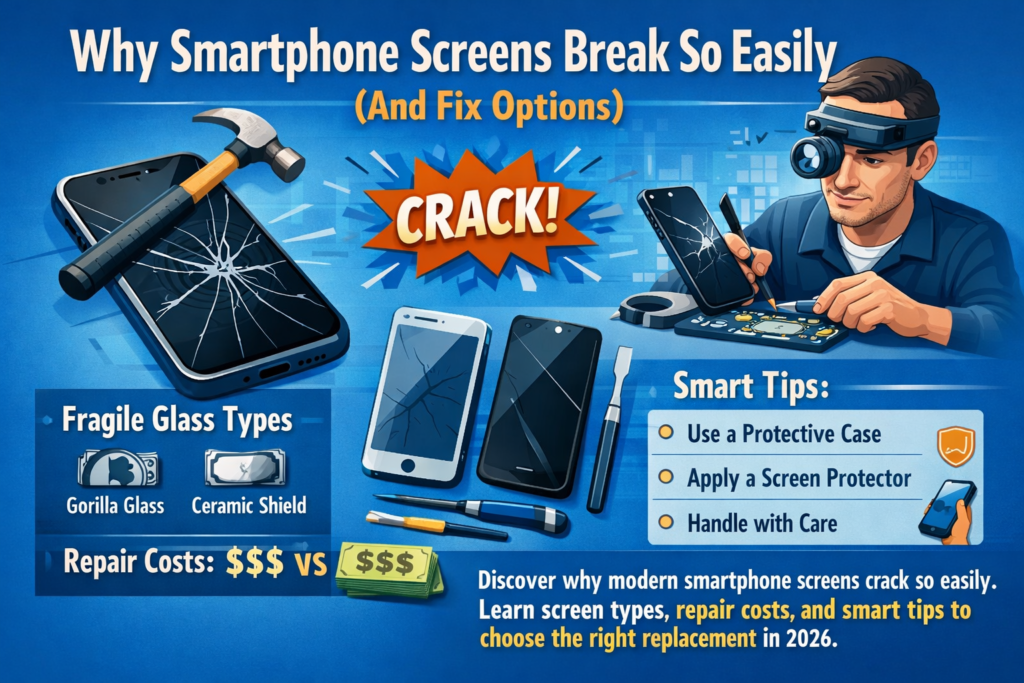
Smartphones today look sleek, elegant, and futuristic. But beneath that glossy glass surface lies a fragile structure. Modern displays combine glass, OLED/LCD panels, touch digitizers, sensors, and flex cables into a single module. That’s why even a minor drop can cause serious damage.
Most smartphones now use edge-to-edge glass designs, meaning there’s very little protective frame around the display. When a phone falls, the glass absorbs the shock directly. While manufacturers use stronger materials like Gorilla Glass, no glass is truly shatterproof.
Another reason screens break so often is the thinness of modern displays. High-resolution OLED panels are incredibly thin to improve brightness and battery efficiency. Unfortunately, thinner components also mean less structural resistance to impact.
Then there’s the everyday reality: people drop their phones constantly. A quick slip while texting, a fall from the table, or even sitting on the phone accidentally can crack the screen. Once the glass breaks, you usually face three options:
- Replace the screen
- Repair the glass
- Replace the entire phone
Repairing is usually the most economical choice. In many cases, fixing a screen can extend your phone’s lifespan by two years or more, which is both financially and environmentally beneficial.
But before you repair it, you need to understand the different types of replacement screens.
Understanding Different Types of Replacement Screens
When people hear “screen replacement,” they often assume all screens are the same. In reality, the repair market contains four major screen types, each with different prices, quality levels, and durability.
Understanding these categories helps you avoid overpaying or installing a low-quality screen.
Original Manufacturer Screens (OEM)
OEM (Original Equipment Manufacturer) screens are the exact displays produced by the phone manufacturer or their official suppliers. These are the same components installed in brand-new smartphones.
OEM screens provide the best performance and compatibility because they include the original panel, touch sensor, brightness calibration, and color tuning.
Advantages:
- Perfect color accuracy
- Original brightness levels
- Smooth touch response
- Full compatibility with phone software
- Highest durability
Disadvantages:
- Very expensive
- Sometimes hard to source outside official channels
For example, replacing a flagship phone screen like an iPhone or Samsung Galaxy with an OEM panel can cost $200–$400 depending on the model.
Many users choose OEM screens if they plan to keep their phone for several more years. Think of it like replacing a car windshield with factory glass instead of a generic replacement.
Refurbished Original Screens (Refurb / Reglass)
Refurbished screens—often called “reglass screens” or “back-pressed screens”—are a clever compromise between quality and price.
In this process, the original OLED or LCD panel is reused, but the broken outer glass layer is removed and replaced with a new glass panel using specialized machines.
This means:
- The display panel remains original
- The touch functionality remains factory quality
- Only the glass surface is new
Advantages:
- Much cheaper than OEM
- Nearly identical display quality
- Good durability
Disadvantages:
- Slight risk of dust or bonding defects
- Quality depends heavily on technician skill
Refurbished screens often cost 40–50% less than a brand-new original display, making them one of the most popular options in repair shops.
For many users, refurbished screens deliver the best balance between price and quality.
Aftermarket or Copy Screens
Aftermarket screens—sometimes called copy screens or compatible screens—are displays produced by third-party manufacturers instead of the original brand.
These screens are widely available and extremely cheap compared to OEM parts. But quality varies significantly depending on the manufacturer.
Typical characteristics include:
- Lower brightness
- Slightly inaccurate colors
- Less responsive touch
- Shorter lifespan
Many aftermarket screens are used for older or budget phones, where spending a lot on repair doesn’t make sense.
Advantages:
- Very affordable
- Easy to find
- Quick installation
Disadvantages:
- Lower display quality
- Possible compatibility issues
- May reduce resale value
In the global repair market, aftermarket LCD replacements for older phones may cost only $15–$40, while higher-quality aftermarket OLED screens range from $60–$110.
Think of these like generic printer cartridges—cheap and functional, but not identical to the original.
Assembled Screens / Domestic Replacement Screens
In some repair markets, especially in Asia, you may encounter assembled screens or domestic screens. These displays are built by combining various components from different suppliers.
For example:
- A third-party LCD panel
- A generic digitizer
- A frame from another factory
These screens are extremely inexpensive but can vary widely in quality. Some work perfectly fine, while others develop problems like ghost touches, dim brightness, or color distortion.
They’re typically used when customers want the lowest possible repair cost.
Screen Replacement Price Ranges in 2026
One of the biggest reasons people hesitate to repair their phones is the price. The cost depends on several factors:
- Phone model
- Screen technology (LCD vs OLED)
- Replacement part quality
- Labor fees
Let’s look at the general price ranges in 2026.
Budget Android Phone Screens
Budget smartphones usually use LCD displays, which are cheaper to manufacture and replace.
Typical repair cost:
| Device Category | Screen Type | Average Replacement Cost |
|---|---|---|
| Entry-level Android | LCD | $20 – $80 |
| Budget repair shops | LCD aftermarket | $30 – $100 |
These repairs are usually straightforward and can be completed within an hour.
Mid-Range Smartphone Screens
Mid-range phones increasingly use OLED panels, which are thinner and brighter but also more expensive.
Typical repair costs:
| Phone Type | Price Range |
|---|---|
| Mid-range Android | $80 – $200 |
| iPhone 12/13 series | $200 – $420 |
Prices depend heavily on screen quality and whether the repair shop uses original or aftermarket parts.
Flagship Smartphone Screens
Premium smartphones like flagship iPhones and Samsung Galaxy models feature advanced displays such as AMOLED or LTPO OLED.
These screens are expensive due to:
- high resolution
- integrated sensors
- fingerprint scanners
- complex assembly
Typical repair costs:
| Device | Replacement Price |
|---|---|
| iPhone 15 | $180 – $220 |
| Samsung Galaxy S24 | $220 – $280 |
In official repair centers, costs can exceed $400 for high-end models.
Official Repair vs Third-Party Repair Shops
Choosing where to repair your phone can be just as important as choosing the screen itself.
Advantages of Official Repair Centers
Official repair centers use genuine manufacturer parts and certified technicians.
Benefits include:
- Genuine OEM screens
- Software calibration
- Warranty protection
- Reduced compatibility issues
However, official repairs are usually the most expensive option and may require appointments or longer waiting times.
Pros and Cons of Third-Party Repair Shops
Independent repair shops offer cheaper and faster services. Many can replace a screen in under an hour.
Advantages:
- Lower prices
- Same-day repair
- Flexible screen options
Disadvantages:
- Quality depends on the shop
- Some stores use low-quality parts
- Warranty policies vary
Always ask repair shops which screen type they use before agreeing to the repair.
DIY Smartphone Screen Replacement Tutorial
Replacing a phone screen yourself can save money—but it’s not always easy.
Experts usually recommend DIY repair only for older phones or secondary devices.
Required Tools Checklist
Before starting, prepare these tools:
- Precision screwdriver set
- Plastic pry tools
- Suction cup
- Heat gun or hair dryer
- Tweezers
- Replacement adhesive
- Replacement screen
Tool kits usually cost $15–$30, which should be included when calculating DIY savings.
Step-by-Step Screen Replacement Process
- Power off the phone completely.
- Heat the edges of the screen to soften the adhesive.
- Use a suction cup to lift the cracked screen.
- Carefully disconnect the display flex cable.
- Install the new screen and reconnect the cable.
- Test the display before sealing the phone.
- Apply new adhesive and close the device.
DIY repair can save money but carries risks such as damaging the motherboard or sensors.
Common Problems After Screen Replacement
Even after successful repairs, some issues may appear.
Touchscreen Not Working
Possible causes:
- Loose display cable
- Faulty aftermarket digitizer
- Software calibration issues
Often this requires reopening the phone and reconnecting components.
Yellow Tint or Color Shift
Color problems are common with low-quality replacement screens. Cheaper displays may have inaccurate color calibration.
Solution:
- Replace with higher-quality screen
- Adjust display settings if possible
Screen Lines or Flickering
Vertical lines or flickering usually indicate:
- damaged OLED panel
- poor solder connections
- defective replacement screen
In many cases, replacing the screen again is the only solution.
How to Identify Refurbished or Fake Screens
Repair shops sometimes claim a screen is “original” when it isn’t. Here are some warning signs.
Red flags:
- Price far below market average
- No serial number or QR code
- Poor brightness or dull colors
- Thicker display glass
- Missing True Tone or fingerprint features
High-quality screens usually include factory calibration data and proper connectors.
Always ask about warranty and part origin before paying.
Tips for Choosing a Reliable Phone Repair Shop
Finding a trustworthy repair shop can save you time and money.
Look for these signs:
- Transparent pricing
- Clear explanation of screen type
- At least 3–6 months warranty
- Positive customer reviews
- Professional repair equipment
Avoid stores that refuse to explain which screen they install.
Conclusion
A cracked phone screen can feel like a disaster, but repairing it is often the smartest choice. With the right information, you can avoid scams, choose the right replacement screen, and extend your phone’s life for years.
Understanding the differences between OEM, refurbished, aftermarket, and assembled screens helps you balance price, quality, and durability. Sometimes paying slightly more for a higher-quality screen saves money in the long run.
Whether you choose official repair, a third-party shop, or a DIY replacement, the key is simple: know what you’re buying before the repair begins.
FAQs
1. Is it worth replacing a broken phone screen?
Yes, if the repair cost is less than about 40% of the phone’s value, repairing usually makes financial sense.
2. Are aftermarket screens safe to use?
Yes, but quality varies widely. High-quality aftermarket screens work well, while cheap copies may have poor brightness or touch issues.
3. How long does screen replacement take?
Most repair shops complete screen replacement within 30–90 minutes depending on the phone model.
4. Can I replace my phone screen at home?
Yes, but DIY repair requires tools and technical skill. Beginners risk damaging internal components.
5. Why is my phone slower after screen replacement?
This can happen if a low-quality display affects touch response or if connectors are not properly installed.



