
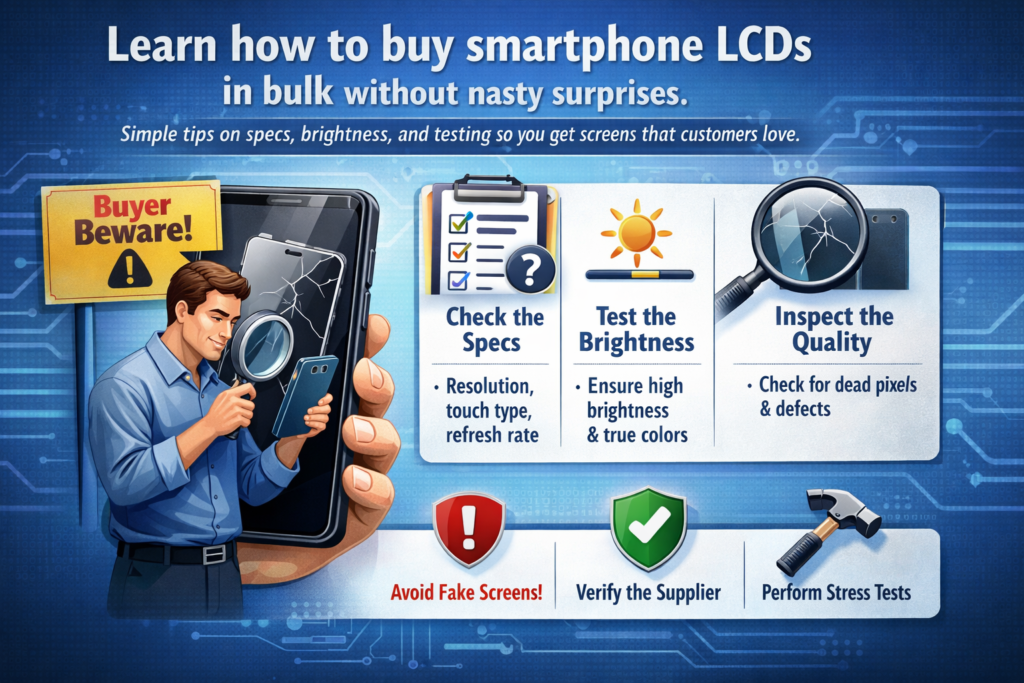
Sa kalibutan sa paghimo ug pag-ayo sa smartphone, Ang dinaghan nga pagpalit sa mga LCD screen mahimong mobati nga sama sa pagpamalit sa usa ka dako nga bazaar sa elektroniko. Ang tanan daw sinaw, Ang matag vendor nagsaad nga "taas nga kalidad,” ug ang mga buzzword naglupadlupad sama sa confetti. Apan kung na-unbox nimo ang usa ka kargamento sa mga screen nga wala motuman sa mga gilauman, nahibal-an na nimo kung unsa kasakit ang mahimo nga mga sayup. Kini nga giya ania aron sa pagluwas kanimo gikan sa labad sa ulo pinaagi sa paglakaw kanimo sa tinuod nga "paglikay-sa-lit-ag" nga mga punto sa pagpalit sa mga smartphone LCD sa kadaghanan..
Pasiuna sa Bulk LCD Procurement
Ang pagpalit sa usa ka screen sa telepono yano ra. Ang pagpalit sa usa ka libo usa ka lahi nga dula. Sa diha nga ikaw mobalhin ngadto sa daghan nga pagpalit, ang gagmay nga mga kalainan sa kalidad nahimong dako nga risgo sa panalapi. Ang usa ka gamay nga depekto nga gipadaghan sa gatusan nga mga yunit mahimo’g dali nga mahimong daghang pagbalik, reklamo sa kustomer, ug nadaot nga reputasyon.
Mao nga ang pagsabut kung unsa ang tinuud nga hinungdanon sa usa ka panel sa LCD labi ka hinungdanon kaysa pagsalig sa mga dali nga paghulagway sa pagpamaligya.
Ngano nga ang mga Buzzword sa Marketing Makapahisalaag sa mga Mamalitay
Mga pulong sama sa “Ultra HD,” “Super klaro,” o “Wide Color” nga nindot kaayog tingog, apan kasagaran gamay ra ang gipasabot niini sa tinuod nga teknikal nga mga termino. Kini nga mga hugpong sa mga pulong dili standardized. Ang "Ultra HD" sa usa ka pabrika mahimong sukaranan nga HD panel sa laing pabrika.
Ang pagsalig sa kini nga dili klaro nga mga label sama sa pagpalit sa usa ka awto tungod kay ang tindero nag-ingon nga kini "super paspas" nga wala gyud gisulti kanimo ang horsepower.
Pagsabot sa "Ultra HD" sa LCD Displays
Ang tinuod nga Ultra HD nagtumong sa 4K nga resolusyon. Apan sa merkado sa smartphone LCD, ang termino sagad gigamit nga luag sa paghulagway sa bisan unsang butang nga mas hait tan-awon kay sa kasagaran. Daghang mga supplier ang mosagpa niini nga label sa usa ka 1080p panel tungod lang kay kini daw premium.
Ang kinahanglan nimong pangitaon mao ang aktwal nga resolusyon sa pixel ug density sa pixel (Ppi). Kadtong mga numero dili mamakak.
Ang Kamatuoran Luyo sa “Wide Color Gamut” nga Mga Pangangkon
"Wide color gamut" nindot tan-awon, apan walay mga numero sama sa sRGB o DCI-P3 coverage, kini walay kahulogan. Ang usa ka panel mahimong moangkon nga lapad nga kolor apan makab-ot ra 70% sa standard color space, paghimo sa mga kolor nga tan-awon nga nahugasan.
Pangayo kanunay og color gamut percentages, dili marketing slogans.
Ngano nga ang Teknikal nga mga Detalye Mas Importante Kay sa mga Label
Ang mga detalye mao ang imong pagsusi sa kamatuoran. Gisultihan ka nila kung unsa ang mahimo sa screen, dili kung unsa ang gilauman sa nagbaligya nga imong tuohan. Refresh rate, kahayag, contrast ratio, ug ang dimming nga pamaagi mao ang mga haligi sa tinuod nga kalidad sa pagpakita.
Kung wala kini sa usa ka sheet sa produkto, kana usa ka pula nga bandila nga nagwarawara sa imong atubangan.
Refresh rate: Ang Wala Makita nga Performance Factor
Ang 60Hz screen ug 120Hz screen mahimong susama sa papel, apan sa adlaw-adlaw nga paggamit, gibati nila ang pagkalainlain sa kalibutan. Ang mas taas nga rate sa pag-refresh naghimo sa pag-scroll nga mas hapsay ug pagtubag sa paghikap nga mas likido.
Sa dinaghan nga pagpalit, daghang mga barato nga LCD nga hilom nga nag-downgrade sa 60Hz bisan kung ang orihinal nga modelo sa telepono nagsuporta sa 90Hz o 120Hz. Kana nga mismatch mahimong mosangpot sa dili malipayon nga mga kostumer nga mibati nga adunay "wala."
Mga Level sa Kahayag ug Makita sa gawas
Ang kahayag gisukod sa nits. Usa ka screen nga adunay 300 Ang mga nits mahimong tan-awon nga maayo sa sulod sa balay, apan sa gawas ubos sa kahayag sa adlaw, kini mahimong hapit dili mabasa. Ang mga premium nga screen sa smartphone kasagaran molapas 500 nits, usahay moabot 800 o labaw pa.
Kung nagpalit ka ug mga LCD para ibaligya o ayohon, Ang ubos nga kahayag nga mga panel dali nga magpahinabog mga reklamo.
Teknolohiya sa Dimming ug Paghupay sa Mata
Ang pagkontrol sa kahayag dili lang bahin sa kung unsa ka hayag ang usa ka screen-kini usab kung giunsa kini pagdilim. Ang barato nga mga panel kasagarang naggamit ug krudo nga mga pamaagi sa pagpa-dimming nga maoy hinungdan sa pagpaniwang sa mata ug pagkidlap-kidlap, ilabi na sa ubos nga kahayag.
Kana diin ang teknolohiya sa dimming moabut.
Gipatin-aw ang PWM vs DC Dimming
Pwm (PAGPANGITA SA PULSED) nagkontrol sa kahayag pinaagi sa pagkidlap sa backlight nga paspas. Ang ubang mga tawo sensitibo niini ug makasinati og labad sa ulo o kakapoy sa mata. Dc dimming, Sa laing bahin, nag-adjust sa boltahe para sa mas hapsay nga pagkontrol sa kahayag.
Sa dinaghan nga pagpalit, Ang mga low-end nga LCD hapit kanunay nagsalig sa barato nga PWM nga adunay gamay nga frequency, nga mahimong dili komportable alang sa mga tiggamit.
Resolusyon kumpara sa Tinuod nga Kalibutan nga Katin-aw
Ang resolusyon bahin lamang sa istorya. Ang duha ka mga screen nga adunay parehas nga resolusyon mahimong lahi kaayo kung ang usa adunay mas maayo nga layout sa sub-pixel, mas hait nga mga filter, ug mas taas nga kalidad nga backlighting.
Mao nga ang barato nga mga LCD mahimong tan-awon nga hanap o humok bisan kung kini sa teknikal nga "Full HD."
Mga Limitasyon sa Low-End LCD Panel
Ang mga LCD sa badyet nagputol sa mga kanto. Mahimong mogamit sila og mas ubos nga kalidad nga mga backlight, mas huyang nga mga filter sa kolor, ug dili kaayo tukma nga paglinya. Kini mosangpot sa dili patas nga kahayag, mga kolor nga kolor, ug mas hinay nga mga oras sa pagtubag.
Sa kadaghanan, kini nga mga kahuyang nahimong masakit nga dayag.
Unsa ang Screen Graininess ug Nganong Importante Kini
Ang graininess kay kanang murag balas nga texture nga imong makita usahay, ilabina sa puti o kahayag nga mga background. Mahitabo kini kung ang istruktura sa pixel o pagsabwag sa backlight dili maayo.
Ang mga low-end nga mga panel sa LCD nabantog alang niini. Kini naghimo sa teksto nga tan-awon fuzzy ug makapamenos sa gitan-aw nga kalidad, bisan kung maayo ang resolusyon sa papel.
Giunsa Pag-ila ang Dili Maayo nga Kalidad sa Panel sa Daghang Order
Ayaw gyud pagsalig sa mga litrato nga nag-inusara. Pangayo alang sa pisikal nga mga sampol. Sulayi sila sa lainlaing lebel sa kahayag. Ipakita ang puti, abohon, ug solid color screens aron makita ang graininess, dili patas nga suga, ug mga pagbag-o sa kolor.
Kung ang usa ka supplier nagdumili sa pagpadala mga sample, mao na ang imong cue sa paglakaw.
Mga Pamaagi sa Smart Verification Sa Dili pa Ka Mopalit
Gamit ug simple nga test apps para masusi ang refresh rate, kahayag, ug pagkasibu sa kolor. Itandi ang sample screen sa usa ka orihinal nga display sa OEM nga magkatabi. Ang mga kalainan molukso dayon.
Hunahunaa kini nga lakang isip imong polisiya sa seguro.
Pangunang mga Pangutana nga Ipangutana sa mga Supplier sa LCD
Pangayo:
- Eksaktong resolusyon ug PPI
- Refresh rate
- Kahayag (nits)
- Pagsakop sa kolor gamut
- Pamaagi sa dimming
Kung dili sila makatubag sa klaro, lagmit wala sila mahibalo sa ilang kaugalingong produkto—o mas grabe pa, nahibal-an nila ug dili nimo gusto.
Pagtukod og Long-Term nga Relasyon sa Supplier
Sa higayon nga makit-an nimo ang usa ka supplier nga naghatag matinud-anon nga specs ug makanunayon nga kalidad, magpabilin uban kanila. Ang dugay nga mga relasyon kasagaran nagpasabut nga mas maayo nga presyo, mas maayo nga pagkontrol sa kalidad, ug mas gamay nga mga sorpresa.
Niini nga negosyo, ang pagsalig labaw pa sa usa ka gamay nga barato nga presyo sa yunit.
Kataposan
Ang daghang pagpalit sa mga screen sa LCD sa smartphone dili bahin sa paggukod sa labing ubos nga presyo o ang labing nindot nga mga buzzword. Mahitungod kini sa pagsabut sa tinuod nga teknikal nga mga parameter sama sa refresh rate, kahayag, pag-dimming, ug kalidad sa panel. Ibaliwala ang dili klaro nga mga termino sa pagpamaligya, sulayi pag-ayo ang mga sampol, ug pagtagad pag-ayo sa graininess ug low-end nga mga limitasyon sa panel. Kung buhaton nimo, you’ll avoid costly mistakes and build a supply chain you can actually rely on.
FAQS
1. Are “Ultra HD” LCD screens always high quality?
Dili. The term is often used loosely. Always check actual resolution and PPI.
2. Why does refresh rate matter for LCDs?
It affects smoothness and touch response, which users notice immediately.
3. What causes graininess on LCD screens?
Poor pixel structure and low-quality backlight diffusion in cheap panels.
4. Is high brightness really important?
Oo, especially for outdoor visibility and user satisfaction.
5. Should I always request samples before bulk buying?
Sa hingpit. Samples reveal problems no specification sheet will show.



