
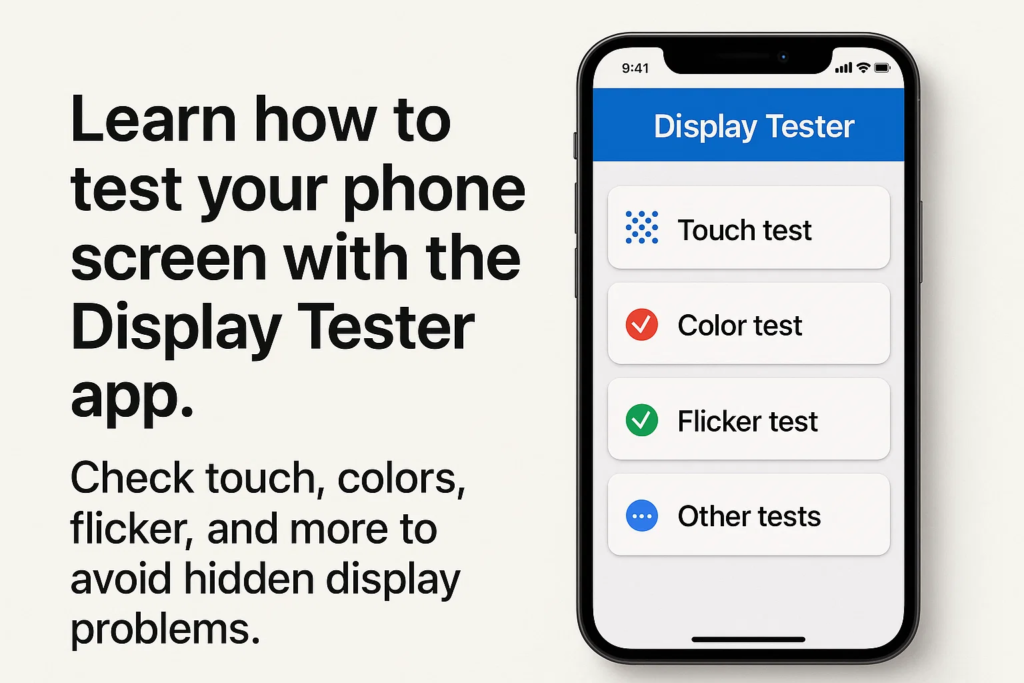
Εισαγωγή
Αγόρασα ποτέ ένα τηλέφωνο και ένιωσα ότι η οθόνη δεν ήταν αρκετά σωστή? Ίσως τα χρώματα να φαίνονταν ανομοιόμορφα, το άγγιγμα δεν ήταν ακριβές, ή η οθόνη τρεμόπαιξε σε χαμηλή φωτεινότητα. εκεί είναι που επιτόπια δοκιμή εμφάνισης γίνεται κρίσιμος. Με το Εφαρμογή Display Tester, μπορείτε να εκτελέσετε δοκιμές επαγγελματικού επιπέδου αμέσως, εξοικονόμηση χρόνου και αποφυγή δαπανηρών λαθών.
Ξεκινώντας με το Display Tester
Πριν βουτήξετε σε δοκιμές, θα χρειαστεί να ρυθμίσετε την εφαρμογή:
- Λήψη: Διαθέσιμο στο Google Play Store για τις περισσότερες συσκευές Android.
- Απαιτήσεις: Λειτουργεί καλύτερα σε Android 6.0 και πάνω.
- Εγκατάσταση: Γρήγορη και απλή – απλώς κατεβάστε, εγκαθιστώ, και ανοιχτό.
Βασικά χαρακτηριστικά του Display Tester
Τι κάνει αυτή την εφαρμογή τόσο δημοφιλή μεταξύ των συνεργείων επισκευής και των λάτρεις της τεχνολογίας?
- Εργαλεία ακρίβειας οθόνης αφής
- Έλεγχοι ομοιομορφίας χρώματος
- Ανίχνευση τρεμοπαίσματος (ειδικά για οθόνες OLED με ρύθμιση φωτεινότητας PWM)
- Δοκιμές νεκρών pixel και ντεγκραντέ
- Λάμψη, αντίθεση, και δοκιμές γωνίας θέασης
Η διεπαφή είναι καθαρή, απλός, και έχει σχεδιαστεί για γρήγορη επιτόπια χρήση.
Δοκιμή αφής – Έλεγχος ακρίβειας αφής
Τι είναι το Touch Test?
ΕΝΑ Δοκιμή αφής επαληθεύει εάν οι κινήσεις των δακτύλων σας παρακολουθούνται με ακρίβεια στην οθόνη.
Πώς να εκτελέσετε μια δοκιμή αφής στο Display Tester
- Ανοίξτε το Δοκιμή αφής λειτουργία στην εφαρμογή.
- Σύρετε το δάχτυλό σας στην οθόνη.
- Ελέγξτε εάν οι σχεδιασμένες γραμμές ακολουθούν το δάχτυλό σας ομαλά χωρίς κενά ή άλματα.
Γιατί έχει σημασία η ακρίβεια στο άγγιγμα
Εάν τα αγγίγματα δεν είναι ευθυγραμμισμένα, δακτυλογραφία, τυχερό παιχνίδι, ή ακόμα και η κύλιση μπορεί να είναι απογοητευτική.
Συνήθη προβλήματα που εντοπίστηκαν κατά τη διάρκεια δοκιμών αφής
- Νεκρές ζώνες αφής
- Καθυστερημένη απάντηση
- Πινίγματα φαντασμάτων (όταν η οθόνη αντιδρά χωρίς είσοδο)
Ομοιομορφία χρώματος – Διασφάλιση ομοιόμορφων χρωμάτων
Κατανόηση της ομοιομορφίας των χρωμάτων
Η ομοιομορφία χρώματος σημαίνει ότι η οθόνη σας πρέπει να εμφανίζεται σταθερές αποχρώσεις σε όλη την οθόνη χωρίς περίεργα μπαλώματα.
Εκτέλεση της δοκιμής ομοιομορφίας χρώματος
- Επιλέξτε το Δοκιμή ομοιομορφίας χρώματος στην εφαρμογή.
- Η οθόνη θα εμφανίσει συμπαγή χρώματα (κόκκινος, πράσινος, μπλε, γκρί, λευκό).
- Επιθεωρήστε για περιοχές που φαίνονται πιο σκούρες, αναπτήρας, ή χρωματισμένα διαφορετικά.
Εντοπισμός ανομοιόμορφων μπαλωμάτων ή κλίσεων
Τα ανομοιόμορφα χρώματα μπορεί να υποδεικνύουν προβλήματα ποιότητας του πίνακα, ζημιά σε υγρό, ή κατασκευαστικά ελαττώματα.
Πώς η ασυνέπεια των χρωμάτων επηρεάζει την εμπειρία χρήστη
Ακόμη και μικρές ασυνέπειες μπορούν να δημιουργήσουν φωτογραφίες, βίντεο, ή οι ιστότοποι φαίνονται παραμορφωμένοι.
Δοκιμή τρεμοπαίσματος – Ανίχνευση θαμπώματος PWM
Τι είναι το τρεμόπαιγμα και γιατί έχει σημασία?
Πολλές οθόνες OLED χρησιμοποιούν PWM (Διαμόρφωση πλάτους παλμού) για έλεγχο φωτεινότητας. Αυτό μπορεί να προκαλέσει αόρατο τρεμόπαιγμα, που οδηγεί σε πονοκεφάλους ή καταπόνηση των ματιών.
Τρόπος εκτέλεσης του Flicker Test με το Display Tester
- Ανοίξτε το Τεστ τρεμοπαίγματος επιλογή.
- Μειώστε τη φωτεινότητα στο 10-20%.
- Κοιτάξτε προσεκτικά (ή εγγραφή με κάμερα αργής κίνησης) για να εντοπίσετε μοτίβα τρεμοπαίζει.
Ανίχνευση τρεμοπαίγματος PWM σε οθόνες OLED και LCD
- Οθόνες OLED συχνά τρεμοπαίζουν έντονα σε χαμηλή φωτεινότητα.
- Οθόνες LCD συνήθως δείχνουν λιγότερο τρεμόπαιγμα, αλλά τα φτωχά πάνελ μπορεί να έχουν προβλήματα.
Ανησυχίες για την υγεία που σχετίζονται με το τρεμόπαιγμα της οθόνης
Η παρατεταμένη έκθεση στο τρεμόπαιγμα μπορεί να προκαλέσει:
- Καταπόνηση των ματιών
- Πονοκέφαλοι
- Διαταραχές ύπνου
Πρόσθετες χρήσιμες δοκιμές στο Display Tester
Εκτός από τα τρία μεγάλα, Το Display Tester περιλαμβάνει επίσης:
- Δοκιμές φωτεινότητας και αντίθεσης – εξασφαλίζει καλή αναγνωσιμότητα σε έντονο ηλιακό φως.
- Ανίχνευση νεκρών pixel – βοηθά στον εντοπισμό κολλημένων ή ελαττωματικών pixel.
- Δοκιμές γωνίας θέασης – ελέγχει εάν τα χρώματα αλλάζουν όταν τα βλέπει κανείς από το πλάι.
Πρακτικές περιπτώσεις χρήσης
Ποιος μπορεί να επωφεληθεί από το Display Tester?
- Συνεργεία τηλεφώνων: Επαληθεύστε γρήγορα τις αντικαταστάσεις οθόνης.
- Χονδρέμποροι/μεταπωλητές: Δοκιμάστε την ποιότητα της παρτίδας πριν από την αποστολή.
- Τελικοί χρήστες: Ελέγξτε τις συσκευές που αγοράσατε πρόσφατα για κρυφά ελαττώματα.
Συμβουλές για ακριβείς επιτόπιους ελέγχους
- Δοκιμή σε ουδέτερος φωτισμός (αποφύγετε τα υπερβολικά φωτεινά δωμάτια).
- Εκτελέστε πολλαπλές δοκιμές για συνέπεια.
- Διατηρήστε τη φωτεινότητα σε διαφορετικά επίπεδα για να συγκρίνετε τα αποτελέσματα.
- Τραβήξτε φωτογραφίες ή βίντεο για τήρηση αρχείων.
Πλεονεκτήματα της χρήσης του Display Tester σε σχέση με άλλες εφαρμογές
- Πιο ακριβές και αξιόπιστο αποτελέσματα
- Μεγαλύτερη ποικιλία τεστ σε μια συσκευασία
- Απλός σχεδιασμός κατάλληλο τόσο για επαγγελματίες όσο και για περιστασιακούς χρήστες
Κοινά λάθη για αποφυγή
- Βασιζόμενοι μόνο σε ένα τεστ
- Αγνοώντας το λεπτό τρεμόπαιγμα σε χαμηλή φωτεινότητα
- Δοκιμές σε συνθήκες κακού φωτισμού
- Εσφαλμένη ερμηνεία ζητημάτων ομοιομορφίας χρώματος ως σφάλματα λογισμικού
Παράδειγμα ροής εργασίας βήμα προς βήμα
Για ένα πλήρης έλεγχος, ακολουθήστε αυτή τη σειρά:
- Δοκιμή αφής → Εξασφαλίστε ομαλή παρακολούθηση
- Ομοιομορφία χρώματος → Ελέγξτε για ομοιόμορφες αποχρώσεις
- Τεστ τρεμοπαίγματος → Επιβεβαιώστε τη σταθερότητα της οθόνης σε χαμηλή φωτεινότητα
- Εκτελέστε προαιρετικά πρόσθετα (νεκρό pixel, αντίθεση, και τα λοιπά.)
Ειδικές Πληροφορίες
Οι επαγγελματίες αγαπούν το Display Tester γιατί:
- Το εξοικονομεί χρόνο σε σύγκριση με τους χειροκίνητους ελέγχους.
- Το χτίζει την εμπιστοσύνη των πελατών αποδεικνύοντας την ποιότητα της οθόνης εκ των προτέρων.
- Μπορεί αποτρέψει τις διαφωνίες τεκμηριώνοντας τα αποτελέσματα των δοκιμών.
Το μέλλον της επιτόπιας δοκιμής οθόνης
Καθώς η τεχνολογία της οθόνης προχωρά, μπορούμε να δούμε:
- Ανίχνευση ελαττώματος με τεχνητή νοημοσύνη
- Ενσωματωμένες εφαρμογές διάγνωσης τηλεφώνου
- Τυποποιημένες δοκιμές για αγορές επισκευής και μεταπώλησης
Σύναψη
Εάν θέλετε να εντοπίσετε προβλήματα οθόνης πριν σας κοστίσουν χρήματα ή άνεση, ο Εφαρμογή Display Tester είναι απαραίτητο. Από ακρίβεια αφής να ομοιομορφία χρώματος και ανίχνευση τρεμοπαίσματος, αυτή η εφαρμογή καθιστά τους ελέγχους επαγγελματικού επιπέδου διαθέσιμους σε οποιονδήποτε, απευθείας από το τηλέφωνό τους.
Συχνές ερωτήσεις
1. Μπορεί το Display Tester να χρησιμοποιηθεί σε όλες τις συσκευές Android?
Ναί, λειτουργεί στα περισσότερα τηλέφωνα και tablet Android με Android 6.0 και πάνω.
2. Λειτουργεί το Display Tester για iPhone?
Οχι, προς το παρόν είναι διαθέσιμο μόνο για συσκευές Android.
3. Πόσο ακριβές είναι το Flicker Test σε σύγκριση με τον εργαστηριακό εξοπλισμό?
Αν και δεν είναι τόσο ακριβή όσο τα εργαστηριακά εργαλεία, είναι πολύ αποτελεσματικό για πρακτικούς επιτόπιους ελέγχους.
4. Το Display Tester είναι δωρεάν ή επί πληρωμή?
Υπάρχει μια δωρεάν έκδοση με βασικά χαρακτηριστικά, και μια επαγγελματική έκδοση με προηγμένα εργαλεία.
5. Μπορώ να χρησιμοποιήσω το Display Tester και για tablet και οθόνες?
Ναί, αρκεί να τρέχουν Android ή να είναι συνδεδεμένα σε ένα σύστημα δοκιμών που βασίζεται σε Android.



