
Εισαγωγή
Όταν αγοράζετε οθόνες LCD για φορητές συσκευές, Δεν αγοράζετε μόνο ένα κομμάτι γυαλιού με εικονοστοιχεία. Επενδύετε σε ένα προϊόν του οποίου το επίπεδο αφής επηρεάζει άμεσα την εμπειρία του χρήστη. Φανταστείτε να αντικαταστήσετε μια οθόνη, μόνο για να παραπονεθεί ο πελάτης σας ότι το σάρωση είναι σαν να σύρετε το δάχτυλό σας μέσα στο σιρόπι. Αυτός είναι ο λόγος δοκιμή ποιότητας αφής πριν την αγορά είναι απαραίτητο.
Κατανόηση του επιπέδου αφής
Το στρώμα αφής είναι ο αόρατος ήρωας που κάθεται πάνω από την οθόνη, ανίχνευση κάθε βρύσης, σουφρώνω, και τσιμπήστε κάνετε. Στα σύγχρονα smartphone, περισσότερη χρήση χωρητική τεχνολογία αφής-γρήγορα, ευαίσθητος, και ακριβής. Εκδόσεις χαμηλής ποιότητας, ωστόσο, μπορεί να καθυστερήσει, παρερμηνεύει τις χειρονομίες, ή έχουν νεκρές ζώνες.
Τα κοινά ζητήματα στα φτωχά επίπεδα αφής περιλαμβάνουν:
- Καθυστέρηση αφής: Οι ενέργειες καταγράφονται δευτερόλεπτα καθυστέρηση.
- Νεκρά σημεία: Ορισμένες περιοχές δεν ανταποκρίνονται ποτέ.
- Πινίγματα φαντασμάτων: Η οθόνη καταγράφει αγγίγματα που δεν κάνατε.
Γνωρίζοντας αυτό σας βοηθά να εντοπίσετε προβλήματα νωρίς στη διαδικασία αγοράς σας.
Προετοιμασία για τη δοκιμή αφής
Πριν βουτήξετε σε δοκιμές, μαζεύω:
- Η οθόνη LCD του κινητού
- Ένα smartphone ή μια συσκευή δοκιμής
- ΕΝΑ εφαρμογή σχεδίασης (οποιαδήποτε απλή εφαρμογή σχεδίασης θα λειτουργήσει)
- ΕΝΑ εφαρμογή δοκιμής πολλαπλής αφής (δωρεάν στα καταστήματα εφαρμογών)
Συμβουλές για το περιβάλλον:
- Δοκιμή σε εσωτερικούς χώρους χωρίς αντανάκλαση.
- Αποφύγετε την υγρασία ή τα περιβάλλοντα με σκόνη που μπορεί να επηρεάσουν τα αποτελέσματα.
- Χειριστείτε προσεκτικά τις οθόνες LCD—χωρίς να λυγίζετε ή να πιέζετε πολύ δυνατά.
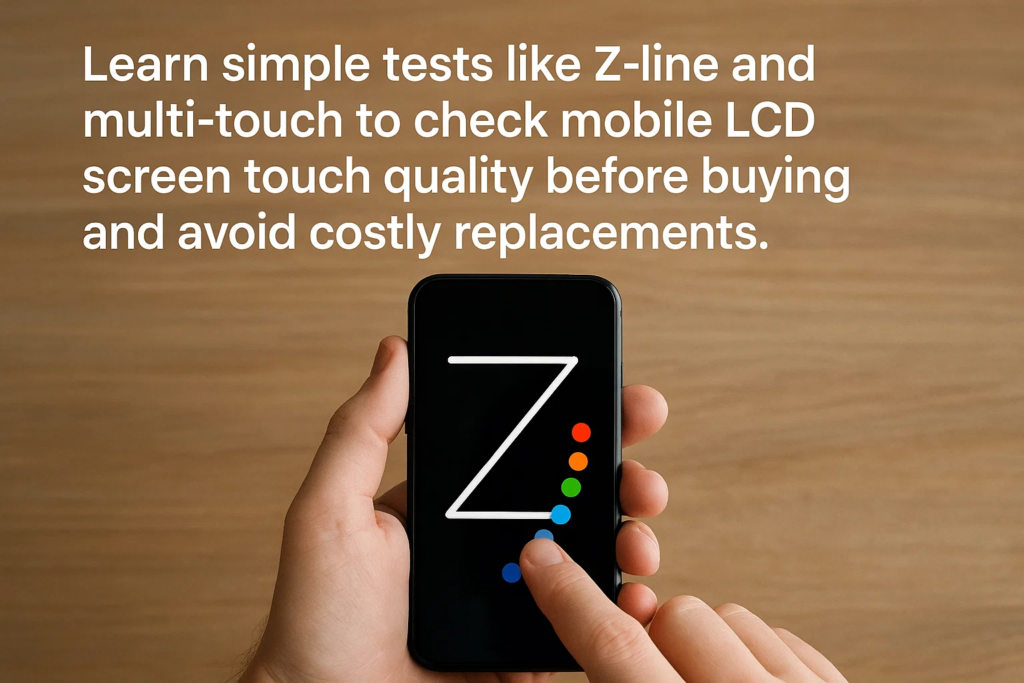
Η εφαρμογή σχεδίασης Z-Line Test
Αυτό είναι δικό σου πρώτη υποχρεωτική δοκιμή.
- Ανοίξτε μια βασική εφαρμογή σχεδίασης.
- Επιλέξτε ένα λεπτό πινέλο για καλύτερη ορατότητα.
- Σχεδίαση συνεχούς Γραμμές σε σχήμα Ζ που καλύπτουν την πλήρη οθόνη.
- Προσέξτε για:
- Διαλείμματα (υποδεικνύοντας αποτυχία ανίχνευσης αφής)
- Παρακάμπτει (το άγγιγμα μεταπηδά σε άλλο σημείο)
- Γραμμές φαντασμάτων (εμφανίζονται φανταστικές πινελιές)
Εάν οι γραμμές σας είναι ευκρινείς και πλήρεις χωρίς κενά, Το στρώμα αφής σας περνά το πρώτο εμπόδιο.
Δοκιμή πολλαπλής αφής με δέκα δάχτυλα
Γιατί τεστ με δέκα δάχτυλα? Επειδή η χρήση του πραγματικού κόσμου περιλαμβάνει χειρονομίες πολλαπλής αφής— τσίμπημα για ζουμ, κτύπημα με πολλά δάχτυλα, και χειριστήρια παιχνιδιών.
- Εγκαταστήστε μια εφαρμογή δοκιμής πολλαπλής αφής.
- Τοποθετήστε και τα δέκα δάχτυλα στην οθόνη ταυτόχρονα.
- Βεβαιωθείτε ότι η εφαρμογή ανιχνεύει κάθε σημείο επαφής.
- Εάν κανένα δάχτυλο δεν εγγραφεί, ο πίνακας μπορεί να έχει περιορισμένη δυνατότητα πολλαπλής αφής—μια κόκκινη σημαία για gaming ή χρήση προηγμένων εφαρμογών.
Δοκιμή ευαισθησίας ακμών
Τα άκρα είναι διαβόητα για την αποτυχία πρώτα, ειδικά σε οθόνες προϋπολογισμού.
- Πατήστε επανειλημμένα κατά μήκος των άκρων της οθόνης.
- Παρατηρήστε οποιαδήποτε καθυστερημένες ή ελλιπείς απαντήσεις.
- Η κακή ανίχνευση άκρων επηρεάζει την πληκτρολόγηση, κύλιση, και gaming.
Δοκιμή ομαλής έλξης
Τελικά, δοκιμάστε πόσο καλά χειρίζεται η οθόνη το σύρσιμο:
- Κρατήστε και σύρετε ένα εικονίδιο εφαρμογής ή ένα σχήμα στην οθόνη.
- Ελέγξτε για τραυλίζει, άλματα, ή αντίσταση.
- Ομαλή και αδιάλειπτη κίνηση σημαίνει ότι το στρώμα αφής είναι καλά βαθμονομημένο.
Ερμηνεία των Αποτελεσμάτων
- Περάστε όλα τα τεστ? Πιθανόν ένα στρώμα αφής υψηλής ποιότητας.
- Αποτυχία σε ένα ή περισσότερα? Ακόμη και μικρές αποτυχίες μπορούν να οδηγήσουν σε μεγάλη δυσαρέσκεια των χρηστών.
- Πάντα να συγκρίνετε με ένα γνωστό Οθόνη αναφοράς OEM για συγκριτική αξιολόγηση.
Συνήθη προβλήματα με την οθόνη αφής & Αιτίες
| Ζήτημα | Πιθανή Αιτία |
|---|---|
| Καθυστέρηση αφής | IC ή υλικολογισμικό αφής χαμηλής ποιότητας |
| Πινίγματα φαντασμάτων | Κακή θωράκιση, παρέμβαση |
| Νεκρά σημεία | Ελαττωματικά πλέγματα αισθητήρων αφής |
| Δυσλειτουργία άκρων | Ελλιπής κάλυψη μήτρας αφής |
Βέλτιστες πρακτικές για τις προμήθειες
- Δοκιμή προτού πληρωμή για χύδην αποστολές.
- Εγγραφή βίντεο απόδειξης αποτυχίας μονάδων για αξιώσεις προμηθευτών.
- Κρατήστε ένα δείγμα από κάθε παρτίδα για μελλοντική αναφορά.
Αποφυγή πλαστών οθονών
- Φυλάγομαι από κάτι ψεύτικες ετικέτες OEM— Ελέγξτε τη γραμματοσειρά, ποιότητα εκτύπωσης, και ευθυγράμμιση.
- Η γνήσια συσκευασία είναι στιβαρή, με σωστή αντικραδασμική προστασία.
- Συνεργαστείτε μόνο με επαληθευμένους προμηθευτές με ιστορικό.
Διατήρηση της απόδοσης αφής
- Τοποθετήστε τις οθόνες απαλά—αποφύγετε να σφίξετε υπερβολικά τις βίδες.
- Χρησιμοποιήστε λεπτό, υψηλής ποιότητας προστατευτικά οθόνης.
- Κρατήστε το μακριά από υγρασία και υπερβολική ζέστη.
Σύναψη
Η δοκιμή επιπέδων αφής LCD για φορητές συσκευές δεν είναι προαιρετική - είναι απαραίτητη. Χρησιμοποιώντας ένα Δοκιμή Z-line εφαρμογής σχεδίασης, ένα Δοκιμή πολλαπλής αφής με δέκα δάχτυλα, χτύπημα στην άκρη, και α δοκιμή ομαλής οπισθέλκουσας διασφαλίζει ότι εντοπίζετε τα προβλήματα έγκαιρα. Αυτό σας γλιτώνει από δαπανηρές αποδόσεις, θυμωμένοι πελάτες, και χαμένος χρόνος.
Συχνές ερωτήσεις
1. Μπορώ να δοκιμάσω την ποιότητα αφής χωρίς εξειδικευμένη εφαρμογή?
Ναί, αλλά οι εξειδικευμένες εφαρμογές κάνουν τον εντοπισμό ευκολότερο και ακριβέστερο.
2. Πώς μπορώ να ξέρω εάν μια οθόνη είναι ποιότητας OEM?
Συγκρίνετε την απόκριση αφής, ομαλότητα, και συσκευασία με γνήσια οθόνη κατασκευαστή.
3. Γιατί οι άκρες αποτυγχάνουν πιο γρήγορα από το κέντρο?
Η καλωδίωση του πλέγματος αφής είναι πιο ευάλωτη κατά μήκος των άκρων, ειδικά σε κατασκευές χαμηλής ποιότητας.
4. Είναι το τεστ Z-line αρκετή για να επιβεβαιώσει την ποιότητα αφής?
Οχι. Συνδυάστε το με multi-touch, άκρη, και σύρετε δοκιμές για πλήρη αξιολόγηση.
5. Πρέπει να δοκιμάσω κάθε μονάδα ή απλώς τυχαία δείγματα?
Για παραγγελίες υψηλής αξίας, δοκιμάστε κάθε μονάδα. Για χύμα, Οι τυχαίες δοκιμές είναι αποδεκτές αλλά πιο επικίνδυνες.



