
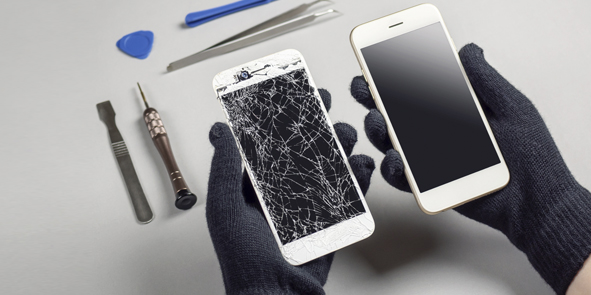
Εισαγωγή
Όταν πρόκειται για iPhone, σε όλους αρέσει η κομψή εμφάνιση και η κρυστάλλινη οθόνη. Αλλά τι συμβαίνει όταν αυτή η όμορφη οθόνη σπάει? Ή χειρότερα — όταν η οθόνη σταματήσει να λειτουργεί? Τότε ξεκινάτε να αναζητάτε οθόνες αντικατάστασης, και ξαφνικά καταλαβαίνεις: υπάρχει ένας ολόκληρος κόσμος επιλογών οθόνης LCD iPhone εκεί έξω. Και εμπιστεύσου με, δεν δημιουργούνται όλες οι οθόνες ίσες.
Σε αυτό το blog, θα αναλύσουμε τους διαφορετικούς τύπους οθονών LCD iPhone που διατίθενται στην αγορά, πώς διαφέρουν σε ποιότητα, και πώς να επιλέξετε το καλύτερο για τις ανάγκες επισκευής ή της επιχείρησής σας.
Γιατί έχει σημασία η ποιότητα της οθόνης LCD του iPhone
Η οθόνη του τηλεφώνου σας δεν έχει να κάνει μόνο με το πόσο καλό φαίνεται το Netflix. Επηρεάζει τον τρόπο με τον οποίο το τηλέφωνο ανταποκρίνεται στο άγγιγμα, πόσο διαρκεί η μπαταρία σας, και πόσο ανθεκτική είναι η συσκευή σας συνολικά. Οι οθόνες χαμηλής ποιότητας μπορούν να κάνουν το iPhone σας να αισθάνεται σαν ένα φτηνό knockoff.
Συν, με τόσους πολλούς τύπους οθόνης στην αγορά — από την πρωτότυπη έως την αντίγραφη έκδοση — το να γνωρίζετε τι πληρώνετε είναι ζωτικής σημασίας.
The Rise of Aftermarket οθόνες iPhone
Με εκατομμύρια iPhone που πωλούνται παγκοσμίως, η ζήτηση για ανταλλακτικά έχει εκραγεί. Ενώ οι επίσημοι αντικαταστάτες της Apple είναι κορυφαίες, είναι επίσης ακριβά και περιορίζονται σε εξουσιοδοτημένα κέντρα επισκευής. Εκεί μπαίνουν οι οθόνες aftermarket.
Αλλά εδώ είναι το αλιευτικό - οι οθόνες aftermarket κυμαίνονται από αντίγραφα υψηλής ποιότητας έως απόλυτα σκουπίδια. Επομένως, είναι απαραίτητο να κατανοήσουμε τις διαφορές.
Κατανόηση των τύπων οθόνης LCD του iPhone
Τι είναι μια οθόνη LCD iPhone?
Μια LCD (Οθόνη υγρού κρυστάλλου) Η οθόνη σε ένα iPhone εμφανίζει εικόνες χρησιμοποιώντας οπίσθιο φωτισμό και υγρούς κρυστάλλους. Όταν ακούτε «Αντικατάσταση οθόνης LCD,Περιλαμβάνει γενικά τόσο την οθόνη όσο και τον ψηφιοποιητή αφής.
OEM (Κατασκευαστής πρωτότυπου εξοπλισμού) Οθόνες
Αυτά είναι τα καλύτερα από τα καλύτερα. Οι οθόνες OEM κατασκευάζονται από τους ίδιους κατασκευαστές που προμηθεύουν την Apple, όπως η LG, Αιχμηρός, ή JDI. Προσφέρουν την ίδια φωτεινότητα οθόνης, ευαισθησία αφής, και ποιότητα κατασκευής όπως η αρχική οθόνη που συνοδεύει το iPhone σας.
Πλεονεκτήματα: Τέλεια εφαρμογή, ακρίβεια χρώματος, αντοχή
Κατά τα βοηθήματα: Υψηλό κόστος, περιορισμένη διαθεσιμότητα
OEM Refurbished Screens
Αυτές είναι αυθεντικές οθόνες Apple που έχουν επισκευαστεί — συνήθως αντικαθιστώντας το γυαλί διατηρώντας ανέπαφη την αρχική οθόνη LCD και ψηφιοποιητή.
Πλεονεκτήματα: Υψηλής ποιότητας, φθηνότερο από το ολοκαίνουργιο OEM
Κατά τα βοηθήματα: Μπορεί να έχει μικρή φθορά ή ελαφρά προβλήματα ευαισθησίας στην αφή εάν δεν έχει ανακαινιστεί σωστά
Αντίγραφο (Aftermarket) Οθόνες
Οι οθόνες aftermarket ή αντιγραφής είναι προϊόντα τρίτων κατασκευαστών που έχουν σχεδιαστεί για να μιμούνται το πρωτότυπο. Κυμαίνονται από αντίγραφα υψηλής ποιότητας έως εκδόσεις πολύ χαμηλής ποιότητας.
Πλεονεκτήματα: Προμηθευτός, ευρέως διαθέσιμο
Κατά τα βοηθήματα: Ποιότητα ποικίλης, χρωματική αναντιστοιχία, κακή αντοχή
Μαλακές οθόνες OLED εναντίον σκληρών OLED
OLED (Οργανική δίοδος εκπομπής φωτός) οι οθόνες χρησιμοποιούνται σε νεότερα iPhone. Το Soft OLED είναι ευέλικτο και ανθεκτικό, ενώ το σκληρό OLED χρησιμοποιεί γυάλινο υπόστρωμα, καθιστώντας το φθηνότερο αλλά πιο εύθραυστο.
Μαλακό OLED: Καλύτερη αντοχή, ακριβότερος
Σκληρό OLED: Φιλικό προς τον προϋπολογισμό, λιγότερο ανθεκτικό
Incell vs Oncell Technology
Incell ενσωματώνει το στρώμα αφής στην οθόνη LCD, καθιστώντας την οθόνη πιο λεπτή και την απόκριση αφής ταχύτερη.
Oncell τοποθετεί το στρώμα αφής πάνω από την οθόνη LCD. Είναι φθηνότερο αλλά παχύτερο και λιγότερο ανταποκρινόμενο.

Βασικές διαφορές μεταξύ των ποιοτήτων της οθόνης
Φωτεινότητα οθόνης και ακρίβεια χρώματος
Οι οθόνες OEM λάμπουν πιο έντονα με αληθινά χρώματα. Οι οθόνες aftermarket συχνά φαίνονται θαμπές ή υπερκορεσμένες.
Αγγίξτε Ευαισθησία και Χρόνος απόκρισης
Μια οθόνη OEM έχει μια βουτυρώδη αίσθηση. Τα αντίγραφα χαμηλότερης ποιότητας ενδέχεται να καθυστερούν, δεσποινίς πινελιές, ή καταχωρήστε τυχαίες εισροές.
Υλικά κατασκευής και αντοχή
OEM και ανακαινισμένες οθόνες υψηλής ποιότητας χρησιμοποιούν υλικά υψηλής ποιότητας από γυαλί και πλαίσιο. Τα φτηνά αντίγραφα μπορεί να σπάσουν εύκολα ή να παραμορφωθούν με την πάροδο του χρόνου.
Αντίκτυπος στην κατανάλωση μπαταρίας
Οι οθόνες κακής ποιότητας μπορούν να εξαντλήσουν την μπαταρία σας πιο γρήγορα λόγω του ανεπαρκούς οπίσθιου φωτισμού και των αισθητήρων αφής.
Διαφορές Τιμών
- OEM: $$$$
- Ανακαινισμένο: $$$
- Αντίγραφο υψηλής ποιότητας: $$
- Αντίγραφο χαμηλής ποιότητας: $
Πώς να προσδιορίσετε διαφορετικές ιδιότητες οθόνης
Συσκευασία και επισήμανση
Οι οθόνες OEM έρχονται με ασφάλεια, επώνυμη συσκευασία. Οι οθόνες aftermarket χρησιμοποιούν συχνά κουτιά γενικής χρήσης ή χωρίς επωνυμία.
Φυσική Εμφάνιση και Δόμηση
Ελέγξτε για:
- Λογότυπο ή σημάνσεις (Οι οθόνες OEM έχουν συνήθως μικροσκοπικά αναγνωριστικά)
- Χρώμα flex καλωδίων
- Ευθυγράμμιση και φινίρισμα πλαισίου
Διαγνωστικά λογισμικού
Ορισμένες διαγνωστικές εφαρμογές ή εργαλεία επισκευής μπορούν να εντοπίσουν εκδόσεις οθόνης και διαφορές απόδοσης. Χρήσιμο για την επαλήθευση της ακρίβειας αφής και της υγείας της οθόνης.
Πλεονεκτήματα και μειονεκτήματα των διαφορετικών οθονών iPhone
OEM Pros & Κατά τα βοηθήματα
Πλεονεκτήματα: Τέλεια απόδοση, αρχική ποιότητα
Κατά τα βοηθήματα: Ακριβός, δύσκολο να βρεθεί έξω από εξουσιοδοτημένα κέντρα
Ανακαινισμένα πλεονεκτήματα & Κατά τα βοηθήματα
Πλεονεκτήματα: Προμηθευτός, υψηλής ποιότητας
Κατά τα βοηθήματα: Δυνατότητα για κρυφή φθορά
Επαγγελματίες aftermarket & Κατά τα βοηθήματα
Πλεονεκτήματα: Φιλικό προς τον προϋπολογισμό, προσιτός
Κατά τα βοηθήματα: Ασυνεπής ποιότητα, ζητήματα ανθεκτικότητας
Πού να προμηθευτείτε αξιόπιστες οθόνες iPhone
Απευθείας από την Apple
Εγγυημένη ποιότητα, αλλά απαιτεί πρόσβαση στο δίκτυο επισκευής της Apple.
Εξουσιοδοτημένοι Μεταπωλητές
Προσφέρετε OEM και υψηλής ποιότητας ανακαινισμένες οθόνες με εγγυήσεις.
Αξιόπιστοι προμηθευτές aftermarket
Επιλέξτε προμηθευτές με ισχυρή φήμη και σαφή ταξινόμηση προϊόντων (όπως το ΑΑΑ, AA, ΕΝΑ).
Συμβουλές για την επιλογή του σωστού προμηθευτή οθόνης iPhone
Ελέγξτε για Πολιτικές Εγγύησης και Επιστροφών
Αποφύγετε προμηθευτές που δεν προσφέρουν τουλάχιστον 3 μήνες εγγύηση.
Αναζητήστε κριτικές πελατών και φήμη
Περιηγηθείτε στα φόρουμ, μέσα κοινωνικής δικτύωσης, και επισκευάστε τα σχόλια της κοινότητας.
Αξιολογήστε την υποστήριξη μετά την πώληση
Οι καλοί προμηθευτές παρέχουν τεχνική βοήθεια και γρήγορες αντικαταστάσεις για ελαττωματικά εξαρτήματα.
Συνήθη λάθη που πρέπει να αποφεύγετε όταν αγοράζετε οθόνες iPhone
Πτώση σε μη ρεαλιστικά χαμηλές τιμές
Αν φαίνεται πολύ καλό για να είναι αληθινό - μάλλον είναι.
Αγνοώντας τους Όρους Εγγύησης
Να ελέγχετε πάντα τις πολιτικές επιστροφής και ανταλλαγής πριν από την αγορά.
Μη επαλήθευση συμβατότητας οθόνης
Βεβαιωθείτε ότι αγοράζετε μια οθόνη για το ακριβές μοντέλο iPhone (Ναί, Ακόμη και οι μικροί αριθμοί μοντέλων έχουν σημασία).
Σύναψη
Η επιλογή της σωστής οθόνης LCD του iPhone δεν έχει να κάνει μόνο με την τιμή - έχει να κάνει με την εξισορρόπηση της ποιότητας, αντοχή, και αξιοπιστία προμηθευτή. Είτε επισκευάζετε το δικό σας τηλέφωνο είτε προμηθεύεστε για το συνεργείο σας, γνωρίζοντας τη διαφορά μεταξύ OEM, ανακαινισμένο, και οι οθόνες aftermarket μπορούν να σας εξοικονομήσουν χρόνο, χρήματα, και πονοκεφάλους. Να δίνετε πάντα προτεραιότητα σε αξιόπιστους προμηθευτές, ελέγξτε τις εγγυήσεις, και ποτέ μην κόβετε τις γωνίες στην ποιότητα.
Συχνές ερωτήσεις
Ε1: Ποια είναι η διαφορά μεταξύ των οθονών Soft OLED και Hard OLED?
ΕΝΑ: Το Soft OLED είναι ευέλικτο και πιο ανθεκτικό, ενώ το Hard OLED χρησιμοποιεί γυάλινη βάση, καθιστώντας το φθηνότερο αλλά πιο εύκολο να σπάσει.
Ε2: Είναι αξιόπιστες οι ανακαινισμένες οθόνες OEM?
ΕΝΑ: Ναί, εφόσον η διαδικασία ανακαίνισης έγινε σωστά, διατηρώντας την αρχική οθόνη LCD και ψηφιοποιητή.
Ε33: Μπορεί οι οθόνες iPhone μετά την αγορά να βλάψουν το τηλέφωνό μου?
ΕΝΑ: Τα αντίγραφα χαμηλής ποιότητας μπορεί να οδηγήσουν σε κακή απόκριση αφής, γρήγορη αποστράγγιση της μπαταρίας, ή ζητήματα συμβατότητας.
Ε4: Αξίζει να πληρώσετε επιπλέον για μια οθόνη OEM?
ΕΝΑ: Εάν δίνετε προτεραιότητα στην ποιότητα της οθόνης, ευαισθησία αφής, και αντοχή — απολύτως.
Ε5: Πώς μπορώ να καταλάβω εάν μια οθόνη είναι OEM?
ΕΝΑ: Ψάξτε για συγκεκριμένες σημάνσεις, ελαστικά χρώματα καλωδίων, και αυθεντική συσκευασία. Επίσης, ζητήστε πιστοποίηση προμηθευτή.



