
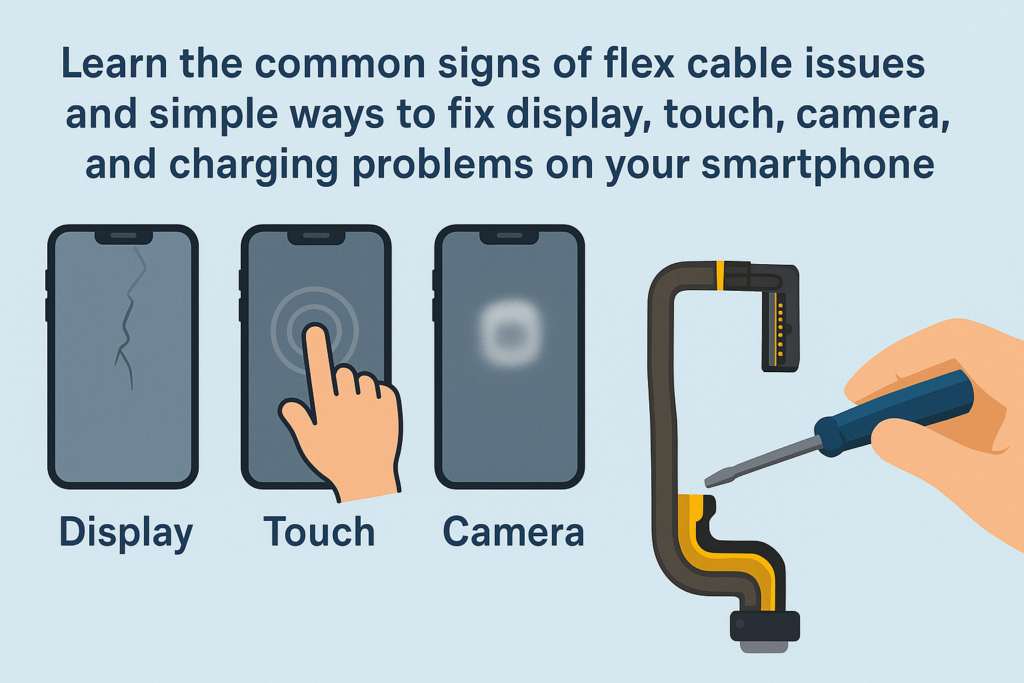
Ang mga Smartphone karon labi ka compact, matimbaraan, ug labi ka kusgan kay sa kaniadto. Apan sa luyo sa kana nga eleganteg gawasnon usa ka komplikado nga internal nga istruktura. Lakip sa labing hinungdanon—ug huyang—nga mga sangkap mao ang mga flex cable. Hunahunaa sila ingon nga "nervous system" sa imong device, pagkonektar sa motherboard sa display, kamera, butones, pag-charge sa mga pantalan, ug daghan pa. Sa diha nga kini nga mga kable mapakyas o mawad-an sa husto nga kontak, ang imong telepono mahimong magsugod sa paggawi nga katingad-an.
Niining komprehensibo nga giya, atong bungkagon ang komon nga mga sintomas, hinungdan, ug mga solusyon alang sa mga isyu sa koneksyon sa flex cable, pagtabang kanimo nga masabtan kung unsa ang nahitabo sa sulod sa imong telepono ug kung giunsa kini ayo.
Pasiuna sa Smartphone Flex Cable
Unsa ang Flex Cable?
Flex cables—gitawag usab nga FPC (Flexible nga Printed Circuit) o ribbon nga mga kable—nipis, patag, Gidisenyo nga tukma nga mga konektor nga gigamit sa pag-link sa mga sangkap sa sulod sa usa ka smartphone. Ang ilang flexible nga materyal nagtugot kanila nga moliko ug mohaum sa sulod sa slim nga mga frame sa device.
Nganong Importante ang Flex Cables sa Modernong mga Smartphone
Kung walay mga flex cable, ang screen dili magpakita bisan unsa, dili mugana ang camera, ug ang imong mga touch input dili marehistro. Ang matag mayor nga function nagsalig sa usa ka lig-on nga flex cable nga koneksyon. Kung ang usa mahimong luag o madaot, ang tibuok telepono mahimong malfunction.
Mga Sintomas sa Mga Isyu sa Koneksyon sa Flex Cable
Ang mga isyu sa flex cable kay maliputon. Dili kini kanunay nga kanunay nga mga kapakyasan-usahay ang imong telepono molihok nga maayo, unya kalit nga molihok. Ania ang labing kasagaran nga mga timailhan:
Ipakita ang mga Abnormalidad
Magdudula, Mga linya, ug Artifacts
Kung ang imong screen nagpakita:
- Mabulukon nga mga linya
- Nagkidlap nga mga bahin
- Mga hulagway nga gituis
- "Mosaic" nga mga pixel
…ilabi na kung imong giduko o gipitik ang telepono, kasagaran kini usa ka isyu sa display flex cable.
Partial o Full Touch Failure
Mahimong imong paghikap:
- Hunonga ang pagtubag sa pipila ka mga lugar
- Random nga freeze
- Pagtrabaho lamang human sa pagpugos o pagtuis sa frame
Pag-usab, kasagaran kini tungod sa dili maayo nga kontak sa display flex connection.
Mga Kadaot sa Camera
Mga Problema sa Pag-focus
Kung ang likod nga kamera nagpadayon sa pagpangita alang sa focus o pag-vibrate nga dili mapugngan, ang camera flex cable mahimong luag o nadaot.
Itom nga Screen o App Crashes
Kung ang imong camera moabli sa itom nga screen, nagyelo, o force-close kon mag-ilis og lente, ang flex cable lagmit ang hinungdan.
Mga Isyu sa Pag-charge ug Pagbalhin sa Data
Intermittent Charging
Kung nag-charge lang ang imong telepono kung ang cable naglingkod sa usa ka piho nga anggulo-o mihunong sa pag-charge kung gibalhin nimo kini-ang pag-charge sa flex cable o port board mahimong maluag..
Dili lig-on nga Koneksyon sa PC
Kung ang kompyuter makaila sa imong telepono usahay ra, ang parehas nga sangkap mahimong mapakyas.
Key ug Audio Failures
Gahum/Volume Keys Dili Mogana
Ang mga yawe sa kilid nagsalig sa gagmay nga mga flex cable. Kung ang kable nabalhin o gisi, ang mga buton mihunong sa pagtubag.
Speaker, Earpiece, o Mga Kapakyasan sa Mikropono
Tingali makamatikod ka:
- Walay tingog atol sa mga tawag
- Walay audio kon magdula og musika
- Ang laing tawo dili makadungog kanimo
Kini nga mga simtomas sagad naggikan sa mga isyu sa audio flex o sub-board cable.
Ubang Dili Kinaandan nga mga Panggawi
Random nga Pag-reboot
Ang kalit nga pag-restart nga gipahinabo sa hinay nga pag-tap o pag-uyog mahimong magpakita sa usa ka dili lig-on nga flex connection.
Face ID o Biometric Failures
Ang mga komplikadong sensor sama sa Face ID nagsalig sa mga delikado nga flex assemblies. Ang bisan unsang isyu mahimong ma-disable sa hingpit ang bahin.
Panguna nga Hinungdan sa Luyo sa Flex Cable Malfunctions
Ang pagsabut sa hinungdan makatabang kanimo nga malikayan ang mga problema sa umaabot.
Pisikal nga kadaot
Tulo, pagduko, kompresiyon, o ang epekto mahimong makapaluag o makagisi sa mga flex cable.
Pagsul-ob ug Gisi gikan sa Dugay nga Paggamit
Foldable nga mga screen, mga mekanismo sa slider, o kanunay nga gipiit nga mga buton nagpasiugda sa ilang mga flex cable sa paglabay sa panahon.
Liquid Damage ug Corrosion
Bisan ang gamay nga pagkaladlad sa kaumog—humidity, singot, o mga splashes—makadaot sa mga kontak sa metal.
Dili Maayo nga Pag-ayo o Dili Maayo nga Asembliya
Ang dili hanas nga mga technician mahimo:
- Napakyas sa paglingkod sa mga konektor sa hustong paagi
- Buak ang pagsiguro sa mga clip
- I-trap ang mga flex cable ilalom sa mga screw
Kini mao ang usa sa labing komon nga tinago nga mga hinungdan.
Natural nga Component Aging
Sama sa tanan nga mga materyales, Ang mga flex cable hinayhinay nga nadaot sa edad.
Giunsa Pag-diagnose ang mga Problema sa Flex Cable
I-reproduce ang Isyu
Tan-awa kung mahitabo ang isyu:
- Human lamang sa usa ka tinulo?
- Kung gipugos ang usa ka piho nga suok?
- Sa dihang giliko gamay ang telepono?
Kung ang problema makita o mawala tungod sa pressure o paglihok, hapit gyud kini usa ka isyu sa flex cable.
Gamita ang Pamaagi sa Pagwagtang
Susiha ang mga Accessories
Alang sa mga isyu sa pag-charge, pagsulay:
- Lahi nga cable
- Lahi nga charger
Isalikway ang mga Isyu sa Software
Usahay:
- Usa ka glitch update
- Usa ka buggy app
- Nadaot nga mga file sa sistema
…makasundog sa mga isyu sa hardware. Sulayi:
- Pag-restart sa telepono
- Pag-update sa sistema
- Pag-reset sa pabrika (pagkahuman sa backup)
Luwas nga Pamaagi sa Paglimpyo (Para sa mga External Ports Lamang)
Kanus-a Manglimpyo
Limpyo lang gawas mga bahin sama sa charging port.
Unsaon Paglimpyo nga Luwas
I-off ang device, unya:
- Gamit ug kahoy o plastik nga himan
- Hinayhinay kuhaa ang lint
- Likayi ang bisan unsang metal nga mga butang
Ayaw pag-abli sa telepono sa imong kaugalingon gawas kon ikaw gibansay. Ang mga internal nga flex cable huyang ug dali nga maguba.
Kanus-a DILI Buksan ang Telepono sa Imong Kaugalingon
Kung apil ang isyu:
- Pasundayag
- Camera
- Nawong ID
- Mga konektor sa motherboard
…itugyan kini sa usa ka propesyonal.
Propesyonal nga mga Solusyon sa Pag-ayo
Detalyado nga Mga Pamaagi sa Diagnostic
Gigamit sa mga teknisyan:
- Mga multimeter
- Mga mikroskopyo
- Mga eskematiko
Mapangita nila ang mga sayup nga adunay taas nga katukma.
Pag-usab ug Paglimpyo sa Internal nga Flex Cable
Kung ang kable mahuyang, ang usa ka technician makalimpyo sa mga kontak gamit ang mga espesyal nga solusyon ug makonektar kini pag-usab nga luwas.
Pag-ilis sa Naguba nga Flex Cable
Kung ang kable gisi o tigulang na, ang pag-ilis niini mao ra ang kasaligan nga ayo.
Advanced nga Pag-ayo alang sa Motherboard Connector Isyu
Kung ang flex socket sa motherboard nadaot, microsoldering mahimong gikinahanglan.
Mga Tip sa Paglikay aron Makalikay sa Umaabot nga mga Problema sa Flex Cable
Tukma nga Proteksyon
Paggamit ug shockproof nga mga kaso aron malikayan ang pagtulo.
Paglikay sa Umog nga Exposure
Ipalayo ang imong telepono gikan sa:
- Mga banyo
- singot
- Ulan
Mabinantayon nga Pagdumala sa Mapilo nga mga Device
Pil-a ang hinay ug likayi ang kalit nga pag-snap.
Pagpili sa Propesyonal nga Serbisyo sa Pag-ayo
Kanunay unahon:
- Inila nga mga tindahan
- Sertipikado nga mga teknisyan
- Tinuod o taas nga kalidad nga mga bahin
Kataposan
Ang mga isyu sa koneksyon sa flex cable mahimong makalibog, apan ang maayong balita mao—kasagaran sila masulbad. Kung kini usa ka flickering screen, usa ka dili maayo nga camera, o usa ka charging port nga nagtrabaho lamang sa pipila ka mga anggulo, kini nga mga problema kanunay nga nagsubay balik sa usa ka luag o nadaot nga flex cable. Pinaagi sa pagsabut sa mga sintomas, pagpangita sa mga hinungdan, ug pagkahibalo kung kanus-a mangayo og propesyonal nga tabang, mahimo nimong huptan nga hapsay ang imong telepono ug mapalugway ang kinabuhi niini.
FAQS
1. Mahimo ba nako nga ayohon ang usa ka isyu sa flex cable sa akong kaugalingon?
Mahimo nimong limpyohan ang mga eksternal nga pantalan, apan ang internal nga pag-ayo kinahanglan ibilin sa nabansay nga mga teknisyan.
2. Pila ang gasto sa pag-ayo sa flex cable?
Nagkalainlain kini sa modelo ug bahin, apan ang kadaghanan sa mga kapuli sa flex cable medyo barato.
3. Ang nagkidlap nga screen kanunay nga gipahinabo sa dili maayo nga flex cable?
Dili kanunay-ang mga screen o motherboard circuit mahimo usab nga mapakyas. Kinahanglan ang husto nga pagdayagnos.
4. Mahimo ba nga ang kaumog mahimong hinungdan nga mapakyas ang mga flex cable?
Oo. Bisan ang gamay nga kantidad sa kaumog mahimong makadaot sa mga konektor ug makaapekto sa pagpadala sa signal.
5. Unsa ang mahitabo kung magpadayon ko sa paggamit sa akong telepono nga adunay problema sa flex cable?
Ang isyu mahimong mograbe paglabay sa panahon, modala ngadto sa bug-os nga kapakyasan sa mga apektado nga function.



