
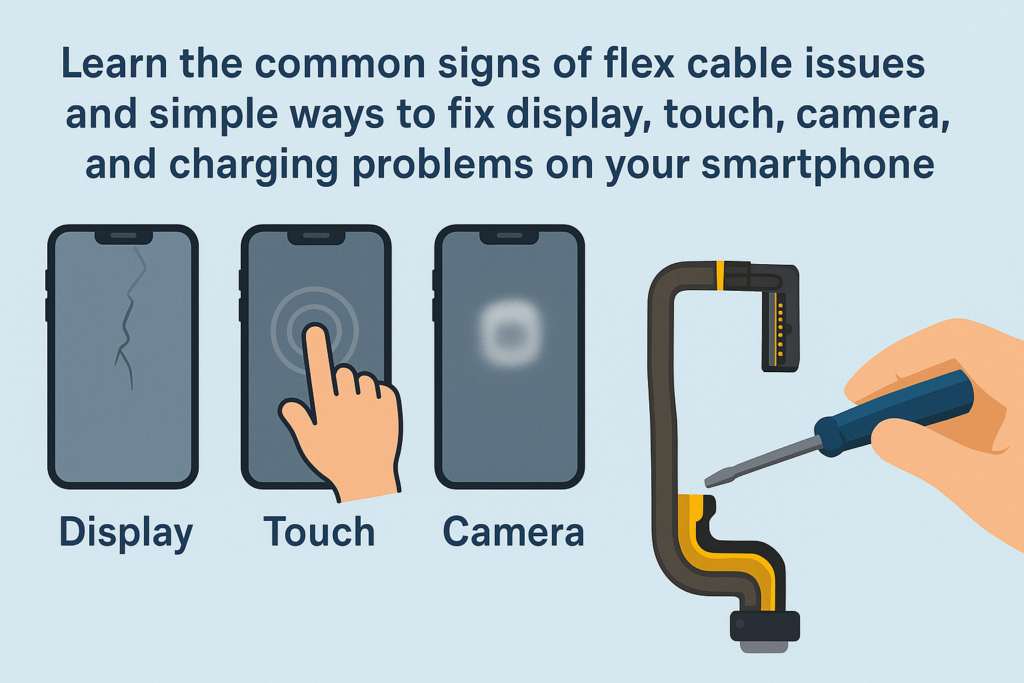
Smartphones sind heutzutage kompakter, schlauer, und mächtiger als je zuvor. Doch hinter diesem eleganten Äußeren verbirgt sich eine hochkomplexe innere Struktur. Zu den wichtigsten – und empfindlichsten – Komponenten gehören die Flexkabel. Betrachten Sie sie als das „Nervensystem“ Ihres Geräts, Verbinden des Motherboards mit dem Display, Kameras, Tasten, Ladeanschlüsse, und mehr. Wenn diese Kabel ausfallen oder den richtigen Kontakt verlieren, Ihr Telefon verhält sich möglicherweise seltsam.
In diesem umfassenden Ratgeber, Wir werden die häufigsten Symptome aufschlüsseln, Ursachen, und Lösungen für Probleme mit der Flexkabelverbindung, Wir helfen Ihnen zu verstehen, was in Ihrem Telefon passiert und wie Sie das Problem beheben können.
Einführung in Smartphone-Flexkabel
Was sind Flexkabel??
Flexkabel – auch FPC genannt (Flexible gedruckte Schaltung) oder Flachbandkabel – sind dünn, Wohnung, präzisionsgefertigte Steckverbinder zur Verbindung von Komponenten in einem Smartphone. Durch ihr flexibles Material können sie sich biegen und in schlanke Geräterahmen passen.
Warum Flexkabel in modernen Smartphones wichtig sind
Ohne Flexkabel, Der Bildschirm würde nichts anzeigen, Die Kamera würde nicht funktionieren, und Ihre Berührungseingaben würden nicht registriert. Jede wichtige Funktion ist auf eine stabile Flexkabelverbindung angewiesen. Wenn einer locker wird oder beschädigt ist, Es kann zu Fehlfunktionen des gesamten Telefons kommen.
Symptome von Problemen mit der Flexkabelverbindung
Probleme mit Flexkabeln sind heimtückisch. Es kommt nicht immer zu ständigen Ausfällen – manchmal funktioniert Ihr Telefon einwandfrei, dann reagiert er plötzlich. Hier sind die häufigsten Anzeichen:
Anomalien anzeigen
Flackern, Linien, und Artefakte
Wenn Ihr Bildschirm Folgendes anzeigt::
- Bunte Linien
- Blinkende Segmente
- Verzerrte Bilder
- „Mosaik“-Pixel
…vor allem, wenn Sie das Telefon beugen oder darauf klopfen, Hierbei handelt es sich häufig um ein Problem mit dem Display-Flexkabel.
Teilweiser oder vollständiger Touch-Fehler
Deine Berührung kann:
- Reagieren Sie in bestimmten Bereichen nicht mehr
- Nach dem Zufallsprinzip einfrieren
- Arbeiten Sie erst, nachdem Sie den Rahmen gedrückt oder verdreht haben
Wieder, Dies wird typischerweise durch einen schlechten Kontakt in der Display-Flex-Verbindung verursacht.
Kamerastörungen
Fokusprobleme
Wenn die Rückkamera ständig nach dem Fokus sucht oder unkontrolliert vibriert, Das Kamera-Flexkabel ist möglicherweise locker oder beschädigt.
Schwarzer Bildschirm oder App-Abstürze
Wenn Ihre Kamera einen schwarzen Bildschirm öffnet, friert ein, oder erzwingt das Schließen beim Objektivwechsel, Das Flexkabel ist wahrscheinlich der Übeltäter.
Probleme beim Laden und bei der Datenübertragung
Intermittierendes Laden
Wenn Ihr Telefon nur dann aufgeladen wird, wenn das Kabel in einem bestimmten Winkel sitzt – oder der Ladevorgang stoppt, wenn Sie es bewegen – ist möglicherweise das Ladeflexkabel oder die Anschlussplatine locker.
Instabile PC-Verbindung
Wenn der Computer Ihr Telefon nur manchmal erkennt, Dieselbe Komponente könnte fehlerhaft sein.
Schlüssel- und Audiofehler
Ein-/Aus-/Lautstärketasten funktionieren nicht
Seitentasten basieren auf winzigen Flexkabeln. Wenn das Kabel verschoben oder gerissen ist, Die Tasten reagieren nicht mehr.
Lautsprecher, Hörmuschel, oder Mikrofonfehler
Vielleicht bemerken Sie es:
- Kein Ton bei Anrufen
- Kein Ton beim Abspielen von Musik
- Die andere Person kann Sie nicht hören
Diese Symptome sind häufig auf Probleme mit dem Audiokabel oder dem Subboard-Kabel zurückzuführen.
Andere ungewöhnliche Verhaltensweisen
Zufällige Neustarts
Plötzliche Neustarts, ausgelöst durch leichtes Klopfen oder Schütteln, können auf eine instabile Flexverbindung hinweisen.
Face-ID- oder biometrische Fehler
Komplexe Sensoren wie Face ID basieren auf empfindlichen flexiblen Baugruppen. Jedes Problem kann die Funktion vollständig deaktivieren.
Hauptursachen für Fehlfunktionen von Flexkabeln
Wenn Sie die Ursache verstehen, können Sie künftige Probleme vermeiden.
Physischer Schaden
Tropfen, Biegen, Kompression, oder Stöße können Flexkabel lockern oder reißen.
Verschleiß durch Langzeitgebrauch
Faltbare Bildschirme, Schiebemechanismen, oder häufig gedrückte Tasten beanspruchen mit der Zeit ihre Flexkabel.
Flüssigkeitsschäden und Korrosion
Selbst geringfügige Feuchtigkeitseinwirkung – Feuchtigkeit, Schweiß, oder Spritzer – können Metallkontakte korrodieren.
Schlechte Reparaturen oder unsachgemäße Montage
Ungeschulte Techniker können:
- Die Steckverbinder sitzen nicht richtig
- Sicherungsklammern brechen
- Flexkabel unter Schrauben einklemmen
Dies ist eine der häufigsten versteckten Ursachen.
Natürliche Komponentenalterung
Wie alle Materialien, Flexkabel verschlechtern sich mit zunehmendem Alter langsam.
So diagnostizieren Sie Probleme mit Flexkabeln
Reproduzieren Sie das Problem
Beobachten Sie, wann das Problem auftritt:
- Erst nach einem Tropfen?
- Beim Drücken einer bestimmten Ecke?
- Beim leichten Drehen des Telefons?
Wenn das Problem durch Druck oder Bewegung auftritt oder verschwindet, Es handelt sich mit ziemlicher Sicherheit um ein Problem mit dem Flexkabel.
Verwenden Sie die Eliminierungsmethode
Überprüfen Sie das Zubehör
Bei Ladeproblemen, versuchen:
- Ein anderes Kabel
- Ein anderes Ladegerät
Schließen Sie Softwareprobleme aus
Manchmal:
- Ein fehlerhaftes Update
- Eine fehlerhafte App
- Beschädigte Systemdateien
…kann Hardwareprobleme imitieren. Versuchen:
- Telefon neu starten
- Aktualisierung des Systems
- Zurücksetzen auf Werkseinstellungen (nach der Sicherung)
Sichere Reinigungsmethoden (Nur für externe Ports)
Wann muss gereinigt werden?
Nur sauber extern Teile wie den Ladeanschluss.
So reinigen Sie sicher
Schalten Sie das Gerät aus, Dann:
- Verwenden Sie ein Werkzeug aus Holz oder Kunststoff
- Entfernen Sie die Flusen vorsichtig
- Vermeiden Sie Metallgegenstände
Öffnen Sie das Telefon niemals selbst, es sei denn, Sie sind geschult. Interne Flexkabel sind zerbrechlich und können leicht beschädigt werden.
Wann Sie das Telefon NICHT selbst öffnen sollten
Wenn das Problem auftritt:
- Anzeige
- Kamera
- Gesichtserkennung
- Motherboard-Anschlüsse
…überlassen Sie es einem Profi.
Professionelle Reparaturlösungen
Detaillierte Diagnoseverfahren
Techniker verwenden:
- Multimeter
- Mikroskope
- Schaltpläne
Sie können Fehler mit hoher Genauigkeit lokalisieren.
Interne Flexkabel neu einsetzen und reinigen
Wenn das Kabel locker ist, Ein Techniker kann Kontakte mithilfe spezieller Lösungen reinigen und sicher wieder verbinden.
Beschädigte Flexkabel ersetzen
Wenn das Kabel gerissen oder alt ist, Das Ersetzen ist die einzige zuverlässige Lösung.
Erweiterte Reparaturen für Probleme mit dem Motherboard-Anschluss
Wenn der Flex-Sockel auf dem Motherboard beschädigt ist, Möglicherweise ist Mikrolöten erforderlich.
Präventionstipps zur Vermeidung künftiger Probleme mit Flexkabeln
Richtiger Schutz
Verwenden Sie stoßfeste Hüllen, um ein Herunterfallen zu verhindern.
Vermeiden Sie Feuchtigkeitseinwirkung
Halten Sie Ihr Telefon fern:
- Badezimmer
- Schweiß
- Regen
Sorgfältiger Umgang mit faltbaren Geräten
Vorsichtig falten und plötzliche Schnappbewegungen vermeiden.
Wählen Sie professionelle Reparaturdienste
Priorisieren Sie immer:
- Seriöse Geschäfte
- Zertifizierte Techniker
- Originalteile oder hochwertige Teile
Abschluss
Probleme mit der Flexkabelverbindung können verwirrend aussehen, Aber die gute Nachricht ist: Sie sind normalerweise reparierbar. Ob es sich um einen flackernden Bildschirm handelt, Eine sich schlecht benehmende Kamera, oder ein Ladeanschluss, der nur in bestimmten Winkeln funktioniert, Diese Probleme sind oft auf ein loses oder beschädigtes Flexkabel zurückzuführen. Indem man die Symptome versteht, Ursachen erkennen, und wissen, wann Sie professionelle Hilfe suchen sollten, Sie können den reibungslosen Betrieb Ihres Telefons gewährleisten und seine Lebensdauer verlängern.
FAQs
1. Kann ich ein Problem mit dem Flexkabel selbst beheben??
Sie können externe Ports reinigen, Interne Reparaturen sollten jedoch geschulten Technikern überlassen werden.
2. Wie viel kostet die Reparatur eines Flexkabels??
Es variiert je nach Modell und Teil, Die meisten Ersatzkabel für Flexkabel sind jedoch relativ erschwinglich.
3. Ist ein flackernder Bildschirm immer auf ein defektes Flexkabel zurückzuführen??
Nicht immer – auch Bildschirme oder Motherboard-Schaltkreise können ausfallen. Eine ordnungsgemäße Diagnose ist erforderlich.
4. Kann Feuchtigkeit dazu führen, dass Flexkabel versagen??
Ja. Schon geringe Mengen Feuchtigkeit können Steckverbinder korrodieren und die Signalübertragung beeinträchtigen.
5. Was passiert, wenn ich mein Telefon weiterhin verwende und ein Problem mit dem Flexkabel besteht??
Das Problem kann sich mit der Zeit verschlimmern, Dies führt zum völligen Ausfall der betroffenen Funktion.



