
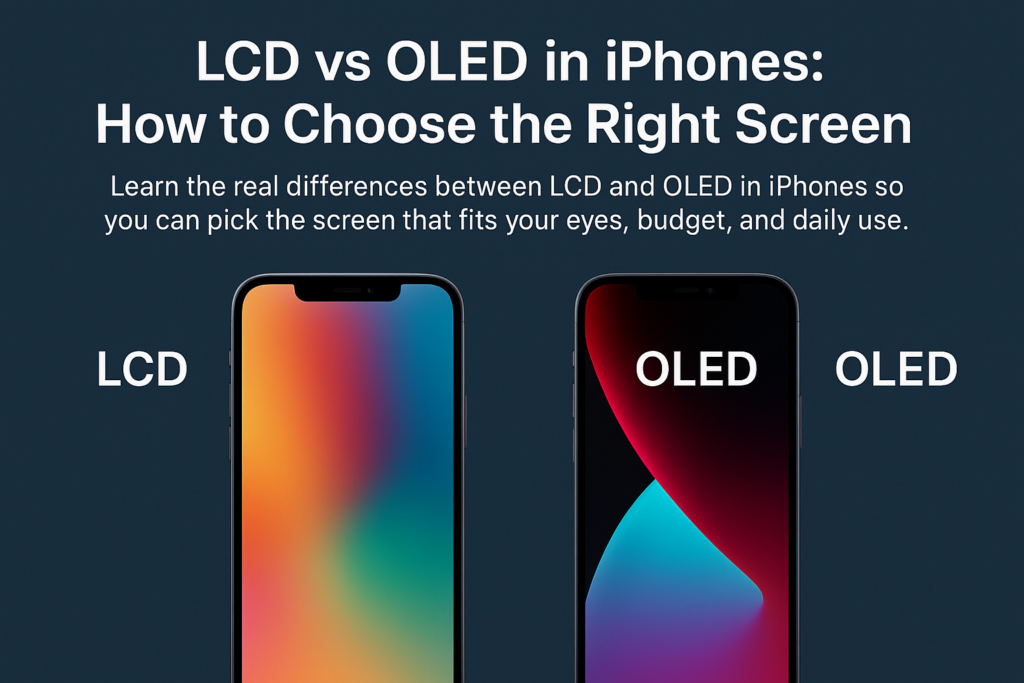
Ang pagpili tali sa usa ka LCD o Oled Screen sa usa ka iPhone labi pa sa pagpili sa usa ka display - bahin sa pagbalanse kung unsa ang labing hinungdanon kanimo: biswal nga kalidad, kahupayan sa mata, kalig-on, ug gasto. Uban sa Apple nga hinayhinay nga gibalhin ang tibuuk nga linya niini sa OLED, Ang pagsabot sa mga kalainan karon nahimong mas hinungdanon.
Atong gub-on ang tanan sa sunod-sunod nga lakang aron masaligon ka nga makahimo sa husto nga pagpili.
Pagsabot sa Panguna nga Kalainan
Unsa ang Makapaandar sa LCD
LCD (Likido nga crystal display) nagsalig sa a panel sa backlight nga nagdan-ag pinaagi sa mga sapaw sa likido nga mga kristal. Kini nga mga kristal nagbawog sa kahayag aron makahimo og mga hulagway, apan tungod kay ang backlight anaa kanunay, bisan ang "itom" nga mga pixel nag-leak gihapon og gamay nga kahayag—naghimo sa itom nga morag itom nga abohon.
Giunsa ang OLED Naghimo og mga Imahen
Pormel (Organic light-emitting diode) nagkinahanglan og usa ka hingpit nga lahi nga paagi: Ang matag pixel nagdan-ag sa iyang kaugalingon. Sa diha nga nagpakita sa itom, kana nga pixel yanong mapalong—nga moresulta sa lunsay nga kangitngit ug talagsaon nga kalainan.
Backlight vs Self-Emissive Pixels
Hunahunaa kini sama sa:
- LCD = Usa ka kwarto nga adunay suga nga kanunay nga nagsiga, bisan kung gibabagan sa mga kurtina ang kadaghanan niini
- OLED = Usa ka lawak diin mahimo nimong i-on ug i-off ang indibidwal nga mga suga
Kining usa ka kalainan dakog epekto sa kolor, kalainan, paggamit sa baterya, ug durability.
LCD vs roled: Usa ka Comprehensive Feature Comparison
Pagpakita sa Teknolohiya
- LCD naggamit ug backlight + likido nga mga kristal
- Pormel naggamit sa minilyon nga nagpagawas sa kaugalingon nga mga organikong pixel
Contrast ug Black Levels
- LCD: Ubos nga kalainan, itom tan-awon gray
- Pormel: Purong itom, walay kinutuban nga kalainan
Kolorasyon sa kolor ug Vibrancy
- LCD: Sa kinaiyahan, Mga kolor sa tinuud nga kinabuhi
- Pormel: Mas adunahan, mas saturated, mas makadani sa mata
Slimness ug Flexibility
- LCD: Mas baga tungod sa backlight
- Pormel: Nipis, mabawog, sulundon alang sa sulud-sa-gilid nga disenyo
Pagkonsumo sa Power
- LCD: Ang backlight kanunay nga on → mas taas nga paggamit sa kuryente
- Pormel: Ang mga itom nga pixel gipalong → mas episyente sa kuryente
Paghupay sa Mata
- LCD: Kasagaran naggamit sa DC dimming → dili kaayo flicker
- Pormel: Gigamit ang PWM dimming → mamatikdan nga flicker alang sa mga sensitibo nga tiggamit
Durability ug Burn-In
- LCD: Taas nga kinabuhi, makasugakod sa pagkatigulang, walay burn-in
- Pormel: Ang mga organikong materyales mas paspas ang edad, posible nga masunog
Gasto ug Pagkaayo
- LCD: Mas barato ang paghimo ug ilisan
- Pormel: Fancier tech → mas mahal nga pag-ayo
Talaan sa Pagtandi: LCD vs roled sa mga iPhone
| Kalidad | LCD Screen | OLED nga screen |
|---|---|---|
| Ipakita ang Prinsipyo | Gaba + Ang mga likido nga kristal nagkontrol sa kahayag | Self-emissive pixels nga nag-on/off sa tagsa-tagsa |
| Kalainan & Itom nga lebel | Mas ubos, itom makita itom nga gray | Taas kaayo, tinuod nga puro itom |
| Kolor nga Pagpasundayag | Natural ug tukma | Vibrant, saturated, taas nga epekto nga biswal |
| Gibag-on & Pagka-flexible | Mas baga, dili makaduko | Nipis, mabawog, sulundon alang sa modernong disenyo |
| Pagkonsumo sa Power | Mas taas tungod sa kanunay nga backlight | Mas ubos, labi na sa dark mode |
| Paghupay sa Mata | Dc dimming, ubos nga flicker → mas mahigalaon sa mata | Ang PWM dimming → mahimong hinungdan sa pagpiyong sa mata |
| Kinabuhi & Burn-In | Taas nga kinabuhi, walay burn-in | Mubo nga kinabuhi, Adunay peligro sa pagkasunog |
| Presyohan | Ubos nga gasto sa produksiyon ug pag-ayo | Mas taas nga gasto sa produksiyon ug pag-ayo |
Nganong Importante Kini nga mga Kalainan
Giunsa Pag-impluwensya sa Teknolohiya ang Pagtan-aw sa Tinuod nga Kalibutan
Ang mga LCD screen mahimong tan-awon nga mas humok ug mas natural, samtang ang mga screen sa OLED naghatag grabe nga kalainan nga perpekto alang sa mga salida, Mga Litrato, ug mga dula.
Ngano nga ang Black Levels Nagbag-o sa Imong Kasinatian
Ang pagtan-aw og sine sa OLED murag naa sa sinehan: mangitngit nga mga talan-awon nagpabilin nga tinuod nga kangitngit. Dili kini makab-ot sa LCD tungod kay ang backlight dili gyud hingpit nga mapalong.
Giunsa ang Type sa Screen Makaapekto sa Kinabuhi sa Baterya
Kung nahigugma ka ngitngit nga mode, Ang OLED mahimong madugangan ang imong kinabuhi sa baterya tungod kay ang mga itom nga pixel wala’y gahum.
Kahupayan sa Mata ug Dugay nga Paggamit
DC Dimming sa LCD
Ang kahayag sa LCD hapsay nga nag-adjust, nga adunay gamay nga pagkidlap-maayo alang sa:
- taas nga mga sesyon sa pagbasa
- trabaho sa opisina
- sensitibo nga mga mata
PWM Flicker sa OLED
Kadaghanan sa OLED iPhones naggamit ug PWM (PAGPANGITA SA PULSED), nga paspas nga mokidlap sa ubos nga kahayag.
Kinsa ang Kinahanglan Maglikay sa PWM Screens
Kung makasinati ka:
- labad sa ulo
- Strain
- pagkalipong
- visual kakapoy
Mahimong sensitibo ka sa PWM, ug Ang LCD mahimong mas luwas alang sa imong mga mata.
Kalig-on, Kinabuhi, ug Burn-In Risks
Static nga mga Imahe ug OLED Burn-In
Gibiyaan ang parehas nga imahe (E.g., navigation bar, mga icon sa app) sa taas nga panahon mahimong permanenteng markahan ang mga OLED screen.
Ang Long-Term Stability sa LCD
Ang mga LCD dili mag-antus gikan sa pagkasunog ug lagmit nga mag-edad nga labi ka matahum, paghimo kanila nga usa ka lig-on nga long-term nga pagpili.
Pagpili Base sa Imong Paggamit
Para sa Media & Mga Mahiligon sa HDR
Pilia Pormel.
Malingaw ka:
- lawom nga mga itom
- mas dato nga mga salida
- mas immersive nga dula
Para sa Bug-at nga mga Magbabasa o Buluhaton sa Opisina
Pilia LCD, labi na kung:
- Gigamit nimo ang imong telepono sa pagbasa
- Dali ra makapoy imong mata
- Gipabilin nimo nga dim ang screen sa gabii
Para sa mga Gamers
Ang duha nagtrabaho, apan ang OLED naghatag:
- mas maayo nga mga biswal
- mas paspas nga tubag sa pixel
Naghatag ang LCD: - walay burn-in nga mga kabalaka
Alang sa mga pumapalit sa badyet
Ang LCD mas barato sa duha sa una nga pagpalit ug gasto sa pag-ayo.
Trend sa Market sa Apple
Ang Paglihok sa Apple Ngadto sa Bug-os nga OLED
Gibalhin sa Apple ang tanan nga umaabot nga mga iPhone ngadto sa OLED, salamat sa:
- mas maayo nga pagka-flexible sa disenyo
- labaw nga aesthetics
- mas taas nga premium nga kantidad
Unsang mga iPhone ang Nagtanyag gihapon sa LCD?
Kini nga mga modelo naggamit sa LCD:
- iPhone 11
- iPhone XR
- iPhone se (2nd ug 3rd Gen)
Ang mga daan nga modelo mahimo usab nga maglakip sa LCD, apan ang pagkaanaa lainlain sa rehiyon.
Katapusan nga Balangkas sa Rekomendasyon
Pangutan-a ang imong kaugalingon:
- Gusto ba nako ang labing maayo nga posible nga mga biswal → OLED
- Ang akong sensitibo sa mga mata → LCD
- Kinahanglan ba nako long-term durability → LCD
- Gigamit ba nako ngitngit nga mode kanunay → OLED
- Nabalaka ba ko gasto sa pag-ayo → LCD
Ang imong sulundon nga screen nagdepende sa imong gipabilhan pag-ayo.
Kataposan
Ang pagpili tali sa LCD ug OLED sa usa ka iPhone mao ang bahin sa pagsabut sa imong mga prayoridad. Naghatag ang OLED nga wala’y pildeng biswal nga pasundayag ug kahusayan sa enerhiya, samtang ang LCD naghatag ug kahupayan, kalig-on, ug katakus. Uban sa Apple nga dali nga gibalhin ang linya niini sa OLED, Ang pagkahibalo sa mga kalainan karon makatabang kanimo sa paghimo og mas maalamon nga desisyon sa dili pa mahimong limitado ang mga kapilian.
Kung ikaw usa ka mahigugmaon sa sine, usa ka bug-at nga magbabasa, o usa nga gusto lang ang labing kaayo nga balanse sa kantidad ug kahupayan sa mata, adunay usa ka hingpit nga matang sa display alang sa imong mga panginahanglan.
FAQS
1. Ang OLED ba kanunay nga mas maayo kaysa LCD?
Dili kanunay. Mas nindot tan-awon ang OLED, apan ang LCD mahimong mas mahigalaon sa mata ug lig-on.
2. Ang OLED ba gyud makadaginot sa baterya?
Oo—ilabi na kung mogamit og dark mode o mga app nga adunay mas ngitngit nga tema.
3. Mahimo bang masunog ang mga screen sa iPhone OLED?
Oo, Ang dugay nga static nga mga imahe mahimong hinungdan sa pagkasunog. Ang mga normal nga tiggamit panagsa ra makasugat og grabe nga mga isyu.
4. Unsa nga iPhone ang labing maayo kung gusto nako ang usa ka LCD screen?
Ang iPhone 11 o ang mga modelo sa iPhone SE mao ang imong labing maayo nga mga kapilian sa LCD karon.
5. Ang LCD ba hingpit nga wala’y flicker?
Ang LCD kasagarang naggamit sa DC dimming, mao nga ang flicker gamay ra ug dali sa sensitibo nga mga mata.



