
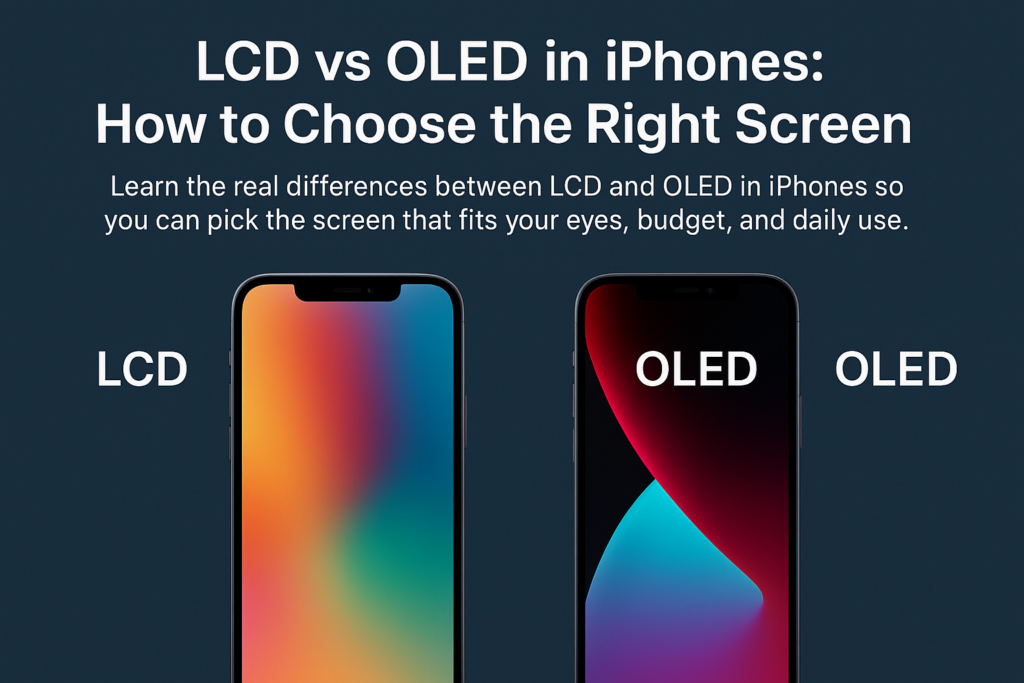
Η επιλογή ανάμεσα σε μια οθόνη LCD ή OLED σε ένα iPhone είναι κάτι περισσότερο από την απλή επιλογή μιας οθόνης - έχει να κάνει με την εξισορρόπηση αυτού που έχει μεγαλύτερη σημασία για εσάς: οπτική ποιότητα, άνεση των ματιών, αντοχή, και κόστος. Με την Apple να μετατοπίζει σταδιακά ολόκληρη τη σειρά της σε OLED, Η κατανόηση των διαφορών γίνεται τώρα ακόμη πιο ουσιαστική.
Ας αναλύσουμε τα πάντα βήμα προς βήμα, ώστε να μπορείτε να κάνετε με σιγουριά τη σωστή επιλογή.
Κατανόηση της βασικής διαφοράς
Τι κάνει την οθόνη LCD να λειτουργεί
οθόνη υγρού κρυστάλλου (Οθόνη υγρού κρυστάλλου) στηρίζεται σε α πίνακα οπίσθιου φωτισμού που λάμπει μέσα από στρώματα υγρών κρυστάλλων. Αυτοί οι κρύσταλλοι λυγίζουν το φως για να δημιουργήσουν εικόνες, αλλά επειδή ο οπίσθιος φωτισμός είναι πάντα αναμμένος, Ακόμη και τα «μαύρα» pixel εξακολουθούν να διαρρέουν λίγο φως – κάνοντας το μαύρο να φαίνεται περισσότερο σαν σκούρο γκρι.
Πώς το OLED δημιουργεί εικόνες
OLED (Οργανική δίοδος εκπομπής φωτός) υιοθετεί μια εντελώς διαφορετική προσέγγιση: κάθε pixel ανάβει μόνο του. Όταν δείχνει μαύρο, αυτό το pixel απλά σβήνει—με αποτέλεσμα σκοτάδι και απίστευτη αντίθεση.
Οπίσθιος φωτισμός έναντι αυτοεκπομπών εικονοστοιχείων
Σκεφτείτε το σαν:
- LCD = Ένα δωμάτιο με τα φώτα πάντα αναμμένα, ακόμα κι αν οι κουρτίνες μπλοκάρουν το μεγαλύτερο μέρος του
- OLED = Ένα δωμάτιο όπου μπορείτε να ανάβετε και να σβήνετε μεμονωμένα φώτα
Αυτή η διαφορά επηρεάζει δραματικά το χρώμα, αντίθεση, χρήση μπαταρίας, και αντοχή.
LCD έναντι OLED: Μια ολοκληρωμένη σύγκριση χαρακτηριστικών
Τεχνολογία προβολής
- οθόνη υγρού κρυστάλλου χρησιμοποιεί οπίσθιο φωτισμό + υγρούς κρυστάλλους
- OLED χρησιμοποιεί εκατομμύρια οργανικά pixel που εκπέμπουν μόνοι τους
Αντίθεση και Μαύρο Επίπεδα
- οθόνη υγρού κρυστάλλου: Χαμηλότερη αντίθεση, οι μαύροι φαίνονται γκρι
- OLED: Καθαρό μαύρο, άπειρη αντίθεση
Ακρίβεια χρώματος και ζωντάνια
- οθόνη υγρού κρυστάλλου: Φυσικός, αληθινά χρώματα
- OLED: Πιο πλούσιος, πιο κορεσμένα, πιο εντυπωσιακό
Λεπτότητα και ευελιξία
- οθόνη υγρού κρυστάλλου: Πιο παχύ λόγω οπίσθιου φωτισμού
- OLED: Λεπτότερος, εύκαμπτο, ιδανικό για σχεδιασμό από άκρη σε άκρη
Κατανάλωση ρεύματος
- οθόνη υγρού κρυστάλλου: Ο οπίσθιος φωτισμός πάντα ενεργός → υψηλότερη κατανάλωση ενέργειας
- OLED: Τα σκοτεινά εικονοστοιχεία απενεργοποιούνται → πιο αποδοτικά
Άνεση ματιών
- οθόνη υγρού κρυστάλλου: Συχνά χρησιμοποιεί DC dimming → λιγότερο τρεμόπαιγμα
- OLED: Χρησιμοποιεί μείωση φωτισμού PWM → αισθητό τρεμόπαιγμα για ευαίσθητους χρήστες
Ανθεκτικότητα και Burn-In
- οθόνη υγρού κρυστάλλου: Μεγάλη διάρκεια ζωής, ανθεκτικό στη γήρανση, χωρίς καύση
- OLED: Τα οργανικά υλικά γερνούν πιο γρήγορα, πιθανή καύση
Κόστος και Επισκευή
- οθόνη υγρού κρυστάλλου: Φτηνότερο στην κατασκευή και αντικατάσταση
- OLED: Πιο φανταχτερή τεχνολογία → πιο ακριβές επισκευές
Συγκριτικός Πίνακας: LCD έναντι OLED σε iPhone
| Χαρακτηριστικό | Οθόνη LCD | Οθόνη OLED |
|---|---|---|
| Αρχή εμφάνισης | Οπίσθιος φωτισμός + υγροί κρύσταλλοι ελέγχουν το φως | Αυτοεκπομπή pixel που ενεργοποιούνται/απενεργοποιούνται μεμονωμένα |
| Αντίθεση & Μαύρα επίπεδα | Χαμηλότερος, το μαύρο εμφανίζεται σκούρο γκρι | Εξαιρετικά ψηλά, αληθινοί καθαροί μαύροι |
| Απόδοση χρώματος | Φυσικό και ακριβές | Ζωηρός, κορεσμένα, γραφικά υψηλής απήχησης |
| Πάχος & Ευκαμψία | Πιο παχύ, δεν μπορεί να λυγίσει | Λεπτότερος, εύκαμπτο, ιδανικό για μοντέρνο σχεδιασμό |
| Κατανάλωση ρεύματος | Υψηλότερο λόγω του σταθερού οπίσθιου φωτισμού | Χαμηλότερος, ειδικά σε σκοτεινή λειτουργία |
| Άνεση ματιών | DC dimming, χαμηλό τρεμόπαιγμα → πιο φιλικό προς τα μάτια | Η μείωση του φωτισμού PWM → μπορεί να προκαλέσει καταπόνηση των ματιών |
| Διάρκεια ζωής & Burn-In | Μεγάλη διάρκεια ζωής, χωρίς καύση | Μικρότερη διάρκεια ζωής, υπάρχει κίνδυνος εγκαύματος |
| Κόστος | Χαμηλότερο κόστος παραγωγής και επισκευής | Υψηλότερο κόστος παραγωγής και επισκευής |
Γιατί έχουν σημασία αυτές οι διαφορές
Πώς η τεχνολογία επηρεάζει την προβολή του πραγματικού κόσμου
Οι οθόνες LCD μπορεί να φαίνονται πιο απαλές και φυσικές, ενώ οι οθόνες OLED προσφέρουν έντονη αντίθεση που είναι ιδανική για ταινίες, φωτογραφίες, και παιχνίδια.
Γιατί τα επίπεδα μαύρου αλλάζουν την εμπειρία σας
Η παρακολούθηση μιας ταινίας σε OLED είναι σαν να βρίσκεστε σε έναν κινηματογράφο: οι σκοτεινές σκηνές παραμένουν πραγματικά σκοτεινές. Η οθόνη LCD δεν μπορεί να το πετύχει γιατί ο οπίσθιος φωτισμός δεν σβήνει ποτέ εντελώς.
Πώς ο τύπος οθόνης επηρεάζει τη διάρκεια ζωής της μπαταρίας
Αν αγαπάς σκοτεινή λειτουργία, Το OLED μπορεί να παρατείνει σημαντικά τη διάρκεια ζωής της μπαταρίας σας, επειδή τα μαύρα pixel δεν καταναλώνουν ενέργεια.
Άνεση στα μάτια και μακροχρόνια χρήση
DC Dimming σε LCD
Η φωτεινότητα της LCD προσαρμόζεται ομαλά, με ελάχιστο τρεμόπαιγμα—ιδανικό για:
- μεγάλες συνεδρίες ανάγνωσης
- εργασία γραφείου
- ευαίσθητα μάτια
PWM Flicker σε OLED
Τα περισσότερα iPhone OLED χρησιμοποιούν PWM (Διαμόρφωση πλάτους παλμού), που τρεμοπαίζει γρήγορα σε χαμηλότερη φωτεινότητα.
Ποιος πρέπει να αποφεύγει τις οθόνες PWM
Εάν έχετε εμπειρία:
- πονοκεφάλους
- καταπόνηση των ματιών
- ζάλη
- οπτική κόπωση
Μπορεί να είστε ευαίσθητοι στο PWM, και Η οθόνη LCD μπορεί να είναι πιο ασφαλής για τα μάτια σας.
Αντοχή, Διάρκεια ζωής, και Κίνδυνοι εγκαυμάτων
Στατικές εικόνες και OLED Burn-In
Αφήνοντας την ίδια εικόνα (Π.χ., γραμμή πλοήγησης, εικονίδια εφαρμογών) για μεγάλα χρονικά διαστήματα μπορεί να επισημαίνει μόνιμα τις οθόνες OLED.
Μακροπρόθεσμη σταθερότητα της LCD
Οι οθόνες LCD δεν υποφέρουν από καύση και τείνουν να γερνούν πιο χαριτωμένα, καθιστώντας τους μια σταθερή μακροπρόθεσμη επιλογή.
Επιλογή με βάση τη χρήση σας
Για ΜΜΕ & Λάτρεις του HDR
Επιλέγω OLED.
θα απολαύσετε:
- βαθύτερα μαύρα
- πλουσιότερες ταινίες
- πιο καθηλωτικό gaming
Για βαρείς αναγνώστες ή εργασίες γραφείου
Επιλέγω οθόνη υγρού κρυστάλλου, ειδικά αν:
- Χρησιμοποιείτε το τηλέφωνό σας για ανάγνωση
- Τα μάτια σας κουράζονται εύκολα
- Διατηρείτε την οθόνη θαμπή τη νύχτα
Για Gamers
Και οι δύο δουλεύουν, αλλά η OLED δίνει:
- καλύτερα οπτικά
- ταχύτερη απόκριση pixel
Η LCD δίνει: - καμία έγκαιρη ανησυχία
Για αγοραστές με συνείδηση του προϋπολογισμού
Η οθόνη LCD είναι πιο προσιτή τόσο στο κόστος αγοράς όσο και στο κόστος επισκευής.
Η τάση της αγοράς της Apple
Η κίνηση της Apple προς την πλήρη OLED
Η Apple μετατρέπει όλα τα μελλοντικά iPhone σε OLED, χάρις σε:
- καλύτερη ευελιξία σχεδιασμού
- ανώτερης αισθητικής
- υψηλότερη αξία πριμοδότησης
Ποια iPhone εξακολουθούν να προσφέρουν LCD?
Αυτά τα μοντέλα χρησιμοποιούν LCD:
- iPher 11
- iPhone XR
- iPhone SE (2ου και 3ου Γεν)
Τα παλαιότερα μοντέλα μπορεί επίσης να περιλαμβάνουν LCD, αλλά η διαθεσιμότητα διαφέρει ανά περιοχή.
Τελικό Πλαίσιο Σύστασης
Ρωτήστε τον εαυτό σας:
- Θέλω το τα καλύτερα δυνατά οπτικά → OLED
- Είναι δικά μου μάτια ευαίσθητα → LCD
- Χρειάζομαι μακροχρόνια αντοχή → LCD
- Χρησιμοποιώ σκοτεινή λειτουργία συχνά → OLED
- με απασχολεί έξοδα επισκευής → LCD
Η ιδανική οθόνη σας εξαρτάται από το τι εκτιμάτε περισσότερο.
Σύναψη
Η επιλογή μεταξύ LCD και OLED σε ένα iPhone έχει να κάνει πραγματικά με την κατανόηση των προτεραιοτήτων σας. Η OLED προσφέρει ασυναγώνιστη οπτική απόδοση και ενεργειακή απόδοση, ενώ η LCD προσφέρει άνεση, αντοχή, και οικονομική προσιτότητα. Με την Apple να μετατοπίζει γρήγορα τη σειρά της σε OLED, Το να γνωρίζετε τώρα τις διαφορές σας βοηθά να πάρετε μια πιο έξυπνη απόφαση προτού περιοριστούν οι επιλογές.
Είτε είστε λάτρης του κινηματογράφου, βαρύς αναγνώστης, ή κάποιος που θέλει απλώς την καλύτερη ισορροπία αξίας και άνεσης στα μάτια, υπάρχει ένας τέλειος τύπος οθόνης για τις ανάγκες σας.
Συχνές ερωτήσεις
1. Είναι το OLED πάντα καλύτερο από το LCD?
Όχι πάντα. Το OLED φαίνεται καλύτερο, αλλά η οθόνη LCD μπορεί να είναι πιο φιλική προς τα μάτια και ανθεκτική.
2. Το OLED εξοικονομεί πραγματικά μπαταρία?
Ναι—ειδικά όταν χρησιμοποιείτε τη σκοτεινή λειτουργία ή εφαρμογές με πιο σκούρα θέματα.
3. Μπορούν να καούν οι οθόνες OLED του iPhone?
Ναί, μακροχρόνιες στατικές εικόνες μπορεί να προκαλέσουν έγκαυμα. Οι κανονικοί χρήστες σπάνια αντιμετωπίζουν σοβαρά προβλήματα.
4. Ποιο iPhone είναι καλύτερο αν θέλω οθόνη LCD?
Το iPhone 11 ή τα μοντέλα iPhone SE είναι οι καλύτερες τρέχουσες επιλογές LCD.
5. Είναι LCD εντελώς χωρίς τρεμόπαιγμα?
Η οθόνη LCD χρησιμοποιεί συνήθως DC dimming, έτσι το τρεμόπαιγμα είναι ελάχιστο και πιο εύκολο στα ευαίσθητα μάτια.



