
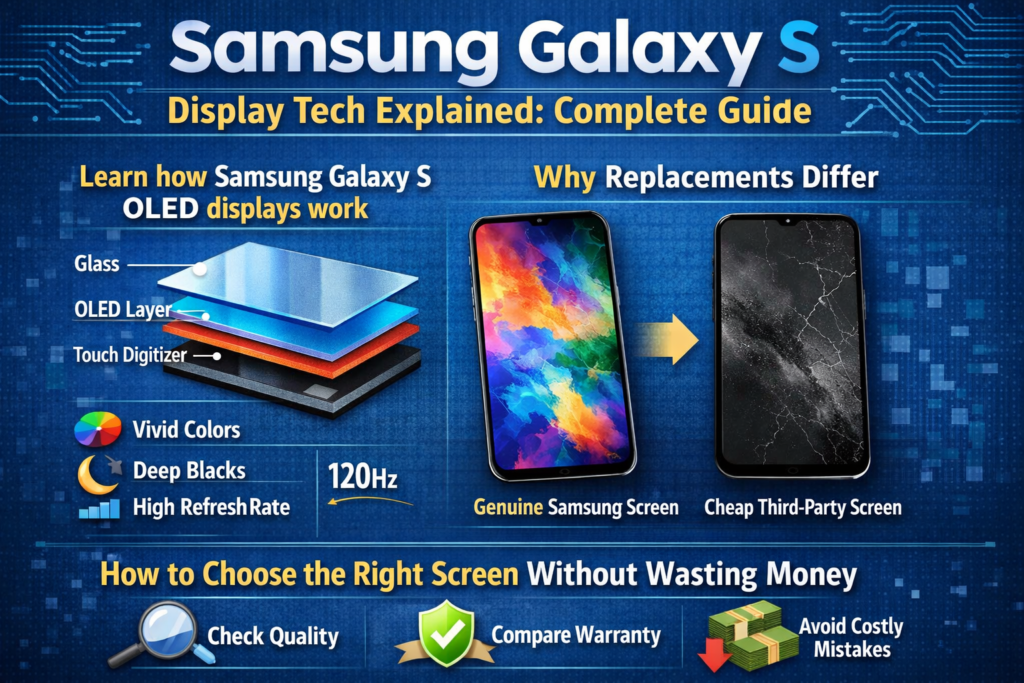
Wprowadzenie do wyświetlaczy Samsung Galaxy S Series
Kiedy ludzie mówią o telefonach Samsung Galaxy S, Pierwszą rzeczą, która zwykle się pojawia, nie jest aparat ani procesor – lecz ekran. I szczerze, to ma sens. Samsung nie tylko używać wyświetla; zbudował wokół nich imperium. Seria Galaxy S stała się złotym standardem ekranów smartfonów, ustanawiając standardy, za którymi podążają inne marki rok po roku.
Ale co tak naprawdę kryje się za tymi oszałamiającymi efektami wizualnymi? Co sprawia, że jeden ekran Galaxy S wydaje się doskonały, podczas gdy inny ekran zastępczy… wyłączony? Dokładnie to tutaj rozbijamy – bez puchu, żadnych marketingowych sloganów, po prostu prawdziwy, praktyczne wyjaśnienia.
Dlaczego ekran jest duszą serii Galaxy S
Pomyśl o ekranie jako o scenie, na której wszystko się dzieje. Zdjęcia, filmy, zawody sportowe, odciski palców, nawet żywotność baterii — wszystko zależy od wyświetlacza. Samsung rozumie to lepiej niż ktokolwiek inny, dlatego seria Galaxy S prawie nigdy nie idzie na kompromis w zakresie technologii ekranu.
Zły ekran nie tylko wygląda gorzej; To zmienia zachowanie telefonu. Dokładność dotyku, jasność, zużycie energii, i bezpieczeństwo biometryczne — wszystko zależy od jakości wyświetlania.
Ewolucja technologii ekranów Samsunga Galaxy S
Wczesne innowacje AMOLED
Samsung był jednym z pierwszych producentów, który mocno postawił na AMOLED. Podczas gdy inni pozostali przy LCD, Samsung widział przyszłość: samoemisyjne piksele, głębsza czerń, cieńsze panele. Wczesne modele Galaxy S wprowadziły AMOLED do głównego nurtu – i nigdy nie oglądały się za siebie.
Od Super AMOLED do Dynamic AMOLED
Super AMOLED usunął dodatkowe warstwy pomiędzy wyświetlaczem a czujnikiem dotykowym, dzięki czemu ekrany są cieńsze i bardziej responsywne. Dynamiczny AMOLED poszedł dalej dzięki HDR10+, poprawiona dokładność kolorów, i certyfikaty komfortu oczu. Krótko mówiąc: ładniejsza, mądrzejszy, i łatwiejszy dla oczu.
Przełom w zakresie LTPO i adaptacyjnej częstotliwości odświeżania
Nowoczesne modele Galaxy S wykorzystują panele LTPO OLED, które dynamicznie dostosowują częstotliwości odświeżania – od zaledwie 10 Hz do 120 Hz. To jak tempomat dla akumulatora: szybko, gdy potrzebujesz szybkości, powoli, kiedy tego nie robisz.
Podstawowe technologie wyświetlania stosowane w serii Galaxy S
Wyjaśnienie technologii wyświetlaczy OLED
Struktura OLED i zasada działania
OLED oznacza organiczną diodę emitującą światło. Każdy piksel wytwarza własne światło. Brak podświetlenia. Żadnych kompromisów. Gdy piksel się wyłączy, jest naprawdę czarno – jakby całkowicie zgasły światła.
Zalety OLED w flagowych smartfonach
- Nieskończony współczynnik kontrastu
- Prawdziwa czerń i żywe kolory
- Szybszy czas reakcji
- Cieńsze i elastyczne panele
- Niższe zużycie energii dzięki ciemnemu interfejsowi użytkownika
Właśnie dlatego OLED we flagowcach Galaxy S nie podlega negocjacjom.
Wyjaśnienie technologii LCD w komórkach
Co naprawdę oznacza „w komórce”.
In-cell nie jest typem wyświetlania — jest to metoda integracji dotykowej. Czujniki dotykowe są wbudowane w sam panel LCD. Brzmi wydajnie, Prawidłowy? To… dla telefonów ze średniej półki.
Ograniczenia techniczne ekranów wbudowanych w komórkę
Oto haczyk: Ekrany wbudowane w komórki nadal opierają się na podświetleniu LCD. To znaczy:
- Żadnych prawdziwych czarnych
- Niższy kontrast
- Wyższe zużycie energii
- Brak obsługi ultradźwiękowego odcisku palca
I ten ostatni punkt? To przełom w przypadku urządzeń Galaxy S.
OLED vs LCD w komórce: Kluczowe różnice techniczne
Porównanie jakości wyświetlacza
OLED wygrywa. Za każdym razem. Lepszy kontrast, bogatsze kolory, wyższa jasność, i odpowiednią obsługę HDR. Wbudowane w komórki ekrany LCD po prostu nie dorównują oprawie wizualnej na poziomie flagowców.
Zużycie energii i wydajność
Piksele OLED wyłączają się indywidualnie. Podświetlenie LCD pozostaje włączone bez względu na wszystko. Tryb ciemny w OLED oszczędza baterię. Na LCD? Nie bardzo.
Kompatybilność z ultradźwiękowymi czujnikami linii papilarnych
To jest krytyczne. Używane telefony Samsung Galaxy S ultradźwiękowy skanery linii papilarnych. Podświetlenie LCD blokuje fale ultradźwiękowe. Wynik? Ekrany w komórkach = odcisk palca nie działa. Okres.
Ekrany oryginalne a ekrany zamienne
Ekrany oryginalnego pakietu Service Pack firmy Samsung
Są to fabrycznie certyfikowane ekrany sprzedawane oficjalnymi kanałami. Ta sama jakość, ta sama wydajność, ta sama cena, która trochę boli.
OEM i odnowione ekrany OLED
Wysokiej jakości alternatywy wykorzystujące oryginalne lub prawie oryginalne panele OLED. Kiedy zrobisz to dobrze, te ekrany obsługują czujniki linii papilarnych, HDR, i adaptacyjne częstotliwości odświeżania — za rozsądniejszą cenę.
Zamienne ekrany LCD w komórkach
Tani, funkcjonalny, i skompromitowany. Działają, ale usuwają to, co czyni telefon Galaxy S wyjątkowym. Najlepiej zarezerwowane do użytku awaryjnego lub tymczasowego.
Zrozumienie stopni jakości ekranu na rynku napraw
Oryginalne zdemontowane ekrany
Wyciągnięte z uszkodzonych telefonów. Zwykle doskonała jakość, ale stan jest różny. Starzenie się i wcześniejsze użytkowanie mają znaczenie.
Zalety ekranu montowanego na ramie
Fabrycznie zainstalowana ramka = mniej błędów montażowych, lepsze dopasowanie, zmniejszone ryzyko wycieku światła. Do zakrzywionych ekranów Galaxy S, to ogromny plus.
Jak wybrać odpowiedni ekran do swojego telefonu Galaxy S
Na podstawie budżetu
- Nieograniczony budżet → Oryginalny dodatek Service Pack
- Inteligentne wydatki → OEM / Odnowiony OLED
- Minimalny budżet → Wbudowany wyświetlacz LCD (z kompromisami)
W oparciu o potrzeby użytkowania
Jeśli codziennie korzystasz z odblokowywania odciskiem palca, OLED jest obowiązkowy. Żadnych wyjątków.
Oparte na długoterminowej niezawodności
Ekrany OLED wytrzymują dłużej, działać lepiej, i zachować wartość odsprzedaży.
Wskazówki dotyczące identyfikacji i testowania ekranu
Testowanie funkcji odcisków palców
Przed ostateczną instalacją należy zawsze przetestować działanie ultradźwiękowego odcisku palca.
Kontrola wizualna i fizyczna
Sprawdź równomierność jasności, odcień koloru, martwe piksele, i stan złącza.
Lista kontrolna weryfikacji sprzedawcy
- Gwarantowana obsługa odcisków palców
- Dostępne zasady zwrotów
- Przejrzyste oznakowanie produktu
Najczęstsze mity na temat ekranów Samsunga Galaxy S
- „In-cell wygląda tak samo jak OLED” → Nie
- „Odcisk palca można naprawić za pomocą oprogramowania” → Nie da się
- „Wszystkie ekrany OLED są oryginalne” → Zdecydowanie nie
Kto powinien wybrać typ ekranu
- Konsumenci → OEM lub oryginał
- Specjaliści od napraw → OLED montowany na ramie
- Użytkownicy tymczasowi → Wbudowany wyświetlacz LCD
Przyszłe trendy w technologii wyświetlaczy Samsung
Spodziewaj się jaśniejszych paneli, mądrzejsze zarządzanie energią, kamery pod wyświetlaczem, i jeszcze trwalsze, elastyczne materiały OLED. Samsung nie zwalnia tempa – jeśli w ogóle, to przyspiesza.
Wniosek
Ekrany Samsunga z serii Galaxy S to nie tylko wyświetlacze — to arcydzieła inżynierii. Technologia OLED definiuje flagowe wrażenia, podczas gdy ekrany LCD typu in-cell istnieją wyłącznie jako oszczędne alternatywy na rynku napraw. Zrozumienie tych różnic pomoże Ci dokonać mądrego wyboru, chronić swoją inwestycję, i uniknij przykrych niespodzianek.
Jeśli chodzi o wyświetlacze w Galaxy S, wiedza naprawdę jest potęgą.
Często zadawane pytania (FAQ)
1. Czy ekran In-cell obsługuje ultradźwiękowy odcisk palca Samsunga??
NIE. Ograniczenia sprzętowe uniemożliwiają to.
2. Czy odnowione ekrany OLED są bezpieczne w użytkowaniu?
Tak, jeśli pochodzi od wiarygodnych dostawców i jest odpowiednio przetestowany.
3. Dlaczego oryginalny ekran Samsunga jest taki drogi?
Orzecznictwo, kontrola jakości, i gwarantowana wydajność.
4. Czy jakość ekranu wpływa na żywotność baterii??
Absolutnie. Ekrany OLED są znacznie bardziej energooszczędne.
5. Czy ekran montowany w ramce jest tego wart??
Tak – szczególnie w przypadku zakrzywionych modeli Galaxy S.



