
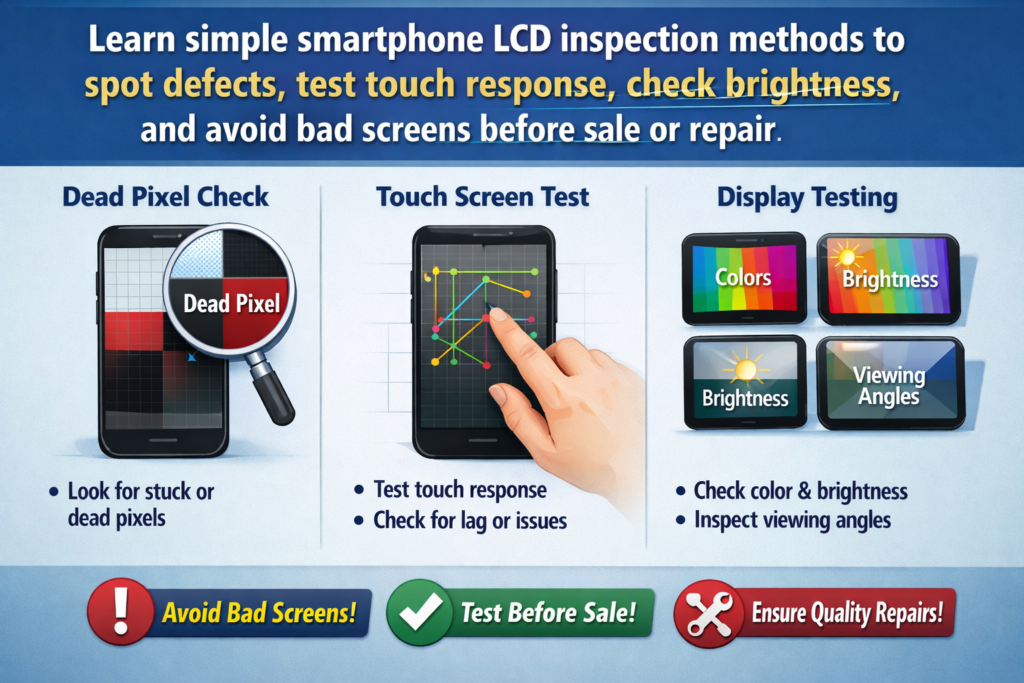
Pasiuna sa Smartphone LCD Screen Inspection
Kung bahin sa pag-ayo sa smartphone, pagbaligya pag-usab, o daghan nga pagpalit, ang LCD screen mao ang kasingkasing sa device. Ang usa ka telepono mahimong adunay usa ka hingpit nga motherboard ug baterya, apan ang usa ka sayup nga screen makaguba dayon sa kasinatian sa gumagamit. Mao nga ang pag-inspeksyon sa LCD dili opsyonal-kini hinungdanon.
Ngano nga Kritikal ang Pag-inspeksyon sa LCD Sa Dili pa Gamiton o Ibaligya
Hunahunaa ang pag-inspeksyon sa LCD sama sa pagsusi sa prutas sa dili pa kini paliton. Gikan sa gawas, ang tanan mahimong tan-awon nga maayo, pero ang usa ka tinago nga depekto makadaut sa tibuok batch. Ang sayo nga pag-inspeksyon makatabang kanimo sa pagdakop sa mga problema sa dili pa i-install, pagpakunhod sa pagbalik rates, paglikay sa mga reklamo sa kustomer, ug panalipdan ang imong mga margin sa ganansya.
Kasagaran nga mga Problema nga Makita sa Mga Screen sa LCD sa Smartphone
Ang labing kasagaran nga mga isyu naglakip sa mga patay nga pixel, dili patas nga kahayag, dili maayo nga tubag sa paghikap, galamnan, kahayag sa pagtulo, ug distorsyon sa kolor. Daghan niini nga mga depekto makita lamang ubos sa husto nga mga kondisyon sa pagsulay, labi na kung mogamit ug puro nga kolor nga background.
Mga Himan ug Pagpangandam sa Kalikopan
Sa wala pa pagsulay bisan unsa, yawe ang pagpangandam. Ang usa ka dinalian nga pag-setup mosangpot sa wala'y mahimo nga mga depekto.
Mahinungdanon nga mga Himan alang sa Pag-inspeksyon sa LCD
Kinahanglan nimo ang pagsulay nga telepono o motherboard, LCD test software o mga hulagway, usa ka panapton nga microfiber, maayong suga, ug limpyo nga gwantis. Ang opsyonal nga mga himan sama sa magnifying glass makatabang sa pagtan-aw sa gagmay nga mga garas o mga partikulo sa abog.
Sulundon nga Pagsulay sa Kalikopan Setup
Kondisyon sa Pagsiga
Gamit ug hayag apan humok nga suga. Likayi ang mapintas nga direktang kahayag nga makamugna og silaw, ingon man usab sa ngitngit nga mga palibot nga nagtago sa mga depekto sa nawong.
Mga Kinahanglanon sa Limpyo nga Trabahoan
Ang abog maoy kaaway. Bisan ang gamay nga partikulo mahimong tan-awon sama sa usa ka patay nga pixel. Kanunay nga limpyohan ang screen ug ang imong workspace sa dili pa ang pagsulay.
Pagsabot sa mga Depekto sa LCD
Unsa ang Patay nga Pixels ug Bad Pixels
Ang mga patay nga pixel mao ang mga pixel nga nagpabilin nga itom, samtang ang dili maayo nga mga pixel mahimong makita nga pula, berde, asul, o puti nga mga tulbok. Kini nga mga depekto tin-aw nga makita sa panahon sa puro nga pagsulay sa kolor.
Galamnan, Abog, ug Pisikal nga Kadaot Gisaysay
Ang mga garas makaapektar sa panagway ug sa bili sa pagbaligya. Ang abog nga natanggong sa sulod sa panel sagad makita nga itom nga mga spots ug dili matangtang sa ulahi.
Kinatibuk-ang Pagsusi sa Purong Kolor sa Background
Nganong Importante ang Putli nga Kolor nga mga Background
Ang lunsay nga mga kolor molihok sama sa usa ka spotlight alang sa mga depekto. Gikuha nila ang mga biswal nga makabalda ug nagpagawas bisan sa gagmay nga mga problema.
Girekomenda nga Pagkasunod-sunod sa Kolor alang sa Pagsulay
Puti, itum, pula, berde, ug asul. Kini nga han-ay nagsiguro nga walay depekto sa pixel nga dili mamatikdan.
Step-by-Step nga Dead Pixel Detection
Pagsulay sa White Background
Ang puti nga mga background nagpakita sa mga itom nga spots, abog, ug garas dayon. Hinay-hinay nga i-scan ang screen gikan sa taas hangtod sa ubos.
Pagsulay sa Black Background
Ang mga itom nga background perpekto alang sa pagtan-aw sa light leakage ug hayag nga mga pixel. Himoa kini nga pagsulay sa usa ka ngitngit nga lawak.
Pagsulay sa Pula, Berde, ug Blue Backgrounds
Ang matag kolor nagpunting sa usa ka piho nga sub-pixel.
Unsaon Pag-ila sa Mahayag ug Ngitngit nga mga Punto
Kung ang usa ka pixel magpabilin nga makita o dili makita sa mga kolor, kini depekto. Ang usa ka dili maayo nga pixel mahimong madawat sa pipila ka mga merkado, apan ang mga pungpong usa ka pula nga bandila.
Scratch ug Surface Defect Inspection
Mga Pamaagi sa Pagsusi sa Biswal
Ikiling ang screen sa lain-laing anggulo. Ang mga garas kanunay nga motago hangtod nga ang kahayag moigo kanila nga husto.
Paggamit sa Light Reflection aron Ipadayag ang mga Gasgas
Hinayhinay nga ibalhin ang usa ka tinubdan sa kahayag sa ibabaw sa nawong. Ang mga garas magpakita sa kahayag nga lahi sa baso.
Touch Sensitivity ug Responsiveness Testing
Mga Pamaagi sa Multi-Touch Testing
Gamit ug drawing apps o touch test software. Pagdrowing og mga linya sa screen gamit ang daghang mga tudlo sa usa ka higayon.
Pagkatukma sa Paghikap sa Edge ug Corner
Mga Common Touch Failure Zone
Ang mga kanto ug mga ngilit mao ang labing huyang nga mga lugar. Sulayi kini pag-ayo aron malikayan ang umaabot nga mga reklamo.
Ipakita ang Pagkaparehas ug Pagsulay sa Kahayag
Pag-ila sa Dili parehas nga Kahayag
Sa puti o gray nga mga background, pangitaa ang mga anino o mas hayag nga mga patsa.
Color Shift ug Shadow Detection
Ang dili parehas nga kolor kanunay nga nagsenyas sa backlight o mga isyu sa kalidad sa panel.
Mga Isyu sa Ghost Touch ug Delay
Unsa ang Ghost Touch
Ang paghikap sa multo mahitabo kung ang screen nagparehistro sa mga paghikap nga wala nimo nahimo. Kini usa ka damgo alang sa mga tiggamit.
Mga Lakang sa Praktikal nga Pagsulay aron Makita ang Touch Lag
Biyai ang screen nga walay trabaho, unya obserbahan. Ang mga random nga paglihok nagpakita sa mga problema.
LCD Backlight ug Light Leakage Test
Pag-detect sa Light Bleeding sa Dark Backgrounds
Susiha ang mga ngilit ug mga kanto sa itom nga screen sa ngitngit nga lawak.
Madawat vs Dili Madawat nga Pagtulo sa Kahayag
Ang gamay nga kahayag mahimong normal, apan ang mahayag nga mga patsa nagpasabot sa pagsalikway.
Anggulo sa Pagtan-aw ug Pagsulay sa Pagkatukma sa Kolor
Side Angle Viewing Checks
Ikiling ang screen sa wala ug tuo. Ang mga kolor kinahanglan magpabilin nga makanunayon.
Pagtuis sa Kolor sa Lainlaing Anggulo
Ang pag-yellowing o pagkalawos nagpaila sa ubos nga kalidad nga mga panel.
Katapusan nga Functional Assembly Test
Pagsulay Human sa Pagkonektar sa Telepono
Kanunay nga pagsulay pag-usab human sa pag-instalar. Ang ubang mga isyu makita lamang human sa bug-os nga asembliya.
Dali nga Checklist Sa wala pa ang Pag-apruba
Patay nga mga pixels, hikapon, kahayag, pagkakita, mga garas—susiha silang tanan sa kataposang higayon.
Kasagarang Mga Sayop Panahon sa Pag-inspeksyon sa LCD
Pagdali sa Proseso sa Inspeksyon
Ang katulin mosangput sa nawala nga mga depekto. Hinayhinay.
Pagbaliwala sa Gagmay nga mga Depekto nga Nagdako
Ang gagmay nga mga isyu kasagaran mahimong dako nga pagbalik sa ulahi.
Labing Maayo nga Mga Praktis alang sa Propesyonal nga Pagkontrol sa Kalidad sa LCD
Pag-standardize sa mga Pamaagi sa Inspeksyon
Gamita ang parehas nga mga lakang matag higayon alang sa makanunayon nga mga resulta.
Pagrekord ug Pagreport sa mga Depekto
Ang mga litrato ug mga nota manalipod kanimo panahon sa mga panaglalis.
Kataposan
Ang pag-inspeksyon sa mga screen sa LCD sa smartphone dili komplikado, apan kini nagkinahanglan og pailub, pagkamakanunayon, ug sakto nga pamaagi. Pinaagi sa paggamit sa lunsay nga kolor nga mga background, pagsusi sa pagtubag sa paghikap, pagsusi sa pagkaparehas sa pagpakita, ug sayo nga makita ang mga depekto sa nawong, makalikay ka sa mahal nga mga sayop. Tagda ang matag screen sama sa pagsulod sa imong kaugalingon nga telepono-tungod kay ang imong reputasyon nagdepende niini.
Kanunay nga Gipangutana nga mga Pangutana (FAQS)
1. Pila ka mga dead pixel ang madawat sa LCD screen?
Nagdepende kini sa mga sumbanan sa merkado, apan kadaghanan sa mga pumapalit mas gusto nga wala’y makita nga mga depekto.
2. Mahimo bang makuha ang mga garas gikan sa mga screen sa LCD?
Dili. Ang mga garas sa panel permanente ug kasagaran nagkinahanglan og ilisan.
3. Ngano nga mas maayo ang pagsulay sa puro nga kolor kaysa sa normal nga mga imahe?
Ang putli nga mga kolor naglainlain sa mga depekto, naghimo kanila nga mas sayon nga makit-an.
4. Unsa ang hinungdan sa dili parehas nga kahayag sa mga screen sa LCD?
Mga isyu sa backlight, dili maayo nga kalidad sa panel, o kadaot sa pressure.
5. Kinahanglan ba nako sulayan ang mga screen sa LCD sa wala pa ug pagkahuman sa pag-install?
Oo. Ang pagsulay sa duha ka yugto makapakunhod pag-ayo sa risgo.



