
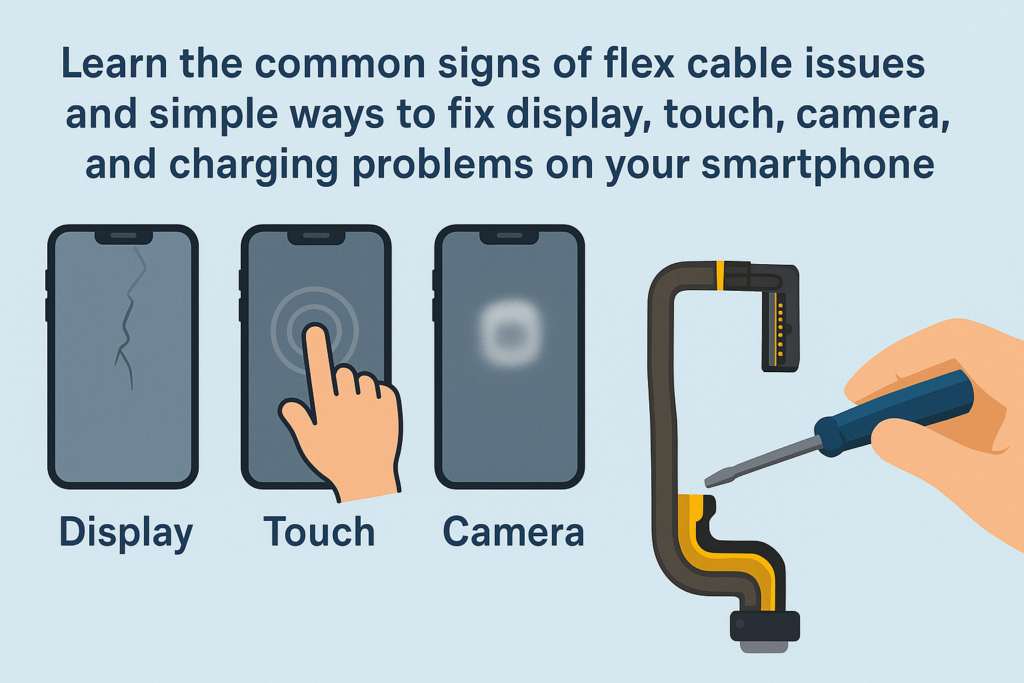
Smartphones zijn tegenwoordig compacter, slimmer, en krachtiger dan ooit. Maar achter die elegante buitenkant gaat een zeer complexe interne structuur schuil. Een van de belangrijkste (en kwetsbare) componenten zijn de flexkabels. Beschouw ze als het ‘zenuwstelsel’ van uw apparaat, het moederbord aansluiten op het beeldscherm, camera's, knoppen, oplaadpoorten, en meer. Wanneer deze kabels defect raken of het juiste contact verliezen, uw telefoon kan zich vreemd gaan gedragen.
In deze uitgebreide gids, we zullen de veel voorkomende symptomen opsplitsen, oorzaken, en oplossingen voor verbindingsproblemen met flexkabels, zodat u begrijpt wat er in uw telefoon gebeurt en hoe u dit kunt oplossen.
Inleiding tot smartphone-flexkabels
Wat zijn flexkabels?
Flexkabels, ook wel FPC genoemd (Flexibele gedrukte schakeling) of lintkabels – zijn dun, vlak, nauwkeurig ontworpen connectoren die worden gebruikt om componenten in een smartphone met elkaar te verbinden. Dankzij hun flexibele materiaal kunnen ze worden gebogen en passen ze in slanke apparaatframes.
Waarom flexkabels belangrijk zijn in moderne smartphones
Zonder flexkabels, het scherm liet niets zien, de camera zou niet werken, en uw aanraakinvoer zou niet registreren. Elke belangrijke functie is afhankelijk van een stabiele flexkabelverbinding. Wanneer er één losraakt of beschadigd raakt, de hele telefoon kan defect raken.
Symptomen van problemen met de verbinding met de flexkabel
Problemen met flexkabels zijn stiekem. Ze vertonen niet altijd constante fouten; soms werkt je telefoon prima, treedt dan plotseling op. Hier zijn de meest voorkomende symptomen:
Afwijkingen weergeven
Flikkering, Lijnen, en artefacten
Als uw scherm wordt weergegeven:
- Kleurrijke lijnen
- Knipperende segmenten
- Vervormde beelden
- “Mozaïek”-pixels
…vooral als u de telefoon buigt of erop tikt, dit is vaak een probleem met de flexkabel van het beeldscherm.
Gedeeltelijke of volledige aanrakingsfout
Jouw aanraking mag:
- Stop met reageren op bepaalde gebieden
- Willekeurig bevriezen
- Werk alleen na het indrukken of draaien van het frame
Opnieuw, dit wordt meestal veroorzaakt door slecht contact in de flexverbinding van het beeldscherm.
Camerastoringen
Focusproblemen
Wanneer de achteruitrijcamera blijft zoeken naar focus of ongecontroleerd trilt, De flexkabel van de camera is mogelijk los of beschadigd.
Zwart scherm of app crasht
Als uw camera wordt geopend en een zwart scherm wordt weergegeven, bevriest, of geforceerd gesloten bij het wisselen van lenzen, de flexkabel is waarschijnlijk de boosdoener.
Problemen met opladen en gegevensoverdracht
Intermitterend opladen
Als uw telefoon alleen wordt opgeladen als de kabel in een bepaalde hoek zit (of stopt met opladen als u hem verplaatst), is de oplaadflexkabel of het poortbord mogelijk los.
Onstabiele pc-verbinding
Als de computer uw telefoon slechts af en toe herkent, hetzelfde onderdeel kan defect zijn.
Sleutel- en audiostoringen
Aan/uit-/volumetoetsen werken niet
Zijtoetsen zijn afhankelijk van kleine flexkabels. Als de kabel is verschoven of gescheurd, de knoppen reageren niet meer.
Spreker, Oortje, of microfoonstoringen
Het zal je misschien opvallen:
- Geen geluid tijdens gesprekken
- Geen geluid bij het afspelen van muziek
- De andere persoon kan je niet horen
Deze symptomen komen vaak voort uit problemen met de audioflex of subboard-kabels.
Ander ongewoon gedrag
Willekeurig opnieuw opstarten
Plotseling opnieuw opstarten veroorzaakt door zacht tikken of schudden kan duiden op een onstabiele flexverbinding.
Face ID of biometrische fouten
Complexe sensoren zoals Face ID zijn afhankelijk van delicate flex-assemblages. Elk probleem kan de functie volledig uitschakelen.
Belangrijkste oorzaken van defecten aan de flexkabel
Als u de oorzaak begrijpt, kunt u toekomstige problemen voorkomen.
Fysieke schade
Druppels, buigen, compressie, of stoten kunnen flexkabels losmaken of scheuren.
Slijtage door langdurig gebruik
Opvouwbare schermen, schuifmechanismen, of vaak ingedrukte knoppen belasten na verloop van tijd de flexkabels.
Vloeistofschade en corrosie
Zelfs kleine blootstelling aan vocht – vochtigheid, zweet, of spatten – kunnen metalen contacten aantasten.
Slechte reparaties of onjuiste montage
Ongetrainde technici kunnen dat wel doen:
- Het lukt niet om de connectoren goed aan te sluiten
- Breek de bevestigingsclips
- Houd flexkabels onder de schroeven vast
Dit is een van de meest voorkomende verborgen oorzaken.
Natuurlijke componentveroudering
Zoals alle materialen, flexkabels gaan langzaam achteruit naarmate ze ouder worden.
Hoe u problemen met de Flex-kabel kunt diagnosticeren
Reproduceer het probleem
Observeer wanneer het probleem zich voordoet:
- Pas na een val?
- Wanneer u op een specifieke hoek drukt?
- Wanneer u de telefoon lichtjes draait?
Als het probleem verschijnt of verdwijnt door druk of beweging, het is vrijwel zeker een probleem met de flexkabel.
Gebruik de eliminatiemethode
Controleer Accessoires
Voor oplaadproblemen, poging:
- Een andere kabel
- Een andere oplader
Sluit softwareproblemen uit
Soms:
- Een foute update
- Een buggy-app
- Beschadigde systeembestanden
…kan hardwareproblemen nabootsen. Poging:
- De telefoon opnieuw opstarten
- Het systeem bijwerken
- Fabrieksreset (na back-up)
Veilige reinigingsmethoden (Alleen voor externe poorten)
Wanneer schoonmaken
Alleen schoon extern onderdelen zoals de oplaadpoort.
Hoe veilig schoon te maken
Schakel het apparaat uit, Dan:
- Gebruik een houten of plastic gereedschap
- Verwijder voorzichtig pluisjes
- Vermijd metalen voorwerpen
Open de telefoon nooit zelf, tenzij u daarvoor een opleiding heeft gevolgd. Interne flexkabels zijn kwetsbaar en kunnen gemakkelijk kapot gaan.
Wanneer u de telefoon NIET zelf moet openen
Als het probleem zich voordoet:
- Weergave
- Camera
- Gezichts-ID
- Moederbordconnectoren
…laat het over aan een professional.
Professionele reparatieoplossingen
Gedetailleerde diagnostische procedures
Technici gebruiken:
- Multimeters
- microscopen
- Schema's
Ze kunnen fouten met hoge nauwkeurigheid lokaliseren.
Interne flexkabels opnieuw plaatsen en reinigen
Als de kabel los zit, een technicus kan contacten reinigen met behulp van gespecialiseerde oplossingen en ze veilig opnieuw verbinden.
Beschadigde flexkabels vervangen
Als de kabel gescheurd of verouderd is, vervangen ervan is de enige betrouwbare oplossing.
Geavanceerde reparaties voor problemen met moederbordconnectoren
Als de flex-aansluiting op het moederbord beschadigd is, microsolderen kan nodig zijn.
Preventietips om toekomstige problemen met de flexkabel te voorkomen
Goede bescherming
Gebruik schokbestendige hoesjes om vallen te voorkomen.
Blootstelling aan vocht vermijden
Houd uw telefoon uit de buurt:
- Badkamers
- Zweet
- Regen
Zorgvuldige omgang met opvouwbare apparaten
Vouw voorzichtig en vermijd plotselinge klikkende bewegingen.
Kiezen voor professionele reparatiediensten
Geef altijd prioriteit:
- Gerenommeerde winkels
- Gecertificeerde technici
- Originele of hoogwaardige onderdelen
Conclusie
Problemen met de verbinding met de flexkabel kunnen verwarrend lijken, maar het goede nieuws is: ze zijn meestal te repareren. Of het nu een flikkerend scherm is, een slecht functionerende camera, of een oplaadpoort die alleen onder bepaalde hoeken werkt, deze problemen zijn vaak terug te voeren op een losse of beschadigde flexkabel. Door de symptomen te begrijpen, het opsporen van de oorzaken, en weten wanneer u professionele hulp moet zoeken, u kunt ervoor zorgen dat uw telefoon soepel blijft werken en de levensduur ervan wordt verlengd.
FAQ's
1. Kan ik een probleem met de flexkabel zelf oplossen??
U kunt externe poorten reinigen, maar interne reparaties moeten worden overgelaten aan opgeleide technici.
2. Hoeveel kost het repareren van flexibele kabels??
Het verschilt per model en onderdeel, maar de meeste vervangingen van flexkabels zijn relatief betaalbaar.
3. Een flikkerend scherm wordt altijd veroorzaakt door een slechte flexkabel?
Niet altijd: schermen of moederbordcircuits kunnen ook defect raken. Een goede diagnose is nodig.
4. Kan vocht ervoor zorgen dat flexibele kabels kapot gaan??
Ja. Zelfs kleine hoeveelheden vocht kunnen connectoren aantasten en de signaaloverdracht beïnvloeden.
5. Wat gebeurt er als ik mijn telefoon blijf gebruiken met een probleem met de flexkabel??
Het probleem kan in de loop van de tijd verergeren, wat leidt tot volledig falen van de aangetaste functie.



