
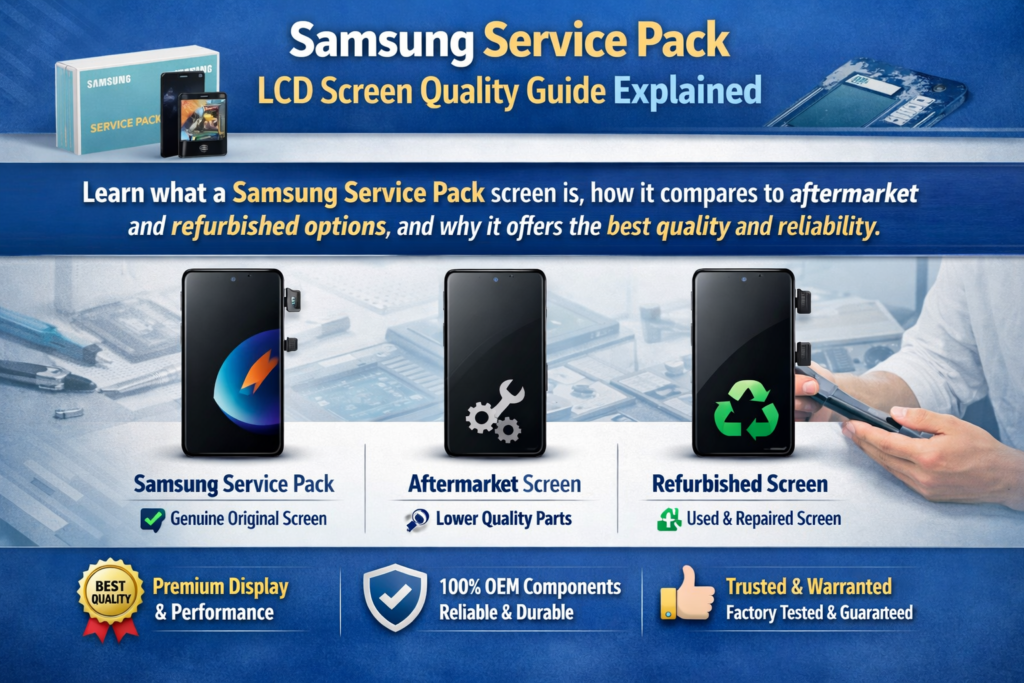
Mi az a Samsung szervizcsomag képernyő?
Definíció és összetevők
Ha már javított Samsung telefont, valószínűleg hallottad már ezt a kifejezést "Szerviz csomag" úgy dobálják, mintha valami aranystandardról lenne szó. És őszintén? Valahogy így van. A Samsung Service Pack képernyő A hivatalos csere-kijelző modulra utal, amelyet közvetlenül a Samsung hivatalos csatornáin keresztül szállítanak. Ezek nem csak laza panelek – általában teljes szerelvények, amelyek tartalmazzák a kijelzőt, érintési réteg, és néha még a keretet és a kiegészítő alkatrészeket is.
A legújabb iparági betekintések szerint, a Service Pack lényegében a 100% eredeti Samsung kijelzőmodul, amelyet úgy terveztek, hogy megfeleljen a gyári szabványoknak . Ez azt jelenti, hogy amikor telepít egyet, nem fejleszti le a telefont, hanem visszaállítja eredeti állapotába. Képzeld el úgy, mintha egy törött autó szélvédőjét a gyártó pontosan ugyanolyan üvegére cserélnéd, nem olcsóbb utánzat.
Egy másik fontos részlet? Ezek a képernyők gyakran előkalibráltak. Ez világossági görbéket jelent, színpontosság, és az érintésérzékenység már optimalizálva van. Ellentétben az utángyártott opciókkal, nincs találgatás. Telepíted, és egyszerűen működik – pontosan úgy, ahogy a Samsung tervezte.
Miért használ a Samsung Service Pack képernyőket?
A Samsung nem vacakol, amikor javításról van szó. Hivatalos szervizekben, technikusok használata kötelező eredeti alkatrészek, annak biztosítása, hogy a telefon pontosan úgy működjön, ahogy a dobozból kivéve . Ezért léteznek Service Pack képernyők – a konzisztencia fenntartása érdekében, megbízhatóság, és a márka hírnevét.
Ennek technikai okai is vannak. A modern Samsung telefonok fejlett megjelenítési technológiákat használnak, mint pl Dinamikus AMOLED, ívelt élek, és a kijelző alatti ujjlenyomat-érzékelők. Ha rossz minőségű képernyőt cserél, ezek a funkciók teljesen leállhatnak. Ez nem csak kényelmetlen, hanem a legtöbb felhasználó számára megszakítja az üzletet.
Így, A Samsung szervizcsomagokat használ, mert három dolgot garantálnak:
- Teljes kompatibilitás
- Eredeti előadás
- Hosszú távú megbízhatóság
És a javítás világában, ez a kombináció megfizethetetlen.
Hogyan különböznek a Service Pack képernyők a többi képernyőtípustól
Szervizcsomag vs utángyártott képernyők
Legyünk valódiak – az utángyártott képernyők mindenhol megtalálhatók. Olcsók, könnyű megtalálni, és csábító. De itt van a fogás: nem a Samsung gyártja. És ez a különbség azonnal megjelenik.
Az utángyártott LCD- vagy OLED-képernyőkből gyakran hiányzik ugyanaz a megjelenítési technológia. Például, sok olcsóbb helyettesítőt nem használ AMOLED panelek, tompa színeket eredményez, gyenge kontraszt, és korlátozott betekintési szögek . Ez olyan, mintha egy 4K-s tévéről egy régi HD-képernyőre váltana – ezt azonnal észreveszi.
Még rosszabb, egyes funkciók elromolhatnak. Előfordulhat, hogy az ujjlenyomat-érzékelők leállnak, az érintésre adott válasz késedelmes lehet, és a fényerő szintje inkonzisztens lehet. Röviden, éppen azt az élményt áldozza fel, amely a Samsung telefonokat prémium minőségűvé teszi.
Service Pack vs Refurbished Screens
A felújított képernyők okos középútnak tűnnek, jobbra? Nem egészen. Ezek általában eredeti panelek, üvegcserével. Bár ez elméletben jól hangzik, a végrehajtás minden – és gyakran következetlen.
A gyakori problémák közé tartozik:
- Por ragadt a rétegek közé
- A gyengébb ragasztó emelkedést okoz
- Csökkentett érintésérzékenység
Amint azt az iparági jelentések kiemelik, a felújított képernyők minősége nagyban függ attól, hogy ki újította fel őket . Ez azt jelenti, hogy minden alkalommal dob a kockával, amikor telepít egyet.
Service Pack vs Pulled Screens
A húzott képernyők a használt eszközökről vett eredeti kijelzők. Közelebb állnak a Service Pack minőségéhez, de egy nagy problémával járnak: ismeretlen történelem.
Persze, tökéletesen működhetnek. De lehet rejtett viselet is, csökkentett fényerő, vagy mikrosérülés. Egy vadonatúj Service Pack képernyőhöz képest, még mindig kompromisszumot jelentenek.
A Samsung Service Pack képernyők alapvető minőségi jellemzői
Eredeti AMOLED technológia
A Service Pack képernyők egyik legnagyobb előnye a Samsung eredeti képernyőjéhez való hozzáférés AMOLED technológia. Ez nem csak marketing felhajtás – ez adja a Samsung kijelzőinek jellegzetes megjelenését.
AMOLED-del, minden pixel saját fényt bocsát ki. Ez azt jelenti:
- Igazi feketék (képpontok teljesen kikapcsolnak)
- Magasabb kontrasztarány
- Jobb energiahatékonyság
Az utángyártott képernyők ezt gyakran nem képesek megismételni. Első pillantásra jónak tűnhetnek, hanem egymás mellett, a különbség nyilvánvaló.
Érintse meg az Érzékenység és teljesítmény lehetőséget
Használt valaha olyan telefont, ahol az érintés „kikapcsolt”? Ez általában az alacsony minőségű képernyő jele. A szervizcsomag kijelzői kiküszöbölik ezt a problémát.
Mert gyárilag kalibrálva vannak, szállítanak:
- Azonnali érintésre adott válasz
- Pontos gesztusfelismerés
- Sima görgetés
Ez különösen fontos a játékosok és a nehéz felhasználók számára. Az érintésre adott válasz enyhe késése teljesen tönkreteheti az élményt.
Színpontosság és fényerő
A Samsung az élénkségéről ismert, ütős színek. A Service Pack képernyők ezt pontosan megőrzik. Ugyanazokat a színprofilokat kapja, fényerőszintek, és a HDR teljesítményt, mint az eredeti kijelzőt.
Hasonlítsa össze az utángyártott képernyőkkel, amelyek gyakran kimosottnak vagy túlzottan telítettnek tűnnek. Ez olyan, mintha egy professzionálisan szerkesztett fotót egy rossz minőségű szűrőhöz hasonlítanánk.
Teljesítményelőnyök a valós használat során
Ujjlenyomat-érzékelő kompatibilitás
Modern Samsung telefonokat használnak kijelző alatti ujjlenyomat-érzékelők, amelyek precíz megjelenítési technológiára támaszkodnak. A Service Pack képernyők teljes mértékben támogatják ezt a funkciót.
Utángyártott képernyők? Nem mindig. Valójában, sokan teljesen megbuknak vagy megbízhatatlanokká válnak. Ez óriási kényelmetlenséget jelent a napi használat során.
Frissítési gyakoriság és simaság
A magas frissítési gyakoriság – például a 120 Hz – a Samsung készülékek fő értékesítési pontja. A Service Pack képernyők fenntartják ezt a teljesítményt.
Néhány olcsóbb csere csökkenti a frissítési gyakoriságot, lassabbnak érezve a telefont. Képzeld el, veszel egy sportautót, majd fél sebességre korlátozod – ez az érzés.
Tartósság és megbízhatóság
Szerkezeti szilárdság
A Service Pack képernyőket gyakran teljes szerelvényként értékesítik, beleértve a keretet is. Ez csökkenti a telepítési hibákat és javítja a tartósságot.
Megfelelően telepített Service Pack képernyő:
- Tökéletesen illeszkedik
- Csökkenti a fényszivárgást
- Minimalizálja a jövőbeni károk kockázatát
Hosszú élettartam az alternatívákkal összehasonlítva
Íme az igazság: az olcsóbb képernyők pénzt takaríthatnak meg előre, de gyakran hamarabb elbuknak. A Service Pack képernyők tartósak, pont mint az eredeti.
Ez kevesebb javítást jelent, kevesebb panasz, és jobb hosszú távú érték.
Árképzési elemzés és érték
Miért drágák a Service Pack képernyők?
Beszéljünk a szobában lévő elefántról – az árról. A Service Pack képernyők drágák. Egyes esetekben, a képernyő cseréje többe kerülhet $200 modelltől függően .
Miért olyan magas?
Mert fizetsz:
- Eredeti alkatrészek
- Fejlett technológia
- Garantált kompatibilitás
Ez nem csak egy képernyő – ez a teljes kijelzőrendszer.
Költség vs hosszú távú érték
Íme egy egyszerű összehasonlítás:
| Képernyő típusa | Ár | Minőség | Kockázati szint |
|---|---|---|---|
| Service Pack | Magas | Kiváló | Alacsony |
| Felújított | Közepes | Változó | Közepes |
| Utángyártott | Alacsony | Gyenge – Átlagos | Magas |
Ha figyelembe veszi az ügyfelek elégedettségét, és megismétli a javításokat, A Service Pack képernyők gyakran a legjobb értéket nyújtják.
Gyakori tévhitek a szervizcsomag minőségével kapcsolatban
„Második minőség” mítosz
Vannak, akik úgy gondolják, hogy a Service Pack képernyők „második minőség”. Ez nem pontos. Ők azok Samsung szabvány szerint gyártott eredeti alkatrészek.
A tapasztalati különbségek általában abból fakadnak:
- Megjelenítési beállítások
- Telepítési problémák
- A nem eredeti alkatrészeket rosszul címkézték fel
Zavar az OEM- és másolási képernyőkkel
A piac tele van zavaros kifejezésekkel – OEM, eredeti, másolat, felújított. Csak a Service Pack képernyőket ismerik el hivatalosan 100% eredeti Samsung cserealkatrészek.
Minden más valahol e szabvány alá esik.
Mikor válasszon szervizcsomag képernyőt??
Ideális használati esetek
Válasszon Service Pack képernyőt, ha:
- Eredeti előadást szeretne
- A telefon csúcskategóriás (Galaxy S, Z sorozat)
- Önnek fontos a hosszú távú megbízhatóság
Amikor az alternatíváknak van értelme
Vannak helyzetek, amikor az olcsóbb lehetőségek működnek:
- Alacsony költségvetésű javítások
- Régebbi készülékek
- Ideiglenes javítások
De ne feledje – a minőséget a költségekért cseréli.
Következtetés
A Samsung Service Pack LCD képernyők képviselik a legmagasabb színvonalú okostelefon kijelző csere. Eredeti minőséget nyújtanak, teljes funkcionalitás, és olyan hosszú távú megbízhatóság, amelyhez egyetlen utángyártott alternatíva sem tud igazán hasonlítani. Bár az ár meredeknek tűnhet, az érték világossá válik, ha figyelembe vesszük a teljesítményt, tartósság, és a felhasználói élményt.
Ha komolyan gondolja egy Samsung-eszköz integritásának megőrzését, A Service Pack képernyők nem csak egy lehetőség – ők a viszonyítási alap.
GYIK
1. A Samsung Service Pack képernyők eredetiek??
Igen, azok 100% eredeti Samsung alkatrészek, amelyeket hivatalos javításokhoz terveztek.
2. Miért olyan drágák a Service Pack képernyők??
Mert eredeti AMOLED technológiát tartalmaznak, teljes szerelvények, és garantált kompatibilitás.
3. A Service Pack képernyők támogatják-e az ujjlenyomat-érzékelőket??
Igen, probléma nélkül teljes mértékben támogatják a kijelző alatti ujjlenyomat-érzékelőket.
4. A felújított képernyők jó alternatíva?
Olcsóbbak lehetnek, de a minőség változó, és gyakoriak a problémák.
5. Hogyan azonosíthatom az eredeti Service Pack képernyőt??
Keresse a hivatalos csomagolást, következetes árképzés, és megbízható beszállítók.



