
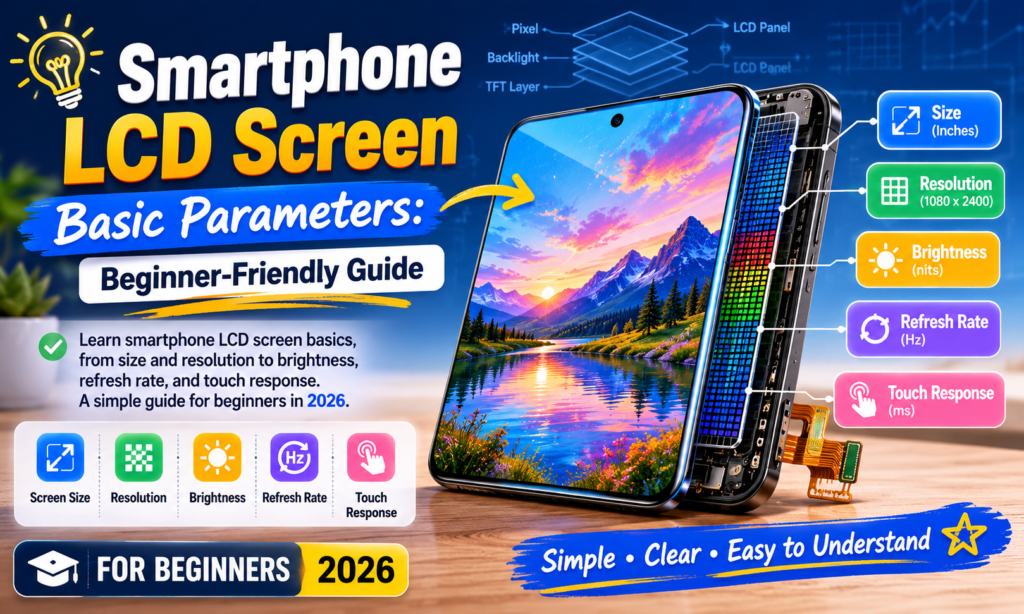
Waarom het begrijpen van LCD-schermparameters belangrijk is
Als je ooit naar het specificatieblad van een smartphonescherm hebt gekeken en erover nagedacht, Wat betekenen al deze cijfers eigenlijk? – je bent zeker niet de enige. Termen als FHD+, 120Hz, 1000 neten, En PPI overal rondgeslingerd worden, maar ze voelen vaak meer aan als marketingtaal dan als nuttige informatie. De waarheid is, deze cijfers zijn belangrijk. Veel meer dan de meeste mensen zich realiseren.
Het scherm van uw smartphone is het deel van de telefoon waarmee u meer dan wat dan ook communiceert. Je tikt er honderden keren per dag op. Je leest er berichten op, bekijk video's, door websites bladeren, foto's bewerken, spelletjes spelen, en staar er waarschijnlijk meer naar voordat je naar bed gaat dan je zou willen toegeven. Het is de voordeur van je telefoon voor alles. Als het scherm slecht is, de hele ervaring voelt slecht aan, ook al is de processor snel en de camera uitstekend.
Dat is vooral belangrijk in de industrie voor het vervangen en repareren van LCD-schermen voor smartphones. Of u nu een vervangend LCD-scherm koopt, onderdelen kopen voor wederverkoop, of gewoon uw volgende telefoon kiezen, Door LCD-parameters te begrijpen, kunt u betere beslissingen nemen. Een specificatieblad is niet langer een muur van verwarrende cijfers, maar wordt iets praktisch. Het wordt een checklist.
Zie het als het kopen van een auto. Je hoeft geen monteur te zijn om paardenkracht te begrijpen, brandstofefficiëntie, of veiligheidsbeoordelingen. Smartphone-displays werken op dezelfde manier. Je hoeft geen ingenieur te zijn; je hoeft alleen maar te weten wat belangrijk is.
Wat is een LCD-scherm van een smartphone?
LCD staat voor Vloeibare kristalweergave, en ondanks dat OLED de belangrijkste telefoongesprekken domineert, LCD blijft ongelooflijk gebruikelijk, vooral in budgettelefoons, apparaten uit het middensegment, en vervangende schermen voor de aftermarket.
Een LCD produceert zelf geen licht. In plaats van, het berust op a achtergrondverlichting achter het paneel. Vloeibare kristallen bepalen vervolgens hoeveel licht door gekleurde filters gaat om de beelden te creëren die u ziet. Dat is de reden waarom LCD-panelen er meestal helder en schoon uitzien, maar niet hetzelfde “echte zwarte” contrast produceren als op OLED.
OLED werkt anders omdat elke pixel zijn eigen licht uitstraalt. Zwarte pixels kunnen volledig worden uitgeschakeld. LCD-pixels kunnen dat niet. Zelfs zwarte gebieden hebben nog steeds de achtergrondverlichting achter zich, waardoor zwarten er in vergelijking enigszins grijs uitzien.
Nog steeds, LCD heeft verschillende voordelen:
- Lagere kosten
- Stabiele kleurprestaties
- Geen inbrandrisico
- Vaak makkelijker en goedkoper te vervangen
- Betrouwbare duurzaamheid op lange termijn
Veel gebruikers geven om praktische redenen nog steeds de voorkeur aan LCD. Op de markt voor reparatieonderdelen, LCD is vooral belangrijk omdat de vervangingskosten lager zijn en de compatibiliteit vaak breder is.
Scherm grootte
Schermgrootte is meestal het eerste wat mensen opmerken.
Het scherm van een smartphone wordt diagonaal gemeten in inches: van de ene hoek naar de andere hoek.
In 2026, gangbare maten omvatten:
| Weergavegrootte | Typische ervaring | Beste voor |
|---|---|---|
| 6.1″ | Compact | Gebruik met één hand |
| 6.4″ | Evenwichtig | Dagelijkse gebruikers |
| 6.6″ | Groot | Video's & sociale media |
| 6.7–6,9″ | Extra groot | Gamen & streamen |
De meeste telefoons zitten er nu ergens tussenin 6.1 En 6.8 inch. Groter betekent niet altijd beter.
Een groter scherm geeft je:
- Meer meeslepende videoweergave
- Groter toetsenbord
- Betere zichtbaarheid tijdens het gamen
- Gemakkelijker lezen
Maar het betekent ook:
- Moeilijkere bediening met één hand
- Zwaarder apparaat
- Grotere zakvoetafdruk
Het kiezen van de schermgrootte is persoonlijk. Het gaat minder om ‘het beste’ en meer om ‘het beste voor jou’.
Oplossing
Resolutie vertelt u hoeveel pixels er in het scherm zijn verpakt.
Meer pixels betekent over het algemeen meer details.
Veel voorkomende LCD-resoluties voor smartphones zijn onder meer:
| Oplossing | Aantal pixels | Kwaliteitsniveau |
|---|---|---|
| HD | 1280 × 720 | Instapniveau |
| FHD | 1920 × 1080 | Standaard |
| FHD+ | 2400 × 1080 | Moderne standaard |
| QHD | 2560 × 1440 | Premie |
FHD+ blijft de goede plek in 2025-2026, biedt sterke scherpte zonder het extra batterijverbruik van QHD.
Resolutie heeft invloed:
- Tekstscherpte
- Fotohelderheid
- Videodetail
- Scherpte van de app-UI
Een gerelateerde statistiek is PPI (pixels per inch).
Typische smartphone-PPI:
- 300 PPI = acceptabel
- 400 PPI = scherp
- 450+ PPI = zeer scherp
- 500+ PPI = dichtheid op premiumniveau
Verder dan rond 450 PPI, veel mensen hebben moeite om een enorm verschil op te merken bij normaal gebruik.
Helderheid
Helderheid wordt gemeten in neten.
Eén nit is gelijk aan één candela per vierkante meter. Klinkt technisch, maar het is eigenlijk eenvoudig.
Hogere nits = helderder scherm.
Helderheid is een van de belangrijkste LCD-specificaties in de echte wereld, omdat deze van invloed is op de vraag of u uw scherm buitenshuis daadwerkelijk kunt zien.
Typische helderheidsgids:
| Helderheid | Ervaring |
|---|---|
| 400–500 nits | Alleen voor gebruik binnenshuis |
| 700–900 nits | Goed |
| 1000+ neten | Uitstekend zicht naar buiten |
| 2000+ neten | Piekhelderheid op vlaggenschipniveau |
Recente smartphone-displayrapporten worden aanbevolen 800–1000 nits of meer voor comfortabel zicht in zonlicht.
Helderheid heeft ook invloed:
- HDR-weergave
- leesbaarheid in zonlicht
- nauwkeurigheid van fotobewerking
- oog comfort
Een helder scherm voelt meteen premiumer aan. Het is een van die specificaties die gebruikers opmerken zonder te weten waarom.
Vernieuwingsfrequentie
De vernieuwingsfrequentie wordt gemeten in Hz.
Het beschrijft hoe vaak per seconde het scherm wordt vernieuwd.
Algemene vernieuwingsfrequenties:
| Vernieuwingsfrequentie | Gebruikerservaring |
|---|---|
| 60Hz | Standaard |
| 90Hz | Zacht |
| 120Hz | Zeer soepel |
| 144Hz+ | Gericht op gamen |
60Hz betekent 60 wordt elke seconde vernieuwd.
120Hz betekent het dubbele.
Dat beïnvloedt:
- soepelheid bij het scrollen
- app-animaties
- gamen
- aanraking voelen
Zodra u regelmatig 120 Hz gebruikt, teruggaan naar 60 Hz kan verrassend schokkerig aanvoelen.
Maar er is een afweging.
Een hogere vernieuwingsfrequentie betekent vaak:
- meer batterijgebruik
- hogere GPU-werkbelasting
Dat is de reden waarom adaptieve vernieuwingsschermen steeds gebruikelijker worden.
Door 2025, 120Hz is nu gebruikelijk, zelfs op apparaten uit het middensegment.
Kleurprestaties
Resolutie krijgt aandacht, maar kleurkwaliteit zorgt ervoor dat een scherm levend aanvoelt.
Belangrijke LCD-kleurparameters zijn onder meer:
- Kleurengamma
- Kleurtemperatuur
- Kleurnauwkeurigheid
- Contrast
- Kijkhoek
Kleurengamma
Dit bepaalt hoeveel kleuren het beeldscherm kan reproduceren.
Gemeenschappelijke normen:
- sRGB
- DCI-P3
DCI-P3 is breder en rijker dan sRGB.
Kleurnauwkeurigheid
Vaak gemeten door Delta E.
Lager = beter.
- Delta E < 3 = zeer goed
- Delta E < 2 = uitstekend
Sommige premiumdisplays bereiken nu een kalibratie op bijna professioneel niveau.
Kleurnauwkeurigheid is van belang:
- fotografie
- video
- online winkelen
- reproductie van huidtinten
Als de kleuren uit zijn, alles voelt verkeerd.
Raak Prestaties aan
Aanraking is niet alleen maar aanraking meer.
Er zijn hier twee belangrijke metingen:
Aanraakgevoeligheid
Hoe gemakkelijk het scherm reageert op vingercontact.
Een slecht LCD-scherm kan vertraagd of inconsistent aanvoelen.
Raak Bemonsteringsfrequentie aan
Dit is hoe vaak het scherm elke seconde aanraakinvoer detecteert.
Gemeten in Hz.
Voorbeelden:
- 120Hz
- 240Hz
- 360Hz
Hogere aanrakingsbemonstering betekent:
- snellere tikreactie
- soepelere spelbesturing
- betere typnauwkeurigheid
Gamers merken dit meteen.
Casual gebruikers merken het misschien niet bewust, maar ze voelen het wel.
Het is alsof je een auto bestuurt met een strakker rijgedrag. Je kunt het misschien niet technisch uitleggen, maar je voelt het reactievermogen.
Conclusie
Voor het begrijpen van de parameters van het LCD-scherm van smartphones is geen technische kennis vereist. Zodra de terminologie bekend wordt, het lezen van een beeldschermspecificatieblad wordt veel eenvoudiger.
Als je je maar een paar dingen herinnert, focus hierop:
- Schermgrootte beïnvloedt het comfort
- Oplossing beïnvloedt de scherpte
- Helderheid beïnvloedt de zichtbaarheid
- Vernieuw tarief beïnvloedt de gladheid
- Kleurprestaties beïnvloedt de visuele kwaliteit
- Aanraakbemonstering beïnvloedt het reactievermogen
Voor de meeste gebruikers in 2026, een geweldig LCD-scherm ziet er meestal zo uit:
- 6.4–6,7 inch
- FHD+
- 450+ PPI
- 800+ nits helderheid
- 120Hz vernieuwingspercentage
- sterke kleurkalibratie
Die combinatie levert de goede plek tussen prijs op, bruikbaarheid, en prestatie weergeven.
Het scherm is waar uw hele smartphone-ervaring plaatsvindt. Het is het podium. Elke app, elke foto, elke video verschijnt daar als eerste.
Kies verstandig.
FAQ's
1. Wat is de belangrijkste LCD-parameter in een smartphone?
Het hangt af van het gebruik, Maar helderheid En oplossing zijn meestal het meest opvallend bij dagelijks gebruik. Helderheid beïnvloedt de leesbaarheid buitenshuis, terwijl de resolutie de scherpte beïnvloedt.
2. Is LCD beter dan OLED??
Niet universeel. OLED heeft betere zwarttinten en contrast. LCD is vaak goedkoper, duurzaam, en vrij van inbrandrisico.
3. Is 120 Hz het waard??
Ja voor de meeste gebruikers. Scrollen voelt soepeler en de telefoon voelt over het algemeen sneller aan.
4. Welke resolutie is het beste voor smartphone-LCD's??
Voor de meeste mensen, FHD+ biedt de beste balans tussen scherpte en batterijduur.
5. Hoeveel nits is goed voor een smartphonescherm?
Rondom 800–1000 nits is uitstekend geschikt voor het meeste dagelijkse gebruik, vooral buitenshuis. Hoger is nog beter in direct zonlicht.



